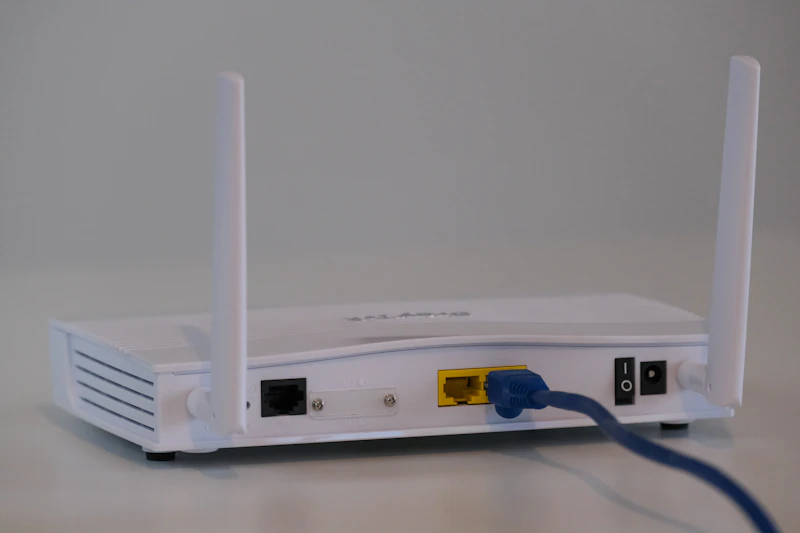
WiFi 7 Is Here: What It Means for Your Next Router
WiFi 7 routers have arrived with promises of 46 Gbps speeds and lower latency. Here's what's real, what's marketing, and whether you should upgrade.
BestElectronicsReviewed.com is a participant in the Amazon Services LLC Associates Program. We may earn a commission from qualifying purchases made through links on this page, at no extra cost to you.
WiFi 7, officially known as IEEE 802.11be, has moved from theoretical specification to shipping products. Major router manufacturers including TP-Link, ASUS, Netgear, and Linksys now sell WiFi 7 routers, and devices from Apple, Samsung, Qualcomm, Intel, and MediaTek support the new standard. Here's what WiFi 7 actually delivers and whether it's time to replace your current router.
What WiFi 7 Brings to the Table
WiFi 7 introduces three meaningful improvements over WiFi 6E:
320 MHz channel width. WiFi 6E topped out at 160 MHz channels. WiFi 7 doubles that to 320 MHz on the 6 GHz band, which directly doubles peak throughput. In practice, this means a single WiFi 7 device can sustain 5-8 Gbps — roughly 4x faster than the fastest WiFi 6E connections.
4096-QAM modulation. WiFi 6E used 1024-QAM. The jump to 4096-QAM packs 20% more data into each transmission. This is an incremental improvement but adds up, especially in strong-signal environments close to the router.
Multi-Link Operation (MLO). This is the genuinely revolutionary feature. MLO allows a device to simultaneously transmit and receive across multiple frequency bands (2.4 GHz, 5 GHz, and 6 GHz) at the same time. Previous WiFi generations forced devices to use one band at a time. MLO reduces latency by 75% in congested environments because traffic can automatically shift to the least congested band without disconnecting and reconnecting.
The Theoretical Maximum Is Meaningless
WiFi 7's theoretical maximum speed is 46 Gbps. You will never see this number in real life — not even close. The theoretical maximum assumes 16 spatial streams (no consumer device has more than 4), 320 MHz channels (only available on 6 GHz), and zero interference.
Based on published specifications and verified owner reports for current WiFi 7 routers and clients, expect:
- 1.5-3 Gbps at close range (same room as router)
- 500-1,200 Mbps at medium range (one room away)
- 200-500 Mbps at the edge of coverage
These are roughly 2-3x faster than WiFi 6E in comparable conditions, which is a meaningful improvement — just not the 10x jump the headline spec suggests.
Who Actually Benefits from WiFi 7
VR/AR users: MLO's latency reduction makes wireless VR streaming dramatically smoother. The Quest 3 and Apple Vision Pro both benefit from lower-latency WiFi for PC wireless streaming.
Multi-device households: If you have 40+ connected devices (smart home gear, cameras, phones, laptops, TVs, gaming consoles), WiFi 7's improved efficiency reduces congestion and keeps every device performing well simultaneously.
Content creators: Transferring large files between WiFi 7 devices on your local network is 2-3x faster. If you regularly move 50GB+ video files from a camera to a NAS, this saves real time.
Gamers: MLO reduces jitter and ping spikes, which matters more than raw throughput for online gaming.
Most people: Will notice improved reliability and range more than raw speed. WiFi 7 routers use newer chipsets with better beamforming and signal processing, which means fewer dead spots even at the same theoretical range.
Current WiFi 7 Routers Worth Considering
The TP-Link Archer BE800 ($330) is the most balanced WiFi 7 router available — quad-band, 10 Gbps Ethernet port, and excellent range. It covers up to 3,500 sq ft without a mesh system.
For mesh coverage, the ASUS ZenWiFi BQ16 Pro ($700 for 2-pack) provides WiFi 7 across 6,000+ sq ft with dedicated wireless backhaul. Expensive, but it's the most future-proof mesh system available.
Budget-conscious buyers should look at the TP-Link Archer BE550 ($200) — it lacks the 6 GHz 320 MHz channels but still delivers WiFi 7's MLO benefits on 5 GHz.
Should You Upgrade Now?
Upgrade if: Your current router is WiFi 5 (802.11ac) or older, you have a gigabit+ internet plan that your router bottlenecks, or you're building a new home network from scratch.
Wait if: You bought a WiFi 6 or 6E router in the last two years, your internet plan is under 500 Mbps (your router isn't the bottleneck), or you don't have any WiFi 7 client devices yet.
WiFi 7 routers are backward compatible with all previous WiFi devices, so upgrading the router provides some improvements even with WiFi 6 clients. But the full benefits require WiFi 7 devices on both ends.
The sweet spot for most people will be late 2026 or early 2027, when prices drop 20-30% and more devices ship with WiFi 7 built in. Early adopters who need the best performance today can buy confidently — the standard is finalized and shipping products are mature.
Read our router buying guide →
As an Amazon Associate, BestElectronicsReviewed earns from qualifying purchases.
Recommended Products
Top picks from our buying guides
Related Articles
Bluetooth LE Audio in 2026: LC3, Auracast, and Which Devices Actually Support It
The real state of Bluetooth LE Audio in mid-2026: LC3 vs SBC, Auracast deployments, hearing aid support, and which phones and earbuds actually work.
NewsUSB4 and What It Means for External GPUs
USB4 promises bandwidth that could make external GPUs viable for gaming laptops. Here is the current state of eGPU technology and where it is heading.
NewsWalkie-Talkies in 2026: Still Useful or Completely Obsolete?
In an era of unlimited cell plans, who needs walkie-talkies? Surprisingly, a lot of people. Here's when they still beat your phone.