Mechanical vs Membrane Keyboard: Is the Upgrade Worth It?
Mechanical keyboards have a devoted following, but membrane keyboards work fine for most people. Here's whether the upgrade is worth it for your specific use case.
BestElectronicsReviewed.com is a participant in the Amazon Services LLC Associates Program. We may earn a commission from qualifying purchases made through links on this page, at no extra cost to you.
Mechanical keyboards inspire the kind of devotion usually reserved for sports teams and political movements. Enthusiasts insist they are transformatively better than membrane keyboards. Skeptics say the difference is marginal and not worth the price premium. The truth depends entirely on how you use your keyboard and what you value.
How They Work
Membrane keyboards use a pressure pad beneath the key. Pressing a key pushes a rubber dome that contacts an electrical membrane to register the keystroke. The rubber dome provides the resistance and the tactile feedback (if any).
Mechanical keyboards use an individual mechanical switch under each key. The switch has a spring, a stem, and contact leaves that produce a distinct actuation point, audible and tactile feedback, and consistent resistance across the keyboard's lifetime.
The Typing Experience Difference
The primary difference is feel. Mechanical keyboards provide a distinct, consistent keystroke that many typists find more satisfying and fatiguing over long sessions. The actuation point — the moment the keypress registers — is precise and repeatable.
Membrane keyboards have a mushier, less defined keystroke. The rubber dome degrades over time, becoming even mushier. But for casual typing — emails, chat, and occasional documents — the difference is minimal.
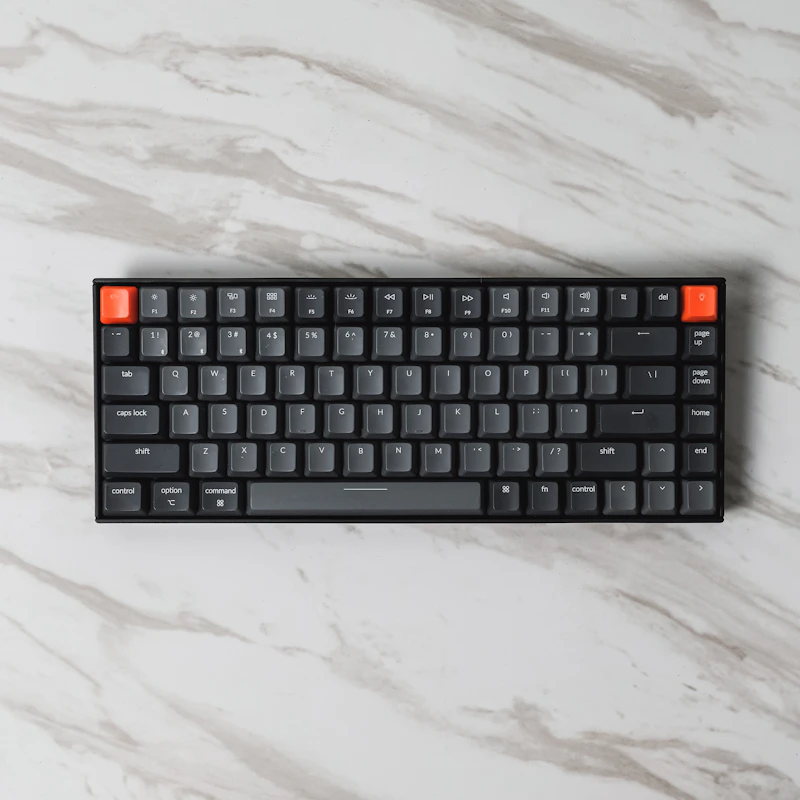
The Keychron K2 Pro with brown switches provides the tactile bump of a mechanical keyboard without the loud click, making it suitable for shared workspaces. It is wireless, compact, and compatible with both Mac and Windows.
Switch Types: The Confusing Part
Mechanical keyboards come in different switch types, each with a distinct feel:
Linear (Red, Black): smooth keypress with no bump or click. Preferred by gamers for fast, consistent keypresses. Quiet.
Tactile (Brown, Clear): a noticeable bump at the actuation point provides feedback without noise. Preferred by typists who want to feel each keystroke without the clicky sound.
Clicky (Blue, Green): a tactile bump plus an audible click at actuation. Satisfying for the typist, annoying for everyone within earshot.
For office and home use, tactile (brown) switches provide the best balance of typing feel and noise consideration.
Durability and Longevity
Mechanical switches are rated for 50 to 100 million keystrokes per key. Membrane keyboards are rated for 5 to 10 million. In practical terms, a mechanical keyboard lasts a decade or more of daily use. A membrane keyboard typically lasts 3 to 5 years before the rubber domes degrade and keys become inconsistent.
This durability advantage is the strongest objective case for mechanical keyboards. A $100 mechanical keyboard that lasts 10 years costs less per year than a $30 membrane keyboard replaced every 3 years.
Gaming Performance
For gaming, the difference is measurable but small. Mechanical keyboards provide faster actuation, more consistent response, and N-key rollover (every key registers even when multiple keys are pressed simultaneously). For competitive gaming, these advantages matter. For casual gaming, they are negligible.
The Razer BlackWidow V4 is a gaming-focused mechanical keyboard with linear switches, programmable macro keys, and Chroma RGB lighting.
Noise Considerations
This is the elephant in the room. Mechanical keyboards are louder than membrane keyboards. Clicky switches are dramatically louder. Even tactile and linear switches produce more noise than a membrane keyboard.
If you share a workspace, are on video calls frequently, or live with people who have opinions about keyboard noise, the sound of a mechanical keyboard is a genuine consideration. Dampening rings, desk mats, and foam-filled keyboard cases reduce the noise but do not eliminate it.
Ergonomic Keyboards: A Third Option
Neither standard mechanical nor membrane keyboards are optimized for ergonomics. Split keyboards, curved keyboards, and vertical keyboards address hand and wrist positioning regardless of switch type.
The Logitech ERGO K860 is an ergonomic split keyboard with a membrane mechanism. The ZSA Voyager is an ergonomic split mechanical keyboard. If wrist comfort is your priority, ergonomic design matters more than switch type.
Who Should Upgrade
Upgrade to mechanical if: you type for four or more hours daily, you value the typing experience itself, you want a keyboard that lasts a decade, or you play competitive games.
Stay with membrane if: you type casually, you share a quiet workspace, noise bothers you or your household, or your budget is limited.
The Honest Answer
A quality mechanical keyboard is a genuine improvement for heavy typists and gamers. The tactile feedback, consistency, and durability justify the $80 to $150 price premium for people who use their keyboard extensively. For occasional typists who check email and browse the web, the difference does not justify the cost or noise. Try a mechanical keyboard at a store before committing — the feel is personal, and no amount of reading replaces two minutes of typing.
As an Amazon Associate, BestElectronicsReviewed earns from qualifying purchases.
Recommended Products
Top picks from our buying guides
Related Articles
Updated: How to Organize Your Desk Setup for Maximum Productivity (Spring 2026)
Updated: How to Organize Your Desk Setup for Maximum Productivity (Spring 2026) — expert analysis and tested recommendations from BestElectronicsReviewed.
TipsEssential Tech for Architects and Designers
Architecture demands serious computing power for CAD and rendering, precise displays for color accuracy, and collaborative tools that bridge the studio and job site.
TipsMust-Have Tech for Interior Designers
Modern interior design blends creativity with technology. From color-accurate displays to 3D rendering tools, here's the tech that gives designers a competitive edge.