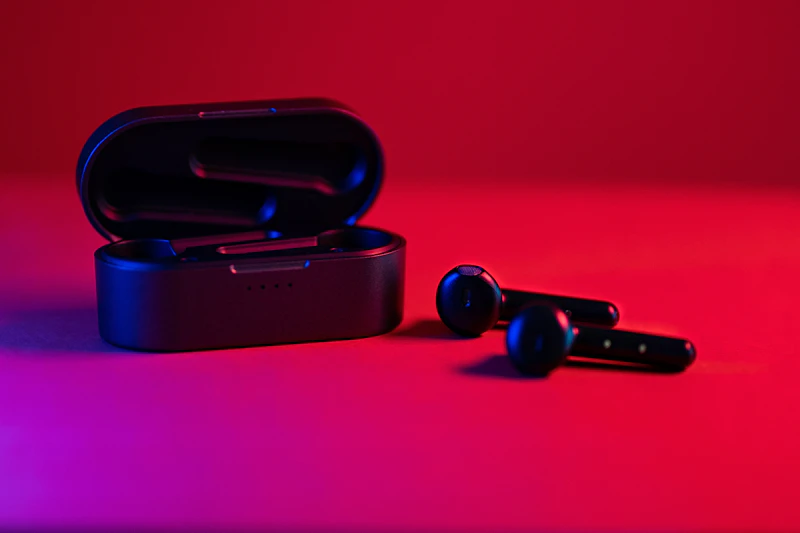
How to Clean Your Earbuds Without Destroying Them
Dirty earbuds sound muffled, harbor bacteria, and look gross. Here's the right way to clean them without damaging the drivers or water-sensitive components.
BestElectronicsReviewed.com is a participant in the Amazon Services LLC Associates Program. We may earn a commission from qualifying purchases made through links on this page, at no extra cost to you.
If your earbuds sound muffled or quieter than they used to, they probably aren't broken — they're dirty. Earwax, skin oils, and pocket lint accumulate on the mesh grille covering the driver, gradually blocking sound. A two-minute cleaning restores them to full volume and clarity. But using the wrong technique can push debris deeper or introduce moisture that kills the electronics.
What You Need
- A dry, soft-bristled brush (an old clean toothbrush works perfectly)
- A wooden or plastic toothpick
- Isopropyl alcohol (70% concentration — not rubbing alcohol with additives)
- A lint-free cloth or paper towel
- Blu-Tack or mounting putty (optional but very effective)
Do NOT use: Running water, compressed air (pushes debris deeper), metal picks (damage the mesh), or cotton swabs on the mesh (fibers get stuck).
Step 1: Remove the Ear Tips
If your earbuds have silicone or foam ear tips, pull them off gently. These can be washed separately with warm soapy water, rinsed, and air-dried completely before reattaching. Replace foam tips every 3-4 months as they absorb oils and lose their shape.
Step 2: Clean the Mesh Grille
This is where most of the blockage lives. Hold the earbud with the mesh facing downward (so gravity helps debris fall out rather than fall in) and brush gently with the dry toothbrush. Use short, flicking motions rather than circular scrubbing.
For stubborn earwax stuck in the mesh holes, press a small ball of Blu-Tack against the mesh and pull it away. The putty grabs wax from the holes without pushing it deeper. Repeat with a fresh section of putty until no more residue transfers.
If wax is truly embedded, dip the toothbrush bristles in isopropyl alcohol (just enough to dampen them, not dripping) and brush the mesh with the earbud facing down. The alcohol dissolves wax and evaporates quickly without leaving moisture. Let the earbuds dry for 5 minutes before using them.
Step 3: Clean the Earbud Body
Dampen a lint-free cloth with isopropyl alcohol and wipe down the entire earbud body. Pay attention to the area around the charging contacts — buildup here can cause charging issues. For AirPods and similar earbuds with sensors, clean the proximity sensors (the flat areas inside the earbud that detect your ear) so auto-pause works reliably.
Use a toothpick to carefully remove lint and debris from seams, microphone holes, and vent openings. These tiny holes affect noise cancellation and transparency mode performance when blocked.
Step 4: Clean the Charging Case
The charging case is dirtier than you think. Pocket lint collects inside, and the charging pins accumulate grime that can prevent proper charging.
Turn the case upside down and tap it gently to dislodge loose debris. Use a dry toothbrush to sweep out the earbud wells. Clean the charging pins with a slightly alcohol-dampened toothpick — spin the toothpick against each pin to remove oxidation and buildup. Wipe the exterior with an alcohol-dampened cloth.
For wireless charging cases, clean the bottom surface where it contacts the charging pad. Dust and grime here reduces charging efficiency.
Step 5: Deep Clean (Monthly)
Once a month, do a thorough cleaning that includes:
- Inspecting the mesh under bright light (use your phone's flashlight) for embedded particles
- Checking the ear tips for tears or deformation that affect seal and sound quality
- Cleaning the charging case hinge, which collects pocket debris
- Checking for firmware updates in the companion app (some updates improve charging management)
Read our earbud buying guide →
Prevention Tips
Store earbuds in their case when not in use, not loose in your pocket or bag. The case protects them from lint, dust, and physical damage.
Dry your ears before inserting earbuds. Moisture from a shower or workout accelerates wax buildup on the mesh.
Rotate ear tips. If your earbuds came with multiple tip sizes, occasionally swap to the alternates. This gives your primary tips time to off-gas absorbed oils.
Clean weekly. A 60-second weekly brush prevents the heavy buildup that requires aggressive cleaning techniques. Prevention is easier than remediation.
As an Amazon Associate, BestElectronicsReviewed earns from qualifying purchases.
Recommended Products
Top picks from our buying guides
Related Articles
Updated: How to Organize Your Desk Setup for Maximum Productivity (Spring 2026)
Updated: How to Organize Your Desk Setup for Maximum Productivity (Spring 2026) — expert analysis and tested recommendations from BestElectronicsReviewed.
TipsEssential Tech for Architects and Designers
Architecture demands serious computing power for CAD and rendering, precise displays for color accuracy, and collaborative tools that bridge the studio and job site.
TipsMust-Have Tech for Interior Designers
Modern interior design blends creativity with technology. From color-accurate displays to 3D rendering tools, here's the tech that gives designers a competitive edge.