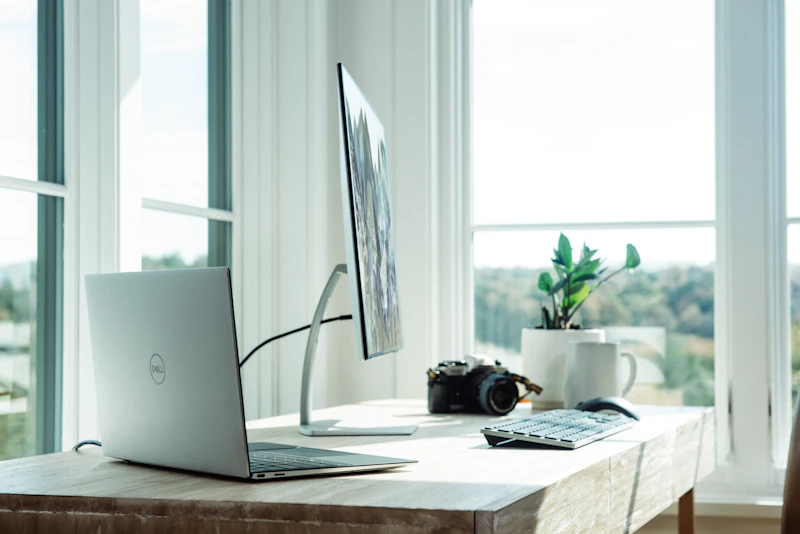
Green Home Office: Sustainable Setup for Remote Workers
A green home office reduces energy consumption, uses sustainable furniture and electronics, and minimizes waste. Here is how to set one up without sacrificing productivity.
BestElectronicsReviewed.com is a participant in the Amazon Services LLC Associates Program. We may earn a commission from qualifying purchases made through links on this page, at no extra cost to you.
Working from home already reduces your carbon footprint by eliminating a commute. A green home office takes it further — using energy-efficient equipment, sustainable furniture, and smart power management to minimize the environmental impact of your work setup.
Energy-Efficient Equipment
Laptop over desktop: A laptop uses 30-70W versus 150-500W for a desktop with monitor. If your work does not require desktop-grade processing power, a laptop is the greener choice. Add an external monitor and keyboard for desktop ergonomics when needed — the combined power draw is still less than a dedicated desktop.
LED monitor: A modern LED monitor uses 15-30W. An older CCFL-backlit monitor of the same size uses 40-60W. If your monitor is more than 5 years old, replacing it with an LED model saves energy and provides better image quality.
Sleep and power settings: Configure your computer to sleep after 5 minutes of inactivity. Configure the monitor to turn off after 2 minutes. These settings alone reduce a computer's energy footprint by 60-70% during a typical work day with natural idle periods.
Smart Power Management
A smart power strip at your desk cuts phantom power to monitors, speakers, chargers, and desk lamps when you end your work day. Schedule it to cut power at 6 PM and restore at 8 AM — your desk draws zero watts for 14 hours daily.
A USB hub with individual port switches lets you power down peripherals (webcam, external drive, desk lamp) without unplugging them.
Sustainable Furniture
Second-hand: The most sustainable desk is one that already exists. Used office furniture from companies that are downsizing or closing provides professional-quality desks and chairs at a fraction of retail price — and zero additional manufacturing impact.
Sustainably sourced: If buying new, look for FSC-certified wood desks and chairs made from recycled materials. IKEA's BEKANT series uses steel that is at least 50% recycled.
Ergonomic longevity: A quality ergonomic chair (Herman Miller, Steelcase) lasts 10-15 years with full warranty support, while a budget chair often fails in 2-3 years. The longer-lasting chair produces less waste despite the higher upfront cost.
Paper Reduction
Digital document workflow: Scan incoming paper documents immediately and process them digitally. Use a document scanner to digitize your existing paper files.
Electronic signatures: DocuSign, HelloSign, and built-in OS tools eliminate the need to print, sign, scan, and mail documents.
Digital note-taking: Replace paper notebooks with a digital note app or an e-ink tablet. The environmental impact of manufacturing one e-ink device is offset after replacing approximately 30-50 paper notebooks.
Lighting
Natural light first: Position your desk near a window to maximize natural light. Natural light is free, full-spectrum, and better for alertness and mood than artificial light.
LED task lighting: A desk lamp with LED provides focused work light at 5-10W. The BenQ ScreenBar illuminates your desk without screen glare, using less energy than an overhead light that illuminates the entire room.
Climate Control
Zone heating/cooling: Instead of heating or cooling the entire house for one person working in one room, use a space heater ($20-50, 500-1500W) or portable fan in your office. This is more efficient than running central HVAC for one room.
Dress for the temperature: A simple strategy that most people overlook. Wearing a sweater in winter allows setting the thermostat 3-4 degrees lower. In summer, shorts and a t-shirt allow setting it 3-4 degrees higher. Each degree saves 3-5% on HVAC energy.
The Complete Green Office Checklist
- [ ] Laptop instead of desktop (or laptop + external display)
- [ ] LED monitor with auto-sleep
- [ ] Smart power strip with scheduling
- [ ] Energy-efficient LED desk lamp
- [ ] Second-hand or sustainable furniture
- [ ] Digital document workflow
- [ ] Zone heating/cooling
- [ ] Natural light maximized
As an Amazon Associate, BestElectronicsReviewed earns from qualifying purchases.
Recommended Products
Top picks from our buying guides
Related Articles
eSIM for International Travel: Complete Setup Guide for iPhone and Android
Skip the SIM card shops at the airport. An eSIM gives you instant data in 190+ countries at a fraction of roaming costs. Here is how to set one up.
How-ToHome Network Wiring: Run Ethernet Through Your House Like a Pro
WiFi is convenient but ethernet is faster and more reliable. Here is how to run ethernet cables through your home without destroying your walls.
How-ToHow to Light a Video Call So You Look Professional
Lighting is the difference between looking washed out and looking polished on video calls. Here's a simple setup that takes 5 minutes and costs under $50.