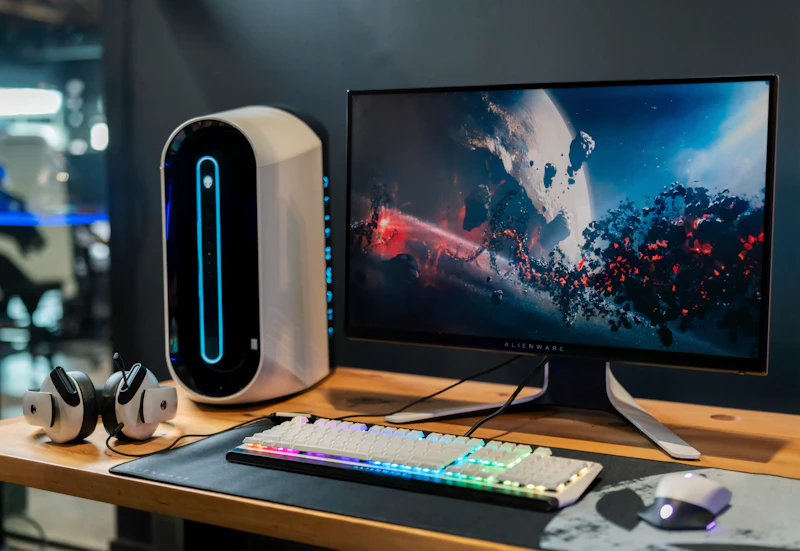
Gaming Laptop vs Desktop: Price, Performance, and Portability
Gaming laptops offer portability at a premium. Gaming desktops offer raw power at a value. Here's how to make the right choice for your gaming life.
BestElectronicsReviewed.com is a participant in the Amazon Services LLC Associates Program. We may earn a commission from qualifying purchases made through links on this page, at no extra cost to you.
The gaming laptop versus desktop debate is ultimately about trade-offs. Laptops offer portability at the cost of performance, upgradability, and value. Desktops offer raw power and upgradability at the cost of portability. Your gaming lifestyle determines which set of trade-offs makes sense.
Performance: Desktop Wins
At the same price point, a gaming desktop delivers 20 to 40 percent better gaming performance than a gaming laptop. Desktop GPUs have higher power limits, better cooling, and run at full clock speeds without thermal throttling. Desktop CPUs benefit from the same thermal advantages.
A $1,500 gaming desktop runs games at settings and frame rates that require $2,000 to $2,500 in a laptop form factor. The performance gap has narrowed over the years but remains significant.
Value: Desktop Wins
Dollar for dollar, desktops provide more performance. A $1,000 gaming desktop with an RTX 4060 Ti and a quality 1440p monitor outperforms a $1,000 gaming laptop in virtually every game.
Additionally, desktops are upgradable. When your GPU becomes outdated in 3 to 4 years, you replace the GPU for $300 to $500 rather than buying an entirely new system. Over a decade, a desktop that receives two GPU upgrades costs less total than three consecutive gaming laptops.
Portability: Laptop Wins (Obviously)
This is the laptop's only advantage, but it is a significant one. If you game at a friend's house, in a dorm room, during travel, or need to move your setup regularly, a laptop is the only viable option.
Gaming laptops have become more portable — many premium models weigh 4 to 5 pounds and have battery life sufficient for light gaming sessions without a wall outlet. But serious gaming still requires plugging in, and the power brick adds another pound or two to your travel bag.
The ASUS ROG Zephyrus G14 represents the best of modern gaming laptop design — thin, relatively light, and capable of high-quality gaming performance.
Thermals and Noise
Desktop cooling solutions keep components cool and quiet under load. A quality desktop case with good airflow and a mid-range air cooler provides silent or near-silent gaming.
Gaming laptops inevitably get hot and loud under gaming load. The thin chassis limits cooling capacity, and fan noise at full speed is audible to everyone in the room. This is inherent to the form factor and even premium laptops cannot fully solve it.
Display Considerations
A gaming desktop requires a separate monitor — which means you choose exactly the size, resolution, refresh rate, and panel type you want. A Dell S2722DGM 27-inch 165Hz curved monitor provides an excellent gaming experience that no laptop display can match in size and immersion.
Gaming laptop displays are typically 15 to 17 inches. They are sharp, high-refresh, and color-accurate on premium models, but they cannot match the immersive experience of a 27-inch or larger desktop monitor.
Many gaming laptop users connect an external monitor when at home and use the built-in display when mobile — a reasonable compromise that adds the cost of an external monitor to the laptop investment.
Upgradability
Desktops are modular. CPU, GPU, RAM, storage, cooling, case, and power supply are all replaceable. A gaming desktop built today can remain competitive for 5 to 7 years with strategic upgrades.
Gaming laptops are mostly sealed. You can typically upgrade RAM and storage (SSD), but the CPU and GPU are soldered to the motherboard and cannot be replaced. When the GPU becomes outdated, the entire laptop becomes outdated.
Who Should Buy a Gaming Laptop
Buy a gaming laptop if: you travel frequently and want to game on the road, you are a student in a dorm or shared space, you need a single device for both work and gaming, or you move between locations regularly.
Who Should Buy a Gaming Desktop
Buy a gaming desktop if: you game primarily at home, you want the best performance per dollar, you value quiet operation, you want to upgrade components over time, or you want the large-screen experience of a desktop monitor.
The Honest Recommendation
For most gamers, a gaming desktop provides better value, better performance, and a better experience. The portability advantage of a laptop is real but applies to a specific lifestyle. If you are genuinely mobile and need gaming capability on the go, a gaming laptop makes sense. If you game at home 90 percent of the time, a desktop is the smarter investment.
As an Amazon Associate, BestElectronicsReviewed earns from qualifying purchases.
Recommended Products
Top picks from our buying guides
Related Articles
Updated: How to Organize Your Desk Setup for Maximum Productivity (Spring 2026)
Updated: How to Organize Your Desk Setup for Maximum Productivity (Spring 2026) — expert analysis and tested recommendations from BestElectronicsReviewed.
TipsEssential Tech for Architects and Designers
Architecture demands serious computing power for CAD and rendering, precise displays for color accuracy, and collaborative tools that bridge the studio and job site.
TipsMust-Have Tech for Interior Designers
Modern interior design blends creativity with technology. From color-accurate displays to 3D rendering tools, here's the tech that gives designers a competitive edge.