External SSD vs External HDD: Which Storage Is Right?
External storage comes in two types: fast and expensive (SSD) or slow and cheap (HDD). Here's when each makes sense and the best options in both categories.
BestElectronicsReviewed.com is a participant in the Amazon Services LLC Associates Program. We may earn a commission from qualifying purchases made through links on this page, at no extra cost to you.
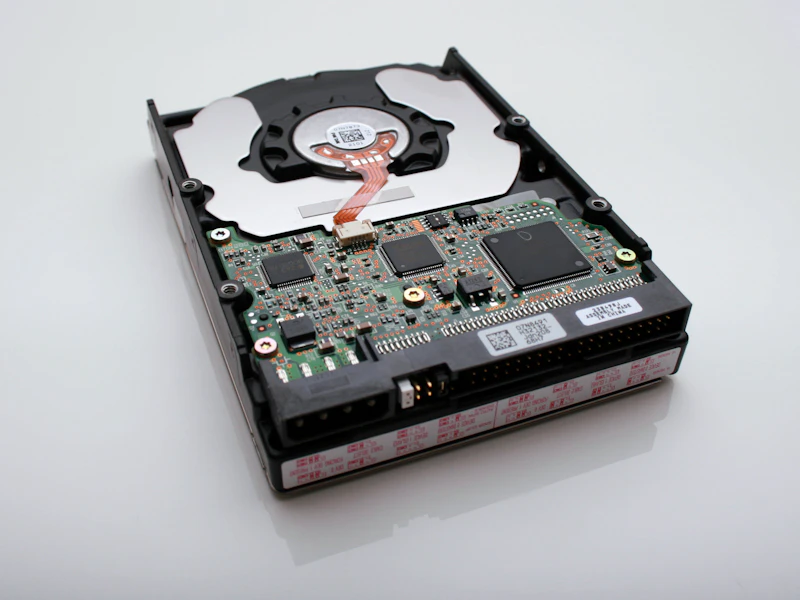
External drives fall into two categories with fundamentally different performance profiles. External SSDs (solid-state drives) use flash memory with no moving parts. External HDDs (hard disk drives) use spinning magnetic platters and a moving read/write head. The performance gap between them is massive, but so is the price gap. Here's how to choose.
Speed: Not Even Close
An external SSD reads and writes data at 500-2,000 MB/s depending on the interface. An external HDD reads and writes at 100-150 MB/s. That's a 5-15x speed difference.
In practical terms:
| Task | External SSD | External HDD | |------|-------------|--------------| | Transferring a 10GB video file | 10 seconds | 70 seconds | | Backing up 100GB of photos | 2 minutes | 12 minutes | | Opening a large Photoshop file | Instant | 3-5 second delay | | Booting an OS from external drive | 15 seconds | 90+ seconds |
The speed difference compounds with frequent use. If you access your external drive multiple times daily, the SSD saves minutes per day and hours per month. If you plug in your external drive once a week to run a backup, the speed difference is less impactful.
Price: The HDD Advantage
External HDDs cost dramatically less per gigabyte:
| Capacity | External SSD | External HDD | |----------|-------------|--------------| | 1TB | $60-80 | $45-55 | | 2TB | $100-150 | $60-75 | | 4TB | $200-300 | $90-110 | | 8TB | $500+ | $130-160 |
At 1TB, the price gap is small enough that an SSD is almost always worth the premium. At 4TB and above, the HDD costs 2-3x less, which is significant if you're storing large media libraries.
Durability: SSD Wins Decisively
An external HDD contains spinning platters rotating at 5,400-7,200 RPM and a read/write head floating nanometers above the surface. A 3-foot drop can permanently destroy the drive and everything on it. Vibration during operation can cause data corruption.
An external SSD has no moving parts. You can drop it, toss it in a bag, use it in a moving vehicle, and the data is safe. Most modern external SSDs are also water and dust resistant. The Samsung T7 Shield ($85 for 1TB) carries IP65 water and dust resistance and survives 3-meter drops.
If you travel with your external drive or carry it in a bag, an SSD is the only responsible choice. One bad drop kills an HDD and everything on it.
Size and Weight
External SSDs are tiny — credit card sized and 1-2 ounces. External HDDs are bulkier — roughly the size of a smartphone and 4-8 ounces. For travel and portability, SSDs are dramatically more convenient.
Noise
External HDDs produce audible spinning and clicking sounds during operation. External SSDs are completely silent. In a quiet room, an HDD on your desk is noticeable. An SSD is invisible.
When to Choose an External SSD
- Active working storage: Files you access and edit frequently (project files, documents, photo libraries in progress)
- Travel and portability: Any drive that goes in a bag or leaves your desk
- Speed-sensitive workflows: Video editing, photo editing, running applications from the external drive
- Primary backup for laptops: Quick, reliable backups with tools like Time Machine or Windows Backup
- Boot drives: Running an operating system from external storage
Our SSD Picks
Best overall: Samsung T7 1TB ($70) — compact, fast (1,050 MB/s), reliable
Best rugged: Samsung T7 Shield 1TB ($85) — IP65 rated, rubber bumper, 3m drop protection
Best budget: SanDisk Extreme Portable 1TB ($65) — water resistant, reliable, slightly slower (1,050 MB/s reads)
Best high-performance: SanDisk Extreme PRO 2TB ($140) — 2,000 MB/s via USB 3.2 Gen 2x2
When to Choose an External HDD
- Cold storage and archives: Files you store long-term and rarely access (old project archives, media libraries, family photo backups)
- Large media collections: 4TB+ of movies, music, or photo archives where speed doesn't matter
- Budget backups: Affordable backup storage for data you can't afford to lose
- Desktop-only use: Drives that stay on a desk and never travel
Our HDD Picks
Best portable: WD My Passport 2TB ($65) — compact, USB 3.0, hardware encryption
Best value: Seagate Portable 4TB ($100) — best price per terabyte in a portable form factor
Best desktop: WD Elements Desktop 8TB ($140) — large capacity for media servers, NAS backup, and bulk archiving
The 3-2-1 Backup Rule
Regardless of which type you choose, follow the 3-2-1 backup rule: 3 copies of important data, on 2 different media types, with 1 copy stored offsite (cloud backup). An external SSD for active backups and an external HDD for cold archives is an excellent combination that covers both speed and capacity needs.
The Verdict
For drives under 2TB that you'll carry or access frequently, buy an SSD — the performance, durability, and size advantages justify the modest premium. For drives 4TB and above that stay on a desk for archival storage, HDDs deliver far more capacity per dollar. Many people benefit from having one of each.
As an Amazon Associate, BestElectronicsReviewed earns from qualifying purchases.
Recommended Products
Top picks from our buying guides
Related Articles
eero Pro 6E vs Nest WiFi Pro: Mesh Router Comparison
Two premium mesh router systems compete for your home network. We tested coverage, speed, setup, and smart home integration in a 2,400 sq ft home.
ComparisonsGuide: OLED vs Mini-LED Monitors: Which Display Is Better in 2026 (This Week)
Guide: OLED vs Mini-LED Monitors: Which Display Is Better in 2026 (This Week) — expert analysis and tested recommendations from BestElectronicsReviewed.
ComparisonsUpdated: OLED vs Mini-LED Monitors: Which Display Is Better in 2026
Updated: OLED vs Mini-LED Monitors: Which Display Is Better in 2026 — expert analysis and tested recommendations from BestElectronicsReviewed.