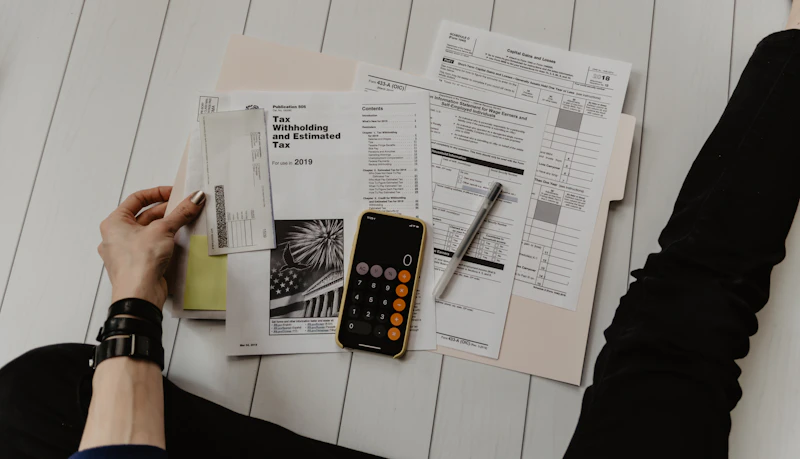
Best Tech Tools for Accountants and CPAs
Tax season or not, the right tech makes accounting work faster, more accurate, and less painful. Here's what CPAs and bookkeepers actually use.
BestElectronicsReviewed.com is a participant in the Amazon Services LLC Associates Program. We may earn a commission from qualifying purchases made through links on this page, at no extra cost to you.
Accounting is a profession where precision and speed directly impact your bottom line. During tax season, the difference between a slow scanner and a fast one is measured in billable hours. The right tech stack lets CPAs and accountants handle more clients with fewer errors and less stress.
Dual-Monitor Setup: Non-Negotiable
Every accountant we spoke to said the same thing: dual monitors changed their productivity more than any other single upgrade. Having QuickBooks or your tax software on one screen while referencing source documents on another eliminates the constant alt-tabbing that burns hours over a tax season.
The Dell P2723QE is a 27-inch 4K USB-C monitor that daisy-chains elegantly. Connect your laptop to the first monitor with USB-C (which also charges the laptop), then run a DisplayPort cable to the second monitor. One cable from the laptop powers the entire dual-monitor workstation.
High-Speed Document Scanner: Digitize Everything
Paper receipts, W-2s, 1099s, bank statements — accounting still involves enormous amounts of paper. A fast scanner with intelligent document recognition turns a stack of paper into searchable, organized PDFs in minutes.
The Fujitsu ScanSnap iX1600 scans 40 pages per minute in duplex, automatically classifies documents by type, and can route them directly to specific folders or cloud storage. During tax season, this scanner alone can save you 30 minutes per client return just on document intake and organization.
Laptop: Processing Power for Large Spreadsheets
Accountants work with massive Excel files, multiple browser tabs of financial software, and PDF reference documents simultaneously. An underpowered laptop turns every click into a wait.
The Lenovo ThinkPad T14s Gen 5 handles heavy spreadsheet work without breaking a sweat. The business-class build quality survives the commute between office and client sites, the keyboard is comfortable for long data entry sessions, and the fingerprint reader provides quick Windows Hello login for security compliance.
Mechanical Number Pad: Speed Up Data Entry
If your laptop lacks a dedicated number pad, you are leaving speed on the table. Accounting involves constant numerical input, and reaching for the top row of keys is dramatically slower than a dedicated pad.
The Jelly Comb Wireless Number Pad is a compact wireless keypad that pairs via 2.4GHz receiver. It adds a proper number pad to any laptop or compact keyboard, and many accountants keep one at their desk and another in their travel bag.
Backup and Security: Protect Client Data
Accountants handle some of the most sensitive personal data imaginable — Social Security numbers, bank accounts, income figures. A data breach is career-ending. Your backup and security infrastructure must be airtight.
Use an encrypted external SSD for local backups. The Samsung T7 Shield offers hardware-level 256-bit AES encryption, meaning the data is protected even if the drive is physically stolen. Combine this with encrypted cloud backup for offsite redundancy.
For password management, every accounting practice should use a business-grade password manager. Two-factor authentication should be enabled on every financial platform you access. A hardware security key adds another layer for the most sensitive systems.
Webcam and Microphone: Client Communication
Remote client meetings are now standard. The built-in webcam on most laptops makes you look like a grainy security camera, which does not inspire confidence in a professional who handles people's finances.
The Logitech Brio 500 delivers 1080p with automatic light correction, so you look professional whether you are in a well-lit office or a dim home workspace. The built-in privacy shutter provides peace of mind, and the auto-framing keeps you centered even if you lean back to grab a file.
Printer: Yes, You Still Need One
Despite the push toward paperless, accounting still requires physical signatures, mailed copies of returns, and hard-copy records. A reliable laser printer handles the volume without the clogged-nozzle frustrations of inkjet.
A monochrome laser printer with automatic duplexing handles the bulk of accounting printing needs at a fraction of the per-page cost of inkjet. When color is needed for financial charts or presentations, a separate color laser or a quick trip to the office supply store covers it.
UPS Battery Backup: Prevent Data Loss
Losing unsaved work during a power flicker is maddening at best and costly at worst. An uninterruptible power supply gives you enough battery time to save your work and shut down gracefully.
A 750VA UPS handles a laptop, monitors, and modem for 10 to 15 minutes during an outage. The investment is small — $60 to $100 — and the peace of mind during a critical tax season crunch is invaluable.
The Bottom Line
A complete accounting tech setup runs $2,500 to $5,000 for the hardware. The dual-monitor setup and fast scanner should be your first priorities, followed by the laptop if your current one is showing its age. The productivity gains during a single tax season typically cover the entire investment.
As an Amazon Associate, BestElectronicsReviewed earns from qualifying purchases.
Recommended Products
Top picks from our buying guides
Related Articles
Updated: How to Organize Your Desk Setup for Maximum Productivity (Spring 2026)
Updated: How to Organize Your Desk Setup for Maximum Productivity (Spring 2026) — expert analysis and tested recommendations from BestElectronicsReviewed.
TipsEssential Tech for Architects and Designers
Architecture demands serious computing power for CAD and rendering, precise displays for color accuracy, and collaborative tools that bridge the studio and job site.
TipsMust-Have Tech for Interior Designers
Modern interior design blends creativity with technology. From color-accurate displays to 3D rendering tools, here's the tech that gives designers a competitive edge.