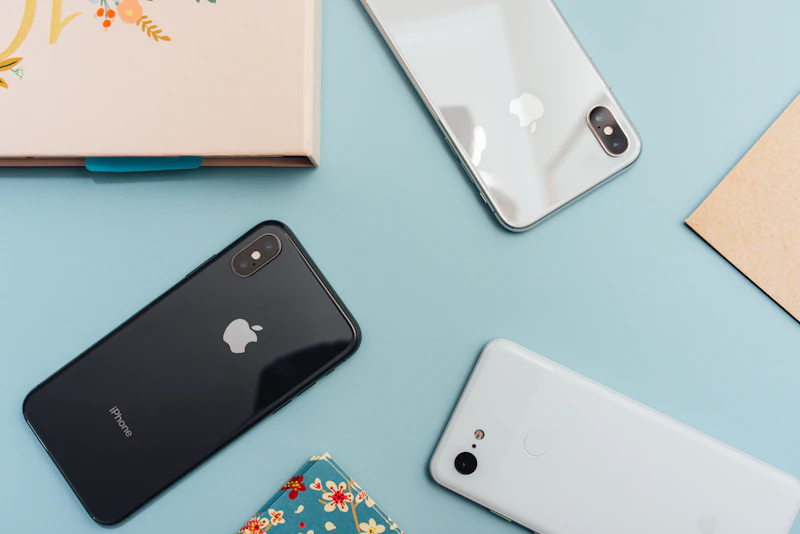
7 Smartphone Photography Tips That Actually Work
Forget the generic advice. These are the specific techniques that professional photographers use to take dramatically better photos with their phones.
BestElectronicsReviewed.com is a participant in the Amazon Services LLC Associates Program. We may earn a commission from qualifying purchases made through links on this page, at no extra cost to you.
Most smartphone photography advice is either obvious ("clean your lens") or unhelpful ("learn composition"). Here are seven specific techniques that professional photographers actually use to take phone photos that look dramatically better — no apps or accessories required.
1. Lock Exposure and Focus Separately
Most people tap the screen to focus, but don't realize they can also control exposure independently. On iPhone, tap to focus, then slide your finger up or down to adjust brightness. On Samsung, tap to focus and use the brightness slider that appears.
This is critical for backlit subjects. If someone is standing in front of a window, tapping on their face focuses there but often overexposes the background. Tap on the subject to focus, then slide exposure down until the background looks right. The subject may be slightly dark — fix this with the shadow slider in editing.
For landscapes, lock exposure on the sky (tap and hold on the bright area) to preserve cloud detail, then bring up shadows in post-processing.
2. Use the 0.5x Lens for Dramatic Perspectives
The ultrawide lens (0.5x on most phones) isn't just for fitting more into the frame. Get low to the ground and shoot upward at buildings, trees, or people for dramatic converging lines. Or place the phone at table level and shoot across a dinner spread for food photography that looks like it belongs in a magazine.
The ultrawide lens also has a much closer minimum focus distance on most phones, enabling pseudo-macro photography. Get within 2-3 inches of a flower, insect, or textured surface and the 0.5x lens captures it with impressive detail and a naturally blurred background.
3. Shoot in Natural Light, But Control It
The best smartphone photos use natural light with one modification: direction. Direct midday sunlight creates harsh shadows and squinting subjects. Instead, look for open shade — the shaded side of a building, under a tree canopy, or just inside a doorway facing outside.
For portraits, position your subject facing a large window with the light coming from a 45-degree angle. This creates soft, directional lighting that flatters every face. The window acts as a giant softbox — the same lighting setup professional studios spend thousands of dollars to recreate.
If you must shoot in direct sunlight, position the sun behind your subject (backlighting) and expose for their face. You'll get a beautiful rim-light effect with soft, even illumination on the face.
4. Use Burst Mode for Moving Subjects
Kids, pets, sports, and street photography all involve unpredictable movement. Instead of trying to time a single perfect shot, use burst mode. On iPhone, slide the shutter button to the left. On Samsung, hold the shutter button.
Burst mode captures 10-15 frames per second. Afterward, scroll through the burst and pick the frame with the best expression, sharpest focus, and most interesting composition. Professional photographers routinely shoot 500 photos to get 5 great ones. Apply the same principle with burst mode.
5. Edit Shadows and Highlights, Not Brightness
When your photo is too dark or too bright, most people reach for the "Brightness" slider. This is wrong. Brightness adjusts everything uniformly, which washes out the image.
Instead, use the Highlights slider to recover blown-out bright areas (clouds, windows, lights) and the Shadows slider to bring up dark areas (faces in shade, foreground objects). This preserves contrast and creates a much more professional-looking result.
In the default iPhone Photos editor or Google Photos, pull Highlights down to -30 to -60 and Shadows up to +30 to +50 as a starting point. Adjust from there.
6. Use the Rule of Thirds (But Break It Intentionally)
Enable the grid overlay (Settings > Camera > Grid on iPhone; Settings > Camera > Guidelines on Samsung). Place your subject at one of the four intersecting points instead of dead center. This creates more dynamic, visually interesting compositions.
But here's the advanced tip: center framing works powerfully for symmetrical scenes — hallways, reflections, roads stretching into the distance, and solo portraits. The key is intentionality. Center framing only looks amateurish when it happens by accident.
7. Clean Up Distractions Before You Shoot
The single biggest difference between amateur and professional photos is clutter. Before pressing the shutter, scan the edges of your frame and the area behind your subject. Look for:
- Trash cans, cars, or signs that pull attention
- Objects appearing to "grow" out of someone's head (poles, trees)
- Bright or colorful distractions at the edge of the frame
- Uneven horizons (use the grid to keep horizons level)
Take two steps to the left, right, or closer to eliminate distractions. This 5-second habit transforms your photography more than any filter or editing trick.
Bonus: Get a Moment Lens for Even Better Results
If you want to push your smartphone photography further, a clip-on lens like the Moment Wide 18mm lens adds genuine optical quality that no software can replicate. It's the one accessory that makes a visible difference.
As an Amazon Associate, BestElectronicsReviewed earns from qualifying purchases.
Recommended Products
Top picks from our buying guides
Related Articles
Updated: How to Organize Your Desk Setup for Maximum Productivity (Spring 2026)
Updated: How to Organize Your Desk Setup for Maximum Productivity (Spring 2026) — expert analysis and tested recommendations from BestElectronicsReviewed.
TipsEssential Tech for Architects and Designers
Architecture demands serious computing power for CAD and rendering, precise displays for color accuracy, and collaborative tools that bridge the studio and job site.
TipsMust-Have Tech for Interior Designers
Modern interior design blends creativity with technology. From color-accurate displays to 3D rendering tools, here's the tech that gives designers a competitive edge.