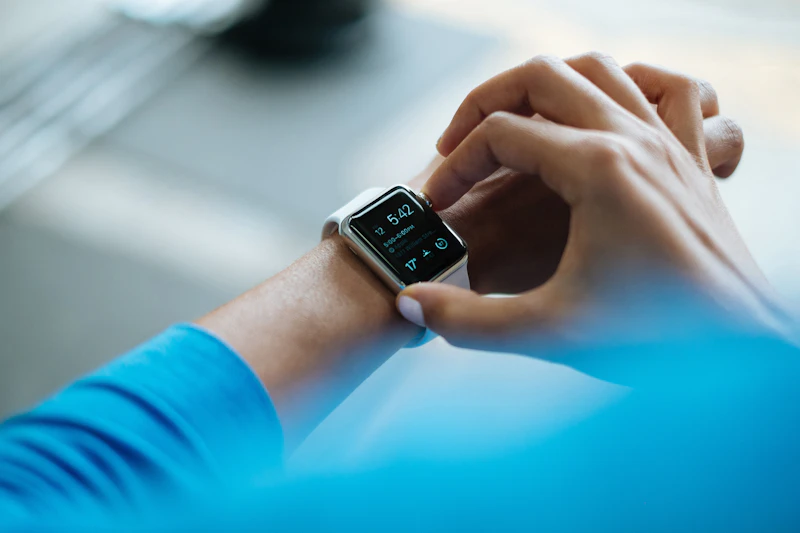
6 Ways to Get More Accurate Heart Rate Data from Your Watch
Your wrist-based heart rate monitor is only as accurate as your wearing habits. These six adjustments can dramatically improve your readings.
BestElectronicsReviewed.com is a participant in the Amazon Services LLC Associates Program. We may earn a commission from qualifying purchases made through links on this page, at no extra cost to you.
Wrist-based heart rate monitors have come a long way, but they're still optical sensors shining LED light through your skin to detect blood flow. Environmental factors, wearing habits, and even your skin tone can affect accuracy. Here are six proven ways to get better data from the sensor already on your wrist.
1. Wear It on the Right Spot
Most people wear their watch too loosely and too close to the wrist bone. For accurate optical heart rate readings:
- Position the watch 1-2 finger widths above your wrist bone. The ulna bone creates a gap between the sensor and your skin, causing signal loss. Moving the watch higher places it over flatter tissue with better blood flow.
- Tighten the band during exercise. You want it snug enough that you can't easily slide the watch side to side but not so tight that it restricts blood flow. A good test: you shouldn't be able to see light between the sensor and your skin during movement.
- Loosen it after exercise. Wearing a tight band 24/7 can cause skin irritation and isn't necessary for resting heart rate accuracy.
This single adjustment often improves workout heart rate accuracy by 10-15 BPM.
2. Keep the Sensor Clean
Sweat, sunscreen, lotion, and dead skin cells build up on the optical sensor over time, gradually degrading accuracy. Clean the sensor area weekly with a damp cloth and mild soap. Pay attention to the small green or red LED windows — any film over these reduces signal quality.
If your watch has a textured sensor housing (common on Garmin and Polar watches), use a soft toothbrush to gently clean the grooves where grime accumulates.
3. Minimize Motion Artifact
Optical heart rate sensors struggle most during activities with rapid arm movement — tennis, CrossFit, boxing, or rowing. The motion of your arm creates "noise" that the sensor's algorithm must filter out, sometimes incorrectly.
For high-intensity activities with lots of arm movement, consider pairing your watch with a Polar H10 chest strap via Bluetooth. Chest straps use electrical signals rather than light, making them motion-independent and accurate within 1-2 BPM of a medical ECG. Most fitness watches accept external heart rate data from a paired chest strap and will use it instead of the wrist sensor.
4. Account for Skin Tone and Tattoos
This is an underreported issue. Optical sensors use green LED light, which is absorbed differently by varying levels of melanin. Darker skin tones can experience reduced accuracy, particularly during high-intensity exercise when the signal-to-noise ratio drops.
Dense tattoos over the sensor area can also block or scatter light, causing wildly inaccurate readings. If you have a wrist tattoo under your watch, try wearing it on the other wrist or use a chest strap for workouts.
Some newer watches (Apple Watch Series 9, Samsung Galaxy Watch 6) use multi-wavelength sensors (green + red + infrared) that perform better across skin tones. If accuracy is a priority and you have a darker complexion, these multi-wavelength sensors are worth prioritizing.
5. Update Your Firmware
Watch manufacturers continuously refine their heart rate algorithms through firmware updates. A firmware update might not seem related to heart rate accuracy, but algorithm improvements are a common inclusion. Check for updates monthly.
On Apple Watch, go to Settings > General > Software Update. On Garmin, use the Garmin Connect app or Garmin Express on desktop. On Samsung, check the Galaxy Wearable app for updates.
6. Validate and Calibrate
Periodically check your watch's accuracy against a known reference. The simplest method:
- Sit quietly for 2 minutes
- Take your pulse manually for 15 seconds and multiply by 4
- Compare to your watch's reading at the same moment
If the watch is consistently off by more than 5 BPM at rest, try:
- Restarting the watch (clears sensor calibration cache)
- Factory resetting (re-initializes the optical sensor baseline)
- Switching wrists (your non-dominant wrist often provides better readings due to less hair and movement)
For workout accuracy, compare your watch to a chest strap heart rate monitor during a few sessions. If the wrist readings spike randomly or lag significantly during intervals, the chest strap is a worthwhile investment for structured training.
The Reality Check
Even with perfect wearing technique, wrist-based optical heart rate monitors have a margin of error of 3-7 BPM at rest and 7-15 BPM during intense exercise. That's the physics of the technology. For zone-based training and trend tracking, this is perfectly adequate. For clinical precision or specific heart rate targets during interval training, a chest strap remains the gold standard.
As an Amazon Associate, BestElectronicsReviewed earns from qualifying purchases.
Recommended Products
Top picks from our buying guides
Related Articles
Updated: How to Organize Your Desk Setup for Maximum Productivity (Spring 2026)
Updated: How to Organize Your Desk Setup for Maximum Productivity (Spring 2026) — expert analysis and tested recommendations from BestElectronicsReviewed.
TipsEssential Tech for Architects and Designers
Architecture demands serious computing power for CAD and rendering, precise displays for color accuracy, and collaborative tools that bridge the studio and job site.
TipsMust-Have Tech for Interior Designers
Modern interior design blends creativity with technology. From color-accurate displays to 3D rendering tools, here's the tech that gives designers a competitive edge.