
As an Amazon Associate we earn from qualifying purchases. Our deals are community-vetted (Slickdeals + r/buildapcsales), verified to live Amazon listings, and tracked with our own daily price history — never paid placement. Prices change often; always confirm the live price on Amazon. How we pick deals →
RAID enclosures provide the redundancy and speed that single drives cannot. We tested multi-bay enclosures from desktop DAS units to rack-mountable options, evaluating rebuild times, throughput, and reliability for creative professionals and small businesses.
Best Overall
OWC ThunderBay 4
Our top-rated pick — skip to the full review below or check it on Amazon now.
Quick Picks
1 TOP CHOICES
OWC ThunderBay 4
Video editors and creative professionals using Thunderbolt
Bays: 4x 3.5" SATA
Interface: Thunderbolt 3 (40Gbps)
The ThunderBay 4 is the gold standard for Thunderbolt DAS.
Check Today's PriceOur Testing Methodology
We populated each enclosure with identical drives, benchmarked RAID 0, 1, 5, and 10 configurations, measured rebuild times after simulated drive failure, and monitored operating temperatures and fan noise. Each unit was tested over a month of daily use.
Comparison Table
3 PRODUCTS COMPARED
← Scroll to compare →
| Product | Best For | Key Spec | Score | |
|---|---|---|---|---|
| Best Overall | 4x 3.5" SATA | 9.1/10 | View on Amazon | |
| Best Value | 5x 3.5" SATA | 8.2/10 | View on Amazon | |
| Best Hybrid DAS/NAS | 4x 3.5" SATA | 8/10 | View on Amazon |
Quick Summary
| # | Product | Best For | Score | |
|---|---|---|---|---|
| 1 | OWC ThunderBay 4 | Best Overall | 9.1/10 | Check Price → |
| 2 | TerraMaster D5-300 | Best Value | 8.2/10 | Check Price → |
| 3 | QNAP TR-004 | Best Hybrid DAS/NAS | 8/10 | Check Price → |
RAID Enclosures Reviews
3 PRODUCTS REVIEWED
OWC ThunderBay 4
Best for: Video editors and creative professionals using Thunderbolt
Rated 9.1/10 by our testing team
The ThunderBay 4 is the gold standard for Thunderbolt DAS. Its hardware RAID controller delivers consistent performance across all RAID levels, and the SoftRAID software provides excellent monitoring and alerting. The build quality is tank-like.
Why we like it
- Thunderbolt 3 delivers full 40Gbps bandwidth
- SoftRAID software provides excellent drive health monitoring
- Whisper-quiet operation suitable for studio environments
Flaws
- Premium price around $500 without drives
- Thunderbolt cable not always included
- Mac-centric SoftRAID — Windows support is newer
Prices checked Jun 18, 2026
TerraMaster D5-300
Best for: Small businesses needing affordable multi-bay RAID
The D5-300 packs five bays and full RAID support into a remarkably affordable enclosure. USB-C bandwidth limits maximum throughput compared to Thunderbolt, but for backup and archival it is more than fast enough. Outstanding value for small business data protection.
Why we like it
- Five bays at a 4-bay price point
- Full RAID 5 support protects against single drive failure
- Compact footprint for a 5-bay enclosure
Flaws
- USB-C limits throughput to ~400 MB/s maximum
- Fan can be audible at higher RPMs
- RAID management software is basic
Prices checked Jun 18, 2026
QNAP TR-004
Best for: QNAP NAS owners who want expandable storage
The TR-004 is unique in its ability to function as both a standalone RAID DAS and an expansion unit for QNAP NAS devices. Hardware RAID means no CPU overhead, and the drive tray design makes hot-swapping effortless.
Why we like it
- Doubles as QNAP NAS expansion unit
- Hardware RAID controller — no CPU overhead
- Tool-free hot-swappable drive trays
Flaws
- USB bandwidth shared across all drives
- Expansion mode only works with QNAP NAS devices
- Plastic build feels less premium than metal alternatives
Prices checked Jun 18, 2026
The Bottom Line
The OWC ThunderBay 4 is the best Thunderbolt RAID enclosure for Mac and PC creative professionals. The Terramaster D5-300 offers a budget-friendly 5-bay RAID option with USB-C connectivity.
Best Overall
OWC ThunderBay 4
Our #1 recommendation — the best overall pick in this guide.
Still on the fence? Send a gift card.
Skip the guesswork — a Giftcards.com card lets the recipient pick the exact model they want, delivered instantly.
Looking for more charging & storage options?
Browse all Charging & Storage guides →How to Choose the Best RAID Enclosures in 2026
BUYING GUIDE
RAID Levels Explained for Beginners
RAID 0 stripes data across drives for speed but offers zero redundancy — if one drive dies, all data is lost. RAID 1 mirrors two drives for redundancy. RAID 5 requires three or more drives and survives one drive failure while maintaining good performance. RAID 10 combines mirroring and striping for the best performance and redundancy but requires four drives minimum.
Best Overall
OWC ThunderBay 4
A great example of this in practice — check current price on Amazon.
Thunderbolt vs USB for RAID
Thunderbolt 3/4 provides 40Gbps bandwidth, enough to saturate multiple SSDs or a RAID 0 array of fast HDDs. USB 3.2 Gen 1 at 5Gbps bottlenecks multi-drive arrays. If maximum speed matters — for video editing or large file transfers — choose Thunderbolt. For backup and archival where speed is less critical, USB-C saves significant cost.
FAQ
COMMON QUESTIONS
Head-to-Head Comparisons
COMPARE TOP PICKS SIDE BY SIDE
Browse More Guides
RELATED GUIDES



Related Articles
FROM OUR EDITORIAL TEAM

Home Battery Storage: Tesla Powerwall vs Enphase vs Generac Compared
Home batteries store solar energy and provide backup power during outages. We compare the three leading systems across capacity, cost, and integration.
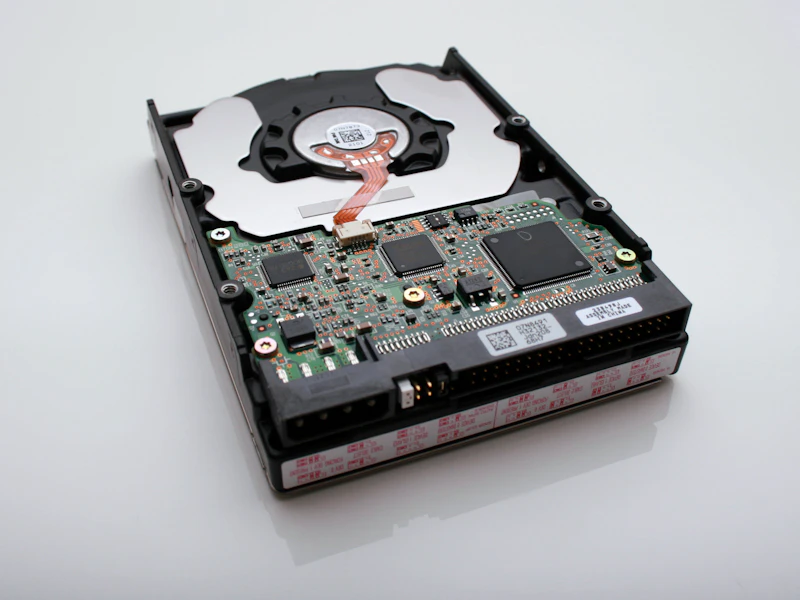
External SSD vs External HDD: Which Storage Is Right?
External storage comes in two types: fast and expensive (SSD) or slow and cheap (HDD). Here's when each makes sense and the best options in both categories.
Backup Power for Your Home: Generators vs Battery Systems vs Solar
Power outages are becoming more frequent. We compare gas generators, battery backup systems, and solar with storage for keeping your home running when the grid goes down.