How to Build a Whole Home Audio System Without Ripping Open Walls
You don't need in-wall speakers or a professional installer to have music in every room. Modern wireless audio systems make whole-home sound surprisingly easy.
BestElectronicsReviewed.com is a participant in the Amazon Services LLC Associates Program. We may earn a commission from qualifying purchases made through links on this page, at no extra cost to you.
Whole home audio used to require in-wall speakers, amplifiers in a closet, and thousands of dollars in professional installation. Today, wireless multi-room audio systems deliver excellent sound quality with zero construction work. You can have synchronized music in every room of your house with an afternoon of setup.
The Three Main Ecosystems
Sonos: The most mature multi-room audio platform. Sonos speakers connect via WiFi and can play the same song in sync across every room or different songs in each room. The app is polished, supports every major streaming service, and the speakers sound excellent for their size. The downside is price — a Sonos system for five rooms easily exceeds $1500.
Apple AirPlay 2: If your household is Apple-centric, AirPlay 2 provides seamless multi-room audio through HomePod speakers, AirPlay-compatible receivers, and third-party speakers from Sonos, Bose, and others. Grouping speakers is as simple as long-pressing the audio output selector on your iPhone.
Amazon Echo / Alexa: The most affordable path to whole-home audio. An Echo Dot in every room costs a fraction of a Sonos system and provides voice control, streaming from Amazon Music, Spotify, and Apple Music, plus smart home control. Sound quality is adequate for background music but does not match dedicated audio speakers.
Planning Your System
Start by listing the rooms where you want audio. For most homes, the key zones are: kitchen (where people spend the most time), living room (for TV audio and parties), master bedroom, bathroom, and outdoor patio. You do not need speakers in every room from day one — start with 2-3 rooms and expand as budget allows.
Consider whether each room needs background music quality or serious listening quality. A small speaker is fine for the kitchen and bathroom. The living room might warrant a soundbar or larger speaker.
Budget Approach: Echo Dot Multi-Room
Five Echo Dots creates a whole-home audio system for under $200 during sales. Create speaker groups in the Alexa app, then say "Alexa, play jazz everywhere" to fill the house with music. The sound is thin compared to dedicated audio speakers but perfectly acceptable for background music while cooking, cleaning, or working.
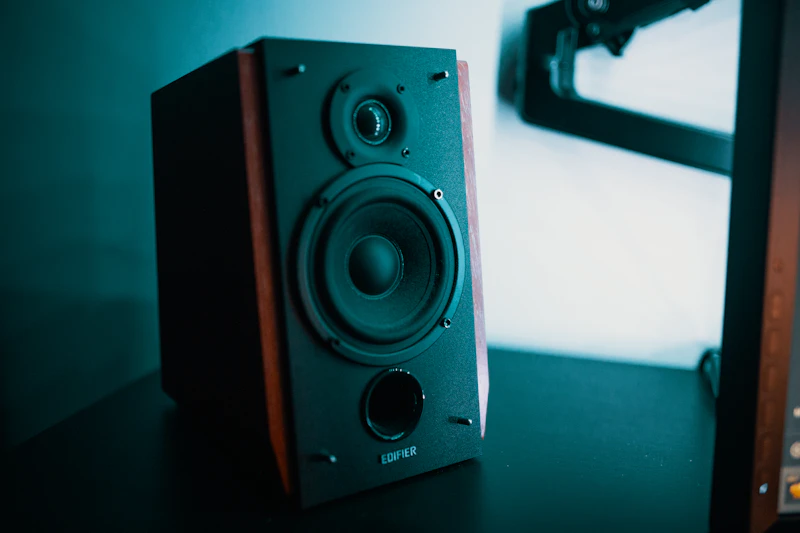
Pair an Echo Dot with a Bluetooth bookshelf speaker in rooms where you want better audio. The Echo handles the smart features and streaming while the bookshelf speaker provides better sound.
Mid-Range Approach: Sonos and IKEA Symfonisk
Sonos speakers start at around $180 for the Sonos Era 100. The IKEA Symfonisk line (made in partnership with Sonos) starts at $100 for a bookshelf speaker that connects to the Sonos ecosystem. Mixing Symfonisk speakers in secondary rooms with Sonos speakers in primary rooms is a smart way to build out a system affordably.
The Sonos Arc soundbar in the living room, Era 100s in the bedroom and kitchen, and Symfonisk speakers in the bathroom and office creates a complete system for around $1200.
Networking Considerations
Multi-room audio puts sustained load on your WiFi network. Each speaker maintains a constant connection and streams audio data simultaneously. Ensure your router can handle the number of connected devices, and consider a mesh WiFi system if you experience dropouts in distant rooms.
Sonos creates its own mesh network between speakers using SonosNet, which reduces dependence on your home WiFi. This is one reason Sonos multi-room playback is more reliable than some competitors.
As an Amazon Associate, BestElectronicsReviewed earns from qualifying purchases.
Recommended Products
Top picks from our buying guides
Related Articles
eSIM for International Travel: Complete Setup Guide for iPhone and Android
Skip the SIM card shops at the airport. An eSIM gives you instant data in 190+ countries at a fraction of roaming costs. Here is how to set one up.
How-ToHome Network Wiring: Run Ethernet Through Your House Like a Pro
WiFi is convenient but ethernet is faster and more reliable. Here is how to run ethernet cables through your home without destroying your walls.
How-ToHow to Light a Video Call So You Look Professional
Lighting is the difference between looking washed out and looking polished on video calls. Here's a simple setup that takes 5 minutes and costs under $50.