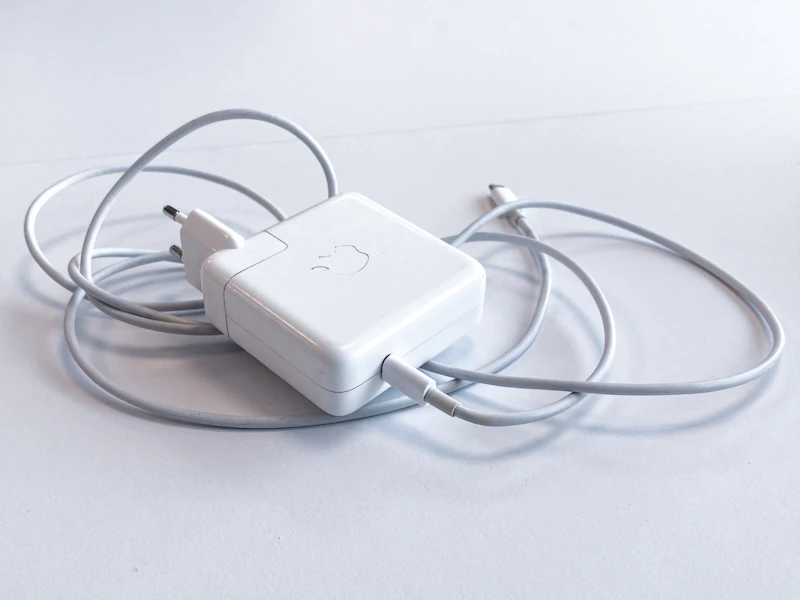
What Is USB Power Delivery and Why Your Charger Matters
USB Power Delivery is the standard that lets one cable charge your laptop, phone, and tablet. Here's how it works and how to choose the right charger.
BestElectronicsReviewed.com is a participant in the Amazon Services LLC Associates Program. We may earn a commission from qualifying purchases made through links on this page, at no extra cost to you.
USB Power Delivery (USB PD) is a specification that defines how devices negotiate power over a USB-C cable. Before USB PD, every laptop, phone, and tablet had its own proprietary charger with a unique connector and voltage. USB PD standardizes charging so that a single USB-C charger can power everything from earbuds (5W) to gaming laptops (240W).
How USB PD Works
When you plug a USB-C cable into a device, the charger and device have a brief electronic conversation. The device announces how much power it needs. The charger announces how much power it can supply. They negotiate and settle on a power level that both can handle.
This negotiation happens in milliseconds, and it's why you can plug the same charger into a phone (which requests 18W) and a laptop (which requests 65W) without damage. The charger doesn't push power — the device requests it.
USB PD supports several standard power levels:
- 5V @ 3A = 15W — phones, earbuds, small devices
- 9V @ 3A = 27W — fast phone charging, tablets
- 15V @ 3A = 45W — ultrabooks, thin laptops
- 20V @ 3.25A = 65W — most productivity laptops
- 20V @ 5A = 100W — powerful laptops (older USB PD max)
- 28V-48V up to 240W — USB PD 3.1 Extended Power Range for gaming laptops and workstations
Why Your Charger's Wattage Matters
A charger with lower wattage than your device needs will still charge your device — just slower. A 30W charger connected to a 65W laptop will charge the battery, but slowly, and the laptop may drain faster than it charges under heavy load.
A charger with higher wattage than your device needs is perfectly safe. A 100W charger connected to a phone will deliver only the 18W the phone requests. The extra capacity is unused — you're not "overcharging" anything.
This is why a single high-wattage USB-C charger can replace every charger you own. A 100W USB-C charger charges your laptop at full speed, your phone at full speed, and your tablet at full speed — all through the same cable.
GaN vs. Silicon Chargers
Traditional chargers use silicon transistors. GaN (Gallium Nitride) chargers use a newer semiconductor material that's more efficient, generates less heat, and can be made physically smaller.
A 65W silicon charger is roughly the size of a small brick. A 65W GaN charger is roughly the size of a standard phone charger. For travel, the size difference is significant. For desk use, it's less important, but a smaller charger is easier to mount under a desk or tuck behind a monitor.
GaN chargers cost slightly more than equivalent silicon chargers, but the premium has shrunk to $5-$10 and continues to decrease. For any new charger purchase, GaN is the obvious choice.
Multi-Port Chargers
Multi-port USB-C chargers can power multiple devices simultaneously, but there's a catch: most split their total wattage across active ports. A 100W charger with two ports might deliver 65W to port 1 and 30W to port 2 when both are in use, but deliver the full 100W when only port 1 is used.
Check the manufacturer's specifications for "power split" or "power allocation" tables. The split varies by model and by which ports are in use. A 65W multi-port GaN charger can replace three or four separate chargers on a nightstand or desk.
Cable Quality Matters
USB PD at high wattages requires cables rated for 5A current (for 100W) or even higher ratings for Extended Power Range. Not all USB-C cables are created equal:
- USB 2.0 cables (the thin ones that come with phones): Usually rated for 3A/60W max. Fine for phones, potentially underpowered for laptops
- USB 3.2 cables: Usually rated for 3A or 5A, check the label
- Thunderbolt cables: Rated for high power and high data speeds, but expensive
- USB-C to USB-C cables marked "100W" or "240W": Specifically rated for high-power charging
If your laptop isn't charging as fast as expected, the cable may be the bottleneck. Try the cable that came with your charger before blaming the charger itself.
Common Mistakes
Using a USB-A charger with a USB-C-to-A cable. This works but limits you to standard USB charging (typically 10-15W). You need a USB-C port on the charger to get USB PD speeds.
Buying a charger with too little wattage. Match or exceed your laptop's included charger wattage. If your laptop came with a 65W charger, buy a 65W or higher USB PD charger as a replacement.
Assuming all USB-C ports are equal. Some laptops have multiple USB-C ports, but not all of them accept charging. Check your laptop's documentation for which port(s) support USB PD charging input.
Ignoring certification. Buy chargers from reputable brands with USB-IF certification. Uncertified chargers may not implement USB PD correctly, leading to slow charging, overheating, or in rare cases, damage to your device. Brands like Anker, Ugreen, Belkin, and Apple consistently pass safety certifications.
The One-Charger Dream
The promise of USB PD is a single charger for everything: laptop, phone, tablet, headphones, portable speaker, handheld gaming device. That dream is essentially reality today. A 100W GaN charger with two or three USB-C ports replaces every charger in your bag. Carry one charger, carry one type of cable, charge everything.
As an Amazon Associate, BestElectronicsReviewed earns from qualifying purchases.
Recommended Products
Top picks from our buying guides
Related Articles
How Zigbee, Z-Wave, and Thread Actually Differ
Smart home protocols are confusing. Here's a plain-English breakdown of the three mesh networking standards and which one matters most in 2026.
ExplainerWhat Is WiFi 7 and Do You Actually Need It? (Today)
What Is WiFi 7 and Do You Actually Need It? (Today) — expert analysis and tested recommendations from BestElectronicsReviewed.
ExplainerHow Robot Vacuum Navigation Works: LiDAR vs Camera vs Gyroscope
The navigation system is the most important feature in a robot vacuum. Here's how LiDAR, camera, and gyroscope systems work, and which cleans best.