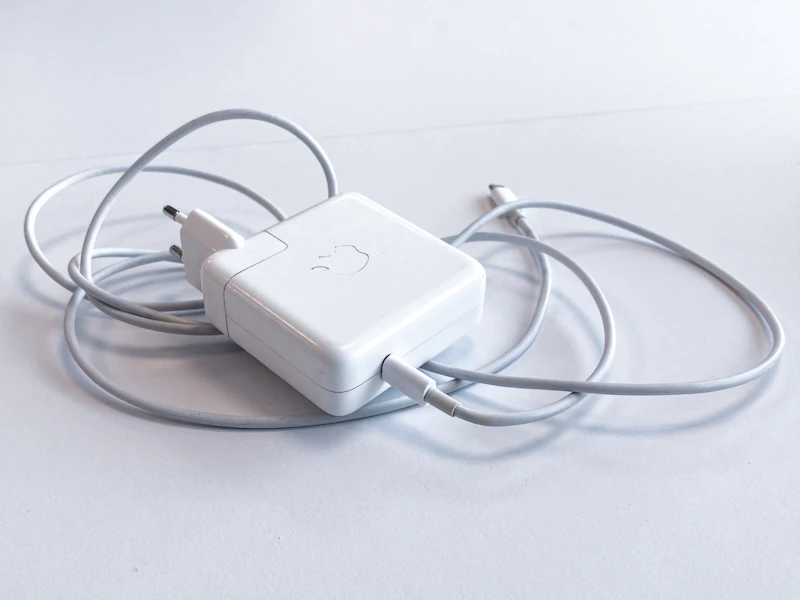
USB-C vs Lightning vs Wireless: The Charging Future Explained
USB-C is winning the charging standard war, Lightning is dying, and wireless is improving. Here's what the charging landscape looks like in 2026 and what it means for your cables.
BestElectronicsReviewed.com is a participant in the Amazon Services LLC Associates Program. We may earn a commission from qualifying purchases made through links on this page, at no extra cost to you.
The charging cable chaos is finally resolving, and USB-C has won. But the transition from Lightning, the rise of wireless charging, and the proliferation of different USB-C power levels create their own confusion. Here is the current state of charging in 2026 and what you should buy.
USB-C: The Universal Standard
USB-C has become the universal charging standard for virtually every portable electronic device. Phones (including iPhones since the iPhone 15), tablets, laptops, headphones, cameras, game controllers, and portable speakers all charge via USB-C. The EU mandate requiring USB-C on portable electronics accelerated an already inevitable transition.
The beauty of USB-C universality: one cable type charges your phone, tablet, laptop, headphones, and everything else. One charger with enough wattage handles every device you own.
The Anker 735 GaN Prime Charger provides 65W of USB-C Power Delivery from a charger the size of a matchbox. It charges a MacBook Air at full speed, an iPhone at fast-charge speeds, and everything in between. One charger replaces the three or four device-specific chargers you currently carry.
Lightning: The Sunset Period
Apple's Lightning connector is in its final phase. The iPhone 15 and later use USB-C, and all current-generation iPads use USB-C. The only Apple products still using Lightning are older models still in circulation.
If you have Lightning devices, they will eventually age out of your life naturally. In the meantime, carry a Lightning cable alongside your USB-C cables. Once your last Lightning device is replaced, you never need to think about this connector again.
Wireless Charging: Convenient but Slow
Wireless charging has improved significantly but remains slower than wired charging. The Qi2 standard (based on Apple's MagSafe alignment) provides up to 15W of wireless charging, compared to 20 to 45W via wired USB-C for phones.
Wireless charging is best for: nightstand overnight charging where speed does not matter, desk charging pads where you casually drop your phone throughout the day, and car mounts with wireless charging.
Wireless charging is not ideal for: fast top-ups when you need power quickly, travel (wireless chargers are bulkier than cables), or devices without Qi support.
The Apple MagSafe Charger provides magnetically aligned wireless charging for iPhone 12 and later. The magnetic alignment ensures proper positioning every time, solving the old problem of setting your phone slightly off-center on a charging pad and waking up to a dead phone.
USB-C Power Delivery: Not All USB-C Is Equal
Here is where USB-C gets confusing: USB-C is a connector shape, but the power delivery through that connector varies enormously:
5W: basic USB charging, extremely slow for modern devices 18-20W: fast charging for phones (iPhone, Samsung, Pixel) 45W: fast charging for tablets and some laptops 65W: standard laptop charging (MacBook Air, most ultrabooks) 100W: high-power laptop charging (MacBook Pro 14-inch) 140W+: desktop-replacement laptop charging (MacBook Pro 16-inch, gaming laptops)
Your cable and charger must support the wattage your device needs. A 5W USB-C charger technically works with a MacBook, but it charges so slowly the laptop may drain faster than it charges under load.
The Ideal Charging Setup for 2026
At home: A 65W or higher USB-C charger at your desk (charges everything), a wireless charging pad on the nightstand (overnight phone charging), and a multi-device charging station if you have a watch and earbuds.
For travel: A single 65W GaN USB-C charger replaces your phone charger, tablet charger, and laptop charger. Add a USB-C cable and you are covered. If you still have a Lightning device, add one Lightning cable.
In the car: A USB-C car charger with at least 45W output keeps your phone fully charged during navigation and music streaming. The Anker 535 Car Charger (67W) handles phone and laptop charging simultaneously.
Cable Quality Matters
Not all USB-C cables are equal. Cheap cables may not support fast charging, data transfer, or video output even though they physically fit. Look for cables that explicitly state power delivery support and the wattage they handle.
A quality USB-C cable that supports 100W PD and USB 3.2 data transfer costs $10 to $15 and handles every use case. Buy two or three and standardize your cable collection.
The Bottom Line
USB-C has won the charging standard war, and the simplification is genuinely life-improving. One connector, one cable type, one charger that works for everything. The transition period — carrying both USB-C and Lightning — is temporary. Within a year or two, most households will be USB-C only, and the cable drawer chaos of the past decade becomes a distant memory.
As an Amazon Associate, BestElectronicsReviewed earns from qualifying purchases.
Recommended Products
Top picks from our buying guides
Related Articles
USB4 and What It Means for External GPUs
USB4 promises bandwidth that could make external GPUs viable for gaming laptops. Here is the current state of eGPU technology and where it is heading.
NewsWalkie-Talkies in 2026: Still Useful or Completely Obsolete?
In an era of unlimited cell plans, who needs walkie-talkies? Surprisingly, a lot of people. Here's when they still beat your phone.
NewsRight to Repair in 2026: Which Brands Support Self-Repair?
Right to repair legislation is expanding, and some brands are embracing it. Here's which companies let you fix your own devices and which still fight it.