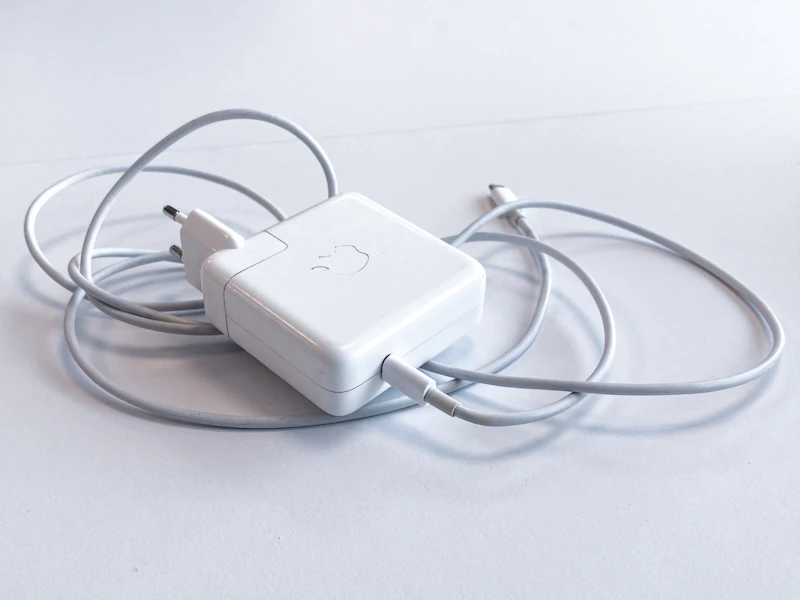
The Truth About Phone Fast Charging and Battery Health
Does fast charging kill your battery? The answer is nuanced. Here's what the research actually shows — and practical advice for maximizing battery lifespan.
BestElectronicsReviewed.com is a participant in the Amazon Services LLC Associates Program. We may earn a commission from qualifying purchases made through links on this page, at no extra cost to you.
Every phone now advertises fast charging. 25W, 45W, 65W, 120W — the numbers keep climbing. And with every new wattage record, the same question surfaces: is this destroying my battery?
The answer from battery research is: yes, fast charging degrades batteries faster than slow charging, but modern phones mitigate this so effectively that most people should not worry. Here is the full picture.
How Lithium-Ion Batteries Degrade
Every lithium-ion battery degrades with use. Each charge cycle causes a small amount of irreversible chemical change. After 500-1000 full charge cycles, most phone batteries retain 80% of their original capacity. After 1000-1500 cycles, capacity drops to 70%.
Three factors accelerate degradation:
- Heat — The primary enemy. Every 10 degrees Celsius above room temperature roughly doubles the rate of chemical degradation.
- High state of charge — Keeping a battery at 100% creates more stress than keeping it at 50-80%.
- Fast charging — Higher charging rates generate more heat and create more stress on the battery chemistry.
What Fast Charging Actually Does
Standard charging pushes current into the battery at a controlled rate (5W-10W). The battery heats up slightly — maybe 5-10 degrees above ambient.
Fast charging pushes much higher current (or voltage) into the battery. At 45W, the battery might heat up 15-25 degrees above ambient. At 120W, even more.
The heat is the problem. Not the wattage itself, but the thermal energy it generates. More heat means faster degradation of the lithium-ion chemistry.
Real-world impact: Research from Battery University and various academic studies suggests that consistently fast charging a phone from 0-100% can reduce battery lifespan by 10-20% compared to slow charging. After 2 years, a fast-charged battery might retain 85% capacity versus 90% for a slow-charged battery.
How Modern Phones Mitigate the Damage
Phone manufacturers are well aware of this, and they have built multiple layers of protection:
Charging Curve Management
No phone actually fast-charges the entire time. Fast charging fills the battery to about 70-80% quickly, then the phone automatically switches to progressively slower charging rates. The last 20% charges slowly regardless of your charger's maximum wattage.
This is why "0 to 50% in 15 minutes" does not mean "0 to 100% in 30 minutes." The second half takes much longer by design.
Temperature Monitoring
Every phone has thermal sensors near the battery. If the battery temperature exceeds safe thresholds (usually 40-45 degrees Celsius), the phone automatically reduces charging speed — even if you are using a fast charger. You might notice your phone charging slower when it is warm.
Optimized Battery Charging (Adaptive Charging)
Both iOS and Android offer intelligent charging features:
- iPhone Optimized Battery Charging: Learns your routine and holds the battery at 80% until shortly before you typically unplug. This avoids keeping the battery at 100% for hours overnight.
- Android Adaptive Charging: Similar concept. On Pixel phones, it is called "Adaptive charging" and slows charging overnight to reach 100% right when your alarm goes off.
Enable these features. They are the single most effective thing you can do for battery longevity, and they are on by default on most modern phones.
Charge Limit Settings
Some phones (Samsung, OnePlus, iPhone 15+) let you set a maximum charge limit of 80% or 85%. This keeps the battery in its optimal state-of-charge range, significantly extending lifespan.
On iPhone 15 and later: Settings > Battery > Charging Optimization > 80% Limit. Samsung: Settings > Battery > Battery Protection > Maximum 85%.
Practical Advice: What You Should Actually Do
The Relaxed Approach (For Most People)
- Enable Optimized/Adaptive Battery Charging (it is probably already on)
- Use fast charging when you need it (morning rush, quick top-up before going out)
- Use slow/wireless charging when you can (overnight, at your desk)
- Avoid leaving your phone on the charger for hours after reaching 100%
- Do not stress about it — modern batteries with modern protection last 3-4 years before degradation becomes noticeable
The Proactive Approach (For Battery Maximizers)
- Set a charge limit of 80% (if your phone supports it)
- Use slow charging for overnight/desk charging
- Reserve fast charging for when you genuinely need it
- Keep your phone out of hot environments (do not leave it in a hot car on the charger)
- Avoid charging while gaming or running intensive apps (double heat source)
- Store the phone at 50% charge if you are not using it for an extended period
Wireless Charging: Better or Worse?
Wireless charging generates more heat than wired charging due to energy transfer inefficiency. The coils in both the charger and phone generate heat from electromagnetic induction.
A good wireless charger with active cooling (fan inside the pad) mitigates this. A cheap wireless charger without cooling can make the battery quite warm.
The verdict: Wireless charging at 5-15W is fine for overnight use. The Anker MagSafe Charger Stand is MFi-certified and keeps temperatures reasonable.
Fast wireless charging (15W Qi2, 25W+ proprietary) generates more heat. Use it for quick top-ups, not extended charging sessions.
Battery Replacement: The Practical Safety Net
If your battery does degrade after 2-3 years of fast charging, replacement is straightforward:
- Apple: $89-119 for battery replacement (Apple Store or authorized service)
- Samsung: $50-99 depending on model
- Third-party repair: $40-80 at reputable shops
A battery replacement extends your phone's useful life by 2-3 years. At $70-100, it is dramatically cheaper than a new phone.
The Bottom Line
Fast charging is a convenience feature, not a battery killer. Modern phones manage the trade-offs intelligently. The practical impact on most users is a battery that retains 85% capacity after 2 years instead of 90% — a difference most people will not notice because they upgrade their phone before the battery becomes a real problem.
Use fast charging when you need it. Enable optimized charging. Set a charge limit if you want to be proactive. And stop worrying.
Read our charger buying guide →
As an Amazon Associate, BestElectronicsReviewed earns from qualifying purchases.
Recommended Products
Top picks from our buying guides
Related Articles
Guide: Why USB-C Cables Are Not All the Same: A Technical Guide (Spring 2026)
Guide: Why USB-C Cables Are Not All the Same: A Technical Guide (Spring 2026) — expert analysis and tested recommendations from BestElectronicsReviewed.
Deep DiveWhy Ultrawide Monitors Are Better Than Dual Monitors
Two monitors or one ultrawide? After testing both setups extensively, the ultrawide wins for most people. Here's the detailed case.
Deep DiveWhy USB-C Cables Are Not All the Same: A Technical Guide (March 2026)
Why USB-C Cables Are Not All the Same: A Technical Guide (March 2026) — expert analysis and tested recommendations from BestElectronicsReviewed.