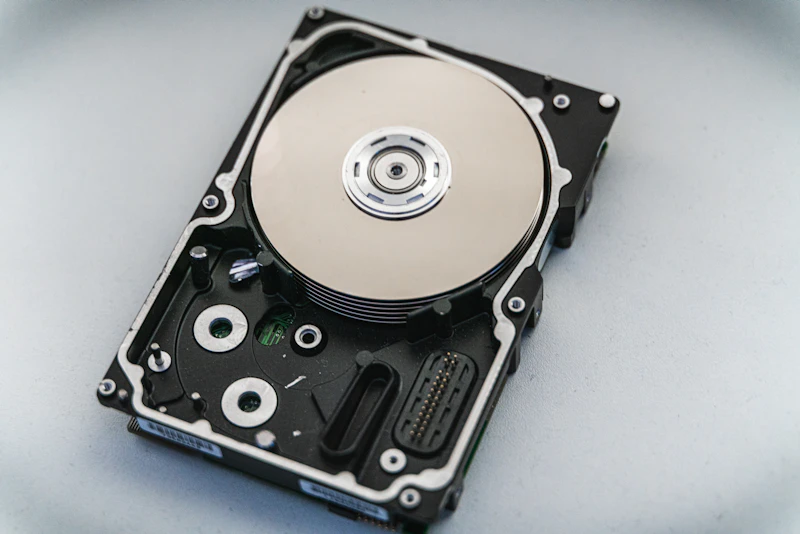
NVMe vs SATA SSD: What's the Real Speed Difference?
NVMe SSDs are technically 5-7x faster than SATA SSDs, but does that speed advantage actually matter for everyday use? The answer might save you money.
BestElectronicsReviewed.com is a participant in the Amazon Services LLC Associates Program. We may earn a commission from qualifying purchases made through links on this page, at no extra cost to you.
NVMe SSDs dominate the storage conversation. They're faster, newer, and the default in modern laptops and desktops. But SATA SSDs still exist, cost less, and work in more devices. Understanding the real-world difference — not just the spec sheet difference — helps you choose wisely and potentially save money.
The Technical Difference
SATA SSDs use the SATA interface, originally designed for hard drives. Maximum theoretical speed: 600 MB/s. In practice, SATA SSDs max out at 550 MB/s reads and 520 MB/s writes. They come in two form factors: 2.5-inch (fits in older laptop bays) and M.2 (the stick-shaped form factor in newer laptops).
NVMe SSDs use the NVMe (Non-Volatile Memory Express) protocol over a PCIe interface. Maximum theoretical speed depends on the PCIe generation:
- PCIe Gen 3 NVMe: up to 3,500 MB/s
- PCIe Gen 4 NVMe: up to 7,000 MB/s
- PCIe Gen 5 NVMe: up to 14,000 MB/s
So NVMe is 6-25x faster than SATA on paper. That sounds like a massive advantage. But the real question is: does it matter for what you do?
Where NVMe Is Noticeably Faster
Large File Transfers
Copying a 50GB video project from an NVMe SSD takes 15 seconds. The same transfer from a SATA SSD takes 90 seconds. If you regularly move large files — video editors, photographers handling RAW files, developers working with large repositories — the NVMe advantage is tangible and time-saving.
Professional Workloads
Video editing software like DaVinci Resolve or Premiere Pro reads and writes gigabytes of data during editing and rendering. NVMe storage significantly reduces timeline loading, project opening, and render times. Similarly, compiling large codebases, running database queries on local data, or working with machine learning datasets all benefit from NVMe speeds.
Boot Time (Marginal)
NVMe SSDs boot Windows in 8-12 seconds. SATA SSDs boot Windows in 12-18 seconds. The difference is real but small — both are fast enough that you won't feel frustrated.
Where NVMe Makes No Difference
Web Browsing
Websites load at the speed of your internet connection, not your storage. Whether you have SATA or NVMe, Chrome opens in the same 1-2 seconds, and web pages load at identical speeds.
Office Work
Opening a Word document, Excel spreadsheet, or PowerPoint presentation takes the same time on both drive types. These files are small (typically under 100MB), and both SATA and NVMe read small files at similar speeds due to similar random read performance characteristics.
Email and Messaging
Your email client doesn't care about sequential read speeds. Outlook, Gmail, Slack, and Teams perform identically on both drive types.
Streaming and Media Playback
Playing music, watching Netflix, or streaming video calls is entirely network-bound. Storage speed is irrelevant for these tasks.
Gaming (Usually)
Game loading times are primarily limited by decompression speed (CPU-bound), not raw storage throughput. Modern games use DirectStorage to bypass the CPU and load assets directly from NVMe storage to the GPU, but in practice, the loading time difference between SATA and NVMe is 1-3 seconds per level — noticeable only if you're timing it.
Our Recommendations
Choose SATA SSD If:
- You're upgrading an older laptop from an HDD (the HDD → SATA SSD jump is massive)
- Your laptop only has a 2.5-inch bay (SATA is your only option)
- Budget is your primary concern
- Your workload is browsing, office work, email, and streaming
Our pick: Samsung 870 EVO 1TB ($80) — the most reliable SATA SSD available, with 5-year warranty
Choose NVMe SSD If:
- Your laptop or desktop has an M.2 NVMe slot
- You work with large files (video, photos, databases)
- You want the best performance available
- The price difference is under $20
Our pick: Samsung 990 EVO 1TB ($80) — excellent Gen 4 performance at SATA pricing
Budget NVMe: WD Blue SN580 1TB ($55) — slightly slower but excellent value
High-performance NVMe: Samsung 990 PRO 2TB ($150) — Gen 4 speeds with enthusiast-grade reliability
The Confusing Part: M.2 Can Be Either
Here's what trips people up: the M.2 form factor supports both SATA and NVMe. An M.2 SSD can be a slow SATA drive or a fast NVMe drive, and they look nearly identical physically. Check the key notch on the connector:
- M key only (one notch): NVMe
- B+M keys (two notches): Usually SATA, but can be NVMe
- Check the model number against the manufacturer's spec sheet to be certain
Some older laptops have M.2 slots that only support SATA protocol. Installing an NVMe drive in a SATA-only M.2 slot results in the drive not being detected at all.
Bottom Line
The biggest speed jump in consumer storage history was HDD to SSD. That upgrade delivers a 10-50x improvement in daily responsiveness. The jump from SATA SSD to NVMe SSD delivers 5-7x improvement in sequential speeds but minimal improvement in the random I/O operations that determine perceived speed in everyday tasks.
If you're upgrading from an HDD, any SSD — SATA or NVMe — will feel transformative. If you already have a SATA SSD and are considering NVMe, the upgrade is only worth it if you regularly work with large files. For everyone else, the money is better spent on more RAM or a better display.
As an Amazon Associate, BestElectronicsReviewed earns from qualifying purchases.
Recommended Products
Top picks from our buying guides
Related Articles
How Zigbee, Z-Wave, and Thread Actually Differ
Smart home protocols are confusing. Here's a plain-English breakdown of the three mesh networking standards and which one matters most in 2026.
ExplainerWhat Is WiFi 7 and Do You Actually Need It? (Today)
What Is WiFi 7 and Do You Actually Need It? (Today) — expert analysis and tested recommendations from BestElectronicsReviewed.
ExplainerHow Robot Vacuum Navigation Works: LiDAR vs Camera vs Gyroscope
The navigation system is the most important feature in a robot vacuum. Here's how LiDAR, camera, and gyroscope systems work, and which cleans best.