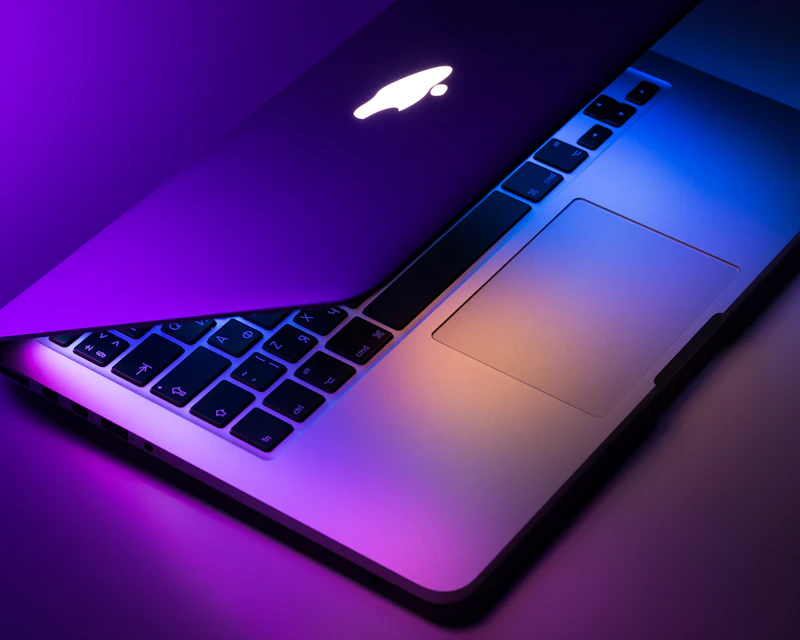
M4 MacBook Air Review: The Laptop Most People Should Buy
Apple's M4 MacBook Air delivers stunning performance, all-day battery life, and a fanless design that makes it the default recommendation for nearly everyone.
BestElectronicsReviewed.com is a participant in the Amazon Services LLC Associates Program. We may earn a commission from qualifying purchases made through links on this page, at no extra cost to you.
Apple's M4 MacBook Air is not a revolutionary update. It doesn't need to be. The MacBook Air has been the best laptop for most people since the M1 generation, and the M4 version refines that formula with meaningful gains in performance, display quality, and connectivity — without sacrificing the battery life or fanless silence that define this machine.
Design and Build
The M4 Air retains the same aluminum unibody chassis introduced with the M2 redesign. It's 11.3mm thin, weighs 2.7 pounds in the 13-inch model, and comes in four colors: Midnight, Starlight, Silver, and Space Black. The Midnight finish still attracts fingerprints, but the anodization seal Apple introduced with the M3 generation has reduced the problem significantly.
The display is a 13.6-inch Liquid Retina panel running at 2560x1664, now with a peak SDR brightness of 600 nits (up from 500). The P3 wide color gamut remains, and Apple has added an optional nano-texture finish for glare reduction in bright environments. For anyone working near windows or outdoors, the nano-texture option is worth the $50 premium.
The keyboard and trackpad remain best-in-class. The Magic Keyboard has excellent key travel and consistency, and the Force Touch trackpad is absurdly large and responsive. MagSafe charging is included alongside two Thunderbolt 4 / USB-C ports and a 3.5mm headphone jack.
Performance
The M4 chip brings a 10-core CPU (4 performance + 6 efficiency cores) and a 10-core GPU. In daily use, the performance gains over the M3 are subtle — web browsing, email, and document editing were already instantaneous. Where the M4 shines is in sustained workloads.
Video editing in Final Cut Pro is noticeably smoother. Exporting a 10-minute 4K timeline takes about 6 minutes, roughly 25% faster than the M3 Air. Photo editing in Lightroom with large RAW files is responsive, and the machine handles 50+ Chrome tabs without breaking a sweat.
The 16GB base RAM (unified memory) is adequate for most users. If you regularly work with large datasets, multiple virtual machines, or professional video editing, consider the 24GB configuration. The M4 MacBook Air 24GB costs $200 more but provides headroom that will keep this laptop comfortable for five or more years.
Battery Life
Battery life is the M4 Air's party trick. Apple claims 18 hours of video playback, and in real-world mixed use — web browsing, Slack, email, light photo editing, Spotify — we consistently hit 14-15 hours. That's a full workday plus evening use without reaching for the charger.
For students carrying this between classes, remote workers at coffee shops, or travelers on long flights, this battery life eliminates charging anxiety entirely.
What's Missing
The M4 Air is not perfect. The 8GB base model has been eliminated (finally), but the base storage is still 256GB. With macOS, apps, and user files, 256GB fills up fast. Budget an extra $200 for the 512GB configuration unless you live entirely in the cloud.
There's no ProMotion 120Hz display — that remains a MacBook Pro exclusive. The webcam is 1080p (adequate but not exceptional), and there's still no Face ID. The speakers are excellent for a laptop but can't match the MacBook Pro's six-speaker array.
Who Should Buy This
The M4 MacBook Air is the right laptop for students, writers, web developers, casual photo and video editors, business professionals, and anyone who values portability and battery life. It handles 95% of what people do on a computer with more speed and efficiency than machines costing twice as much.
The only people who should look elsewhere are those who need sustained GPU-intensive workloads (3D rendering, machine learning training), multiple external displays at high refresh rates, or Windows-exclusive software. For those users, the MacBook Pro or a high-end Windows machine is the better fit.
The Verdict
The M4 MacBook Air earns a 9.2/10. It is the laptop we recommend to anyone who asks "what laptop should I buy?" without further qualification. The performance is exceptional, the battery life is unmatched, and the build quality will keep this machine relevant for half a decade.
Buy the M4 MacBook Air if: You want the best balance of performance, portability, and battery life available in any laptop today.
Skip it if: You need dedicated GPU power, a 120Hz display, or you're locked into the Windows ecosystem.
Check the latest M4 MacBook Air price on Amazon
As an Amazon Associate, BestElectronicsReviewed earns from qualifying purchases.
Recommended Products
Top picks from our buying guides
Related Articles
Essential: Sony WH-1000XM5 Review: 6 Months Later (2026)
Essential: Sony WH-1000XM5 Review: 6 Months Later (2026) — expert analysis and tested recommendations from BestElectronicsReviewed.
ReviewsElectric Lawn Mowers in 2026: Battery Power Finally Rivals Gas
Battery electric lawn mowers have reached a tipping point — comparable power, quieter operation, zero emissions, and lower maintenance than gas. Here are the best options.
ReviewsBest Baby Monitors in 2026: Video, Audio, and Smart Sensor Options
From simple audio monitors to smart sensors that track breathing, here are the best baby monitors for every parenting style and budget.