Logitech Buyer's Guide: Productivity vs Gaming Lines
Logitech makes products for both office workers and gamers. Here is how to navigate their lineup and pick the right product for your needs.
BestElectronicsReviewed.com is a participant in the Amazon Services LLC Associates Program. We may earn a commission from qualifying purchases made through links on this page, at no extra cost to you.
Logitech operates two distinct product lines under one brand: the productivity-focused Logitech line (mice, keyboards, webcams for office use) and the gaming-focused Logitech G line (gaming mice, keyboards, headsets, and accessories). The product naming is confusing, the overlap is significant, and choosing between a $99 Logitech MX Master and a $99 Logitech G Pro can be genuinely difficult without understanding the design philosophy behind each line.
Here is the complete guide to Logitech's product lineup, organized by category, with clear recommendations for who should buy what.
Mice: MX vs G
Productivity: MX Master 3S — $99
The Logitech MX Master 3S is designed for professionals who spend 8+ hours at a desk. The ergonomic sculpted shape reduces hand fatigue during marathon work sessions. The electromagnetic scroll wheel switches between precise ratcheted scrolling (spreadsheets, code) and hyper-fast free-spinning (long documents, web pages) automatically.
Multi-device support connects to three computers simultaneously via Bluetooth or the included USB receiver. Flow lets you move your cursor between computers — the mouse slides from your work laptop to your personal PC without switching.
Best for: Office workers, programmers, designers, writers, anyone who prioritizes comfort and productivity features.
Gaming: G Pro X SUPERLIGHT 2 — $159
The Logitech G Pro X SUPERLIGHT 2 weighs just 60 grams — nearly half the MX Master's weight — because competitive gaming demands speed over comfort. The HERO 2 sensor tracks at 44,000 DPI with zero smoothing, zero acceleration, and 1ms wireless latency that matches wired performance.
Best for: Competitive FPS gamers, esports aspirants, anyone who prioritizes lightweight speed and precision.
The Overlap: G502 X PLUS — $159
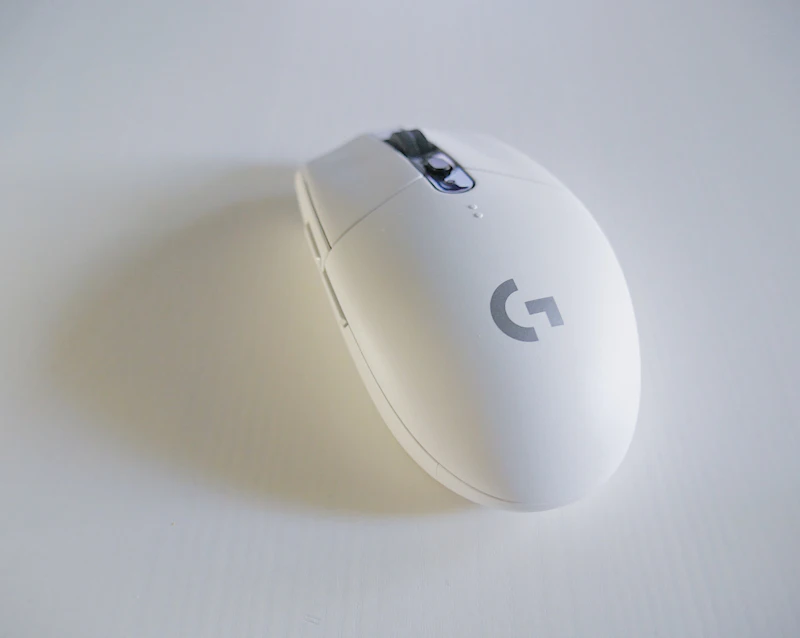
The Logitech G502 X PLUS bridges both worlds. It has the ergonomic shape and programmable buttons of a productivity mouse with the sensor performance of a gaming mouse. If you game in the evening and work during the day at the same desk, the G502 X PLUS is the one-mouse solution.
Read our full wireless mouse guide →
Keyboards: MX vs G
Productivity: MX Keys S — $109
The Logitech MX Keys S is a low-profile wireless keyboard with backlit keys that illuminate when your hands approach (proximity sensor), multi-device switching (three devices), and Smart Actions that automate repetitive tasks.
The typing experience is excellent — scissor switches with a comfortable key travel that is quiet enough for shared offices. Battery life is 10 days with backlighting on, 5 months with it off.
Best for: Professionals, writers, multi-device users.
Gaming: G Pro Mechanical — $129
The Logitech G Pro mechanical keyboard uses GX switches (Logitech's proprietary mechanical switches) in a tenkeyless layout with per-key RGB lighting and tournament-grade build quality. The detachable cable and compact design make it the standard for competitive gaming events.
Best for: Competitive gamers, mechanical keyboard enthusiasts.
Budget Option: K380 — $35
The Logitech K380 is the budget king. It connects to three devices via Bluetooth, lasts two years on two AAA batteries, and types surprisingly well for a $35 keyboard. Available in multiple colors.
Best for: Budget buyers, students, anyone who needs multi-device Bluetooth keyboard.
Webcams
Productivity: Brio 500 — $129
The Logitech Brio 500 shoots 1080p with RightLight 4 auto-exposure, a built-in privacy shutter, and Show Mode that tilts down to show documents on your desk. Designed for professional video calls.
Streaming: StreamCam — $169
The Logitech StreamCam shoots 1080p at 60fps (double the frame rate of the Brio), connects via USB-C, and supports both landscape and portrait modes. Auto-framing keeps you centered as you move.
Budget: C920x — $69
The Logitech C920x is the workhorse webcam that has been the standard for years. 1080p/30fps, decent auto-exposure, and reliable performance at a reasonable price.
Headsets
Productivity: Zone Vibe 125 — $69
The Logitech Zone Vibe 125 is a lightweight wireless headset with noise-isolating microphone, 18-hour battery, and multi-device Bluetooth. Designed for all-day video call comfort.
Gaming: G735 — $229
The Logitech G735 is a wireless gaming headset with Blue VO!CE microphone technology (the same technology from Logitech's Blue microphone brand), DTS Headphone:X 2.0 spatial audio, and RGB lighting. Designed for long gaming sessions with soft, breathable ear cups.
Budget Gaming: G435 LIGHTSPEED — $49
The Logitech G435 LIGHTSPEED is a wireless gaming headset at a budget price. Bluetooth plus LIGHTSPEED wireless, 18-hour battery, and 165-gram weight make it comfortable for extended sessions. Sound quality is good (not great), but at $49, the value is exceptional.
The Logitech Decision Matrix
| Use Case | Mouse | Keyboard | Webcam | Headset | |----------|-------|----------|--------|---------| | Office pro | MX Master 3S ($99) | MX Keys S ($109) | Brio 500 ($129) | Zone Vibe 125 ($69) | | Competitive gamer | G Pro X SL2 ($159) | G Pro Mech ($129) | StreamCam ($169) | G735 ($229) | | Budget office | M720 ($49) | K380 ($35) | C920x ($69) | Zone Vibe 125 ($69) | | Budget gamer | G502 X ($89) | G413 ($69) | C920x ($69) | G435 ($49) | | Hybrid (work + game) | G502 X PLUS ($159) | G Pro ($129) | Brio 500 ($129) | G735 ($229) |
Logitech's Best-Kept Secrets
Logitech Options+ software: The companion app for Logitech productivity devices lets you customize button assignments, set per-application profiles, and create macro workflows. It is genuinely powerful and underutilized.
LIGHTSPEED wireless: Logitech's proprietary wireless technology delivers 1ms latency — indistinguishable from wired. If you are avoiding wireless gaming peripherals due to latency concerns, LIGHTSPEED eliminates that objection.
Multi-device is the killer feature: Logitech's Easy-Switch technology (available on MX and K380 lines) lets you switch between three paired devices with a button press. If you use a work laptop and a personal computer, this alone justifies the purchase.
Read our full keyboard and mouse guide →
Final Thoughts
Logitech's dual-line strategy means there is a product for almost every user at almost every budget. The rule of thumb is simple: if you do not game competitively, the productivity line (MX, K-series, Brio) offers better comfort, multi-device support, and office-appropriate design. If you game seriously, the G line offers the precision, speed, and aesthetics that matter in gaming. And for hybrid users, the G502 X PLUS mouse and G Pro keyboard handle both worlds admirably.
As an Amazon Associate, BestElectronicsReviewed earns from qualifying purchases.
Recommended Products
Top picks from our buying guides
Related Articles
How GoPro Reinvented Itself Beyond Action Cameras
GoPro nearly went bankrupt in 2018. Now it's a thriving company with products far beyond action cameras. Here's how they pulled off one of tech's most impressive comebacks.
BrandUpdated: The Complete Guide to Anker Products: What's Worth Buying (Right Now)
Updated: The Complete Guide to Anker Products: What's Worth Buying (Right Now) — expert analysis and tested recommendations from BestElectronicsReviewed.
BrandSamsung Galaxy Ecosystem 2026: Phone Watch Buds Tablet
Samsung's Galaxy ecosystem rivals Apple's for seamless integration. Here is how the Galaxy phone, watch, buds, and tablet work together in 2026.