Laptop Battery Replacements: Which Brands Make It Easy?
A degraded battery doesn't mean you need a new laptop. Some brands make replacement easy; others fight you every step. Here's the brand-by-brand breakdown.
BestElectronicsReviewed.com is a participant in the Amazon Services LLC Associates Program. We may earn a commission from qualifying purchases made through links on this page, at no extra cost to you.
Laptop batteries degrade. After 2-3 years of daily use, most lithium-ion batteries retain 80% of their original capacity. After 4-5 years, it's often 60-70%. A laptop that once lasted 10 hours on battery now dies after 5-6 hours. But replacing the battery costs $50-100 and takes 15-30 minutes — far cheaper and easier than buying a new laptop. If the brand lets you.
Brand Report Cards
Framework — A+ (Designed for It)
Framework laptops have batteries that clip out with a single pull tab. No screws, no adhesive, no special tools. A replacement battery costs $49 directly from Framework's parts store, and the swap takes under 2 minutes.
This is what every laptop manufacturer should aspire to.
Lenovo ThinkPad — A
ThinkPads are the industry standard for user repairability. Battery replacement requires removing the bottom panel (6-8 Phillips screws) and disconnecting a single cable connector. Lenovo publishes detailed Hardware Maintenance Manuals for every ThinkPad model with step-by-step battery replacement instructions.
OEM replacement batteries cost $50-80 from Lenovo. Third-party batteries from reputable brands cost $30-50. The whole process takes 15-20 minutes.
Dell Latitude/XPS — B+
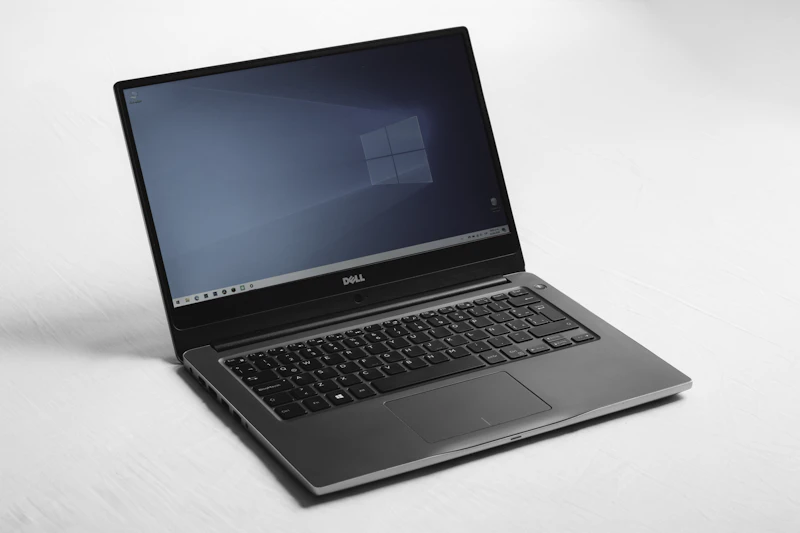
Dell business laptops (Latitude) are designed for IT department maintenance, including easy battery swaps. Consumer XPS models are slightly more complex but still doable. Dell publishes service manuals and sells OEM batteries.
Dell's battery replacement typically involves removing the bottom panel (Torx screws), disconnecting a ribbon cable, and lifting out the battery. 20-30 minutes.
HP EliteBook — B
HP's business laptops have accessible batteries, though some models require more disassembly than Dell or Lenovo equivalents. HP publishes service manuals and sells parts through their parts store.
Apple MacBook — B- (Improved)
MacBook battery replacement has improved significantly. Apple's Self Service Repair program now offers MacBook batteries (around $159 for MacBook Air, $249 for MacBook Pro) with rental of the professional repair tools ($49 for a week).
The MacBook Air M3 uses a pull-tab adhesive design that's much easier to work with than the glued-in batteries of older models. Apple's own guide walks through the process, and iFixit offers cheaper third-party batteries ($79-99).
Third-party repair shops charge $80-150 for MacBook battery replacement, which is a reasonable alternative if you don't want to DIY.
ASUS/Acer/MSI Consumer — C
Consumer gaming and budget laptops from these brands generally have replaceable batteries, but getting OEM replacement parts is difficult. The brands don't sell batteries directly to consumers in most cases. You'll need to source from third-party suppliers on Amazon or iFixit.
Quality varies. A Crucial/Cameron Sino replacement battery ($35-60) for popular models works well, but less-known sellers may provide batteries with lower actual capacity than advertised.
Microsoft Surface — D
Surface devices are among the hardest laptops to repair. Batteries are glued in with strong adhesive, requiring heat guns, suction cups, and patience. iFixit gives most Surface devices a 1/10 repairability score. Battery replacement risks damaging the screen during disassembly.
Professional repair costs $200-400 for Surface battery replacement — at which point you're paying a significant fraction of a new device's cost.
How to Check Your Battery Health
Windows
- Open Command Prompt as Administrator
- Type:
powercfg /batteryreport - Open the generated HTML file
- Look at "Design Capacity" vs "Full Charge Capacity"
- If Full Charge Capacity is below 80% of Design Capacity, consider replacement
Mac
- Hold Option and click the Apple menu
- Click System Information
- Click Power
- Look at "Maximum Capacity" percentage
- Below 80% suggests replacement
DIY vs. Professional Replacement
| Factor | DIY | Professional | |--------|-----|-------------| | Cost | $30-100 (battery only) | $80-250 (battery + labor) | | Time | 15-45 minutes | Drop off, pick up next day | | Risk | Low-moderate (varies by brand) | Very low | | Tools needed | Screwdriver, possibly spudger | None (shop provides) | | Warranty impact | May void remaining warranty | Often maintains warranty |
Recommendation
If your laptop is a ThinkPad, Dell Latitude, or Framework: DIY confidently. The process is straightforward and well-documented.
If your laptop is a MacBook: Use Apple Self Service Repair or a certified repair shop. The process is doable but more involved.
If your laptop is a Surface: Go professional. The risk of damaging the device during DIY repair is too high.
Extending Battery Life Before Replacement
Before spending on a new battery, try these settings to squeeze more life from your current one:
- Reduce screen brightness to 40-50%
- Enable battery saver / low power mode
- Close background apps (check Task Manager / Activity Monitor)
- Use the 20-80% charge rule (keep battery between 20% and 80% when possible)
- A USB-C charger ($35) lets you top up during the day without full charge cycles
As an Amazon Associate, BestElectronicsReviewed earns from qualifying purchases. All products are independently selected by our editorial team.
Recommended Products
Top picks from our buying guides
Related Articles
USB4 and What It Means for External GPUs
USB4 promises bandwidth that could make external GPUs viable for gaming laptops. Here is the current state of eGPU technology and where it is heading.
NewsWalkie-Talkies in 2026: Still Useful or Completely Obsolete?
In an era of unlimited cell plans, who needs walkie-talkies? Surprisingly, a lot of people. Here's when they still beat your phone.
NewsRight to Repair in 2026: Which Brands Support Self-Repair?
Right to repair legislation is expanding, and some brands are embracing it. Here's which companies let you fix your own devices and which still fight it.