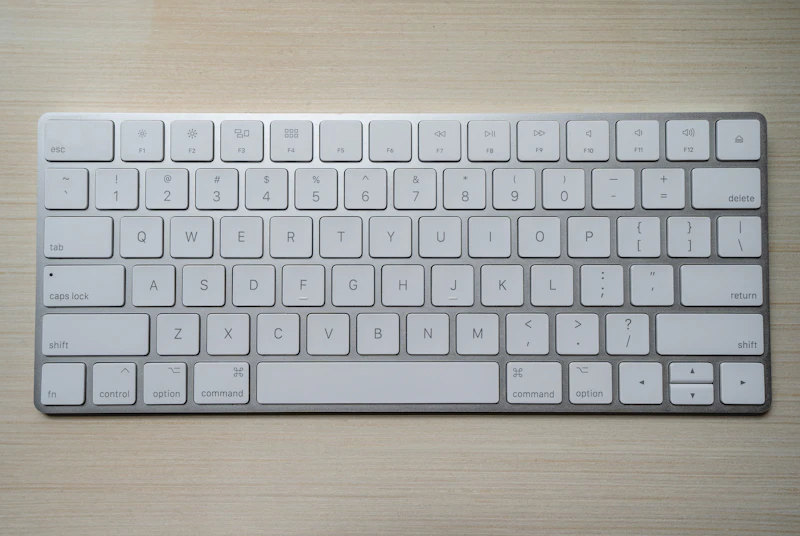
Keyboard Shortcuts That Save Power Users Hours Every Week
The mouse is a productivity bottleneck. Keyboard shortcuts eliminate thousands of hand movements per day and make every task faster. Here are the shortcuts worth memorizing.
BestElectronicsReviewed.com is a participant in the Amazon Services LLC Associates Program. We may earn a commission from qualifying purchases made through links on this page, at no extra cost to you.
Every time you move your hand from the keyboard to the mouse, you lose 1-2 seconds. That does not sound like much, but across hundreds of daily mouse movements, you lose 15-30 minutes of productive time. More importantly, each hand movement breaks your flow state. Keyboard shortcuts keep your hands on the keyboard and your mind on the work.
Universal Shortcuts (Mac and Windows)
These work in virtually every application:
Navigation: Cmd/Ctrl+Tab (switch between apps), Cmd/Ctrl+` (switch between windows of the same app), Cmd/Ctrl+W (close current tab/window), Cmd/Ctrl+T (new tab).
Text editing: Cmd/Ctrl+A (select all), Cmd/Ctrl+Z (undo), Cmd/Ctrl+Shift+Z (redo), Cmd/Ctrl+F (find), Cmd/Ctrl+H (find and replace). Option/Ctrl+arrow keys move by word rather than by character — dramatically faster for navigating and selecting text.
System: Cmd+Space (Spotlight/search on Mac), Win+S (search on Windows), Cmd/Ctrl+Shift+3 or 4 (screenshot).
Browser Shortcuts
Web browsers are where most knowledge workers spend hours daily:
Cmd/Ctrl+L: Jump to the address bar. Type a search or URL without touching the mouse.
Cmd/Ctrl+1-9: Switch to tab 1-9. Cmd/Ctrl+9 always goes to the last tab.
Cmd/Ctrl+Shift+T: Reopen the last closed tab. Works repeatedly to restore multiple closed tabs.
Space/Shift+Space: Scroll down/up one page. Faster than scroll wheel or trackpad for reading.
Cmd/Ctrl+D: Bookmark the current page.
Text Editor and IDE Shortcuts
For writers and programmers:
Cmd/Ctrl+Shift+K: Delete the current line (VS Code, Sublime Text).
Cmd/Ctrl+D: Select the next occurrence of the current selection. Repeat to select multiple occurrences for simultaneous editing.
Cmd/Ctrl+/: Toggle comment on the current line.
Option/Alt+Up/Down: Move the current line up or down.
Cmd/Ctrl+Shift+P: Command palette (VS Code, Sublime). Access any command without remembering its shortcut.
Gmail Shortcuts
Gmail with keyboard shortcuts enabled (Settings > See all settings > Keyboard shortcuts ON) is dramatically faster:
C: Compose new email. R: Reply. A: Reply all. F: Forward.
E: Archive the current message. #: Delete. !: Report spam.
J/K: Navigate between messages in a list (next/previous).
Shift+U: Mark as unread. S: Star/unstar.
Building Muscle Memory
Do not try to memorize all shortcuts at once. Pick 3-5 that address your most frequent mouse movements this week. Use them exclusively for one week until they become automatic. Then add 3-5 more.
Print a shortcut reference and tape it to your monitor for the first week. The keyboard shortcut reference cards available for specific apps provide a quick visual reference during the learning phase.
After 4-6 weeks of gradually adding shortcuts, you will notice a significant increase in your working speed and, more importantly, a reduction in the mental friction of routine tasks.
Custom Shortcuts
Both macOS (System Preferences > Keyboard > Shortcuts) and Windows (AutoHotkey) let you create custom shortcuts for any action. If you perform a specific menu action frequently, assign it a shortcut. The investment of 2 minutes creating a shortcut saves seconds every time you use it, compounding into hours over months.
As an Amazon Associate, BestElectronicsReviewed earns from qualifying purchases.
Recommended Products
Top picks from our buying guides
Related Articles
eSIM for International Travel: Complete Setup Guide for iPhone and Android
Skip the SIM card shops at the airport. An eSIM gives you instant data in 190+ countries at a fraction of roaming costs. Here is how to set one up.
How-ToHome Network Wiring: Run Ethernet Through Your House Like a Pro
WiFi is convenient but ethernet is faster and more reliable. Here is how to run ethernet cables through your home without destroying your walls.
How-ToHow to Light a Video Call So You Look Professional
Lighting is the difference between looking washed out and looking polished on video calls. Here's a simple setup that takes 5 minutes and costs under $50.