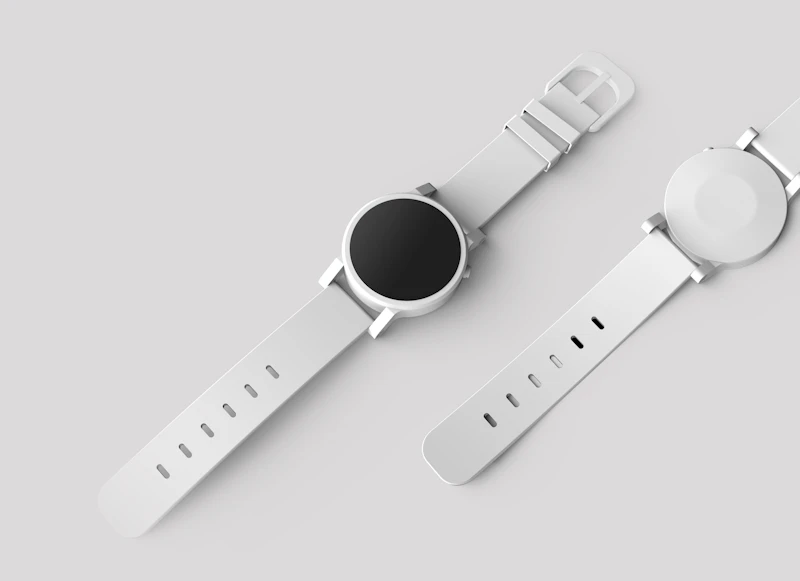
How to Choose Between GPS and Cellular Smartwatches
GPS-only vs GPS + Cellular: the price difference is $100+ per year. Here's how to decide if cellular connectivity is worth it for your lifestyle.
BestElectronicsReviewed.com is a participant in the Amazon Services LLC Associates Program. We may earn a commission from qualifying purchases made through links on this page, at no extra cost to you.
When buying a smartwatch from Apple, Samsung, or Google, you face a choice: GPS-only or GPS + Cellular. The cellular model costs $50-$100 more upfront and requires a monthly carrier plan ($5-$15/month). Over two years, cellular adds $170-$460 to your total cost. Here's a clear framework for deciding whether that investment makes sense.
What Cellular Actually Does
A cellular smartwatch has its own connection to your carrier's network (LTE, not 5G). When your phone isn't nearby, the watch can independently:
- Make and receive phone calls
- Send and receive text messages (including iMessage and SMS)
- Stream music from Apple Music, Spotify, or YouTube Music
- Use maps and navigation
- Receive all notifications
- Make emergency calls (including crash detection and fall detection SOS)
- Share your location with family members
- Use Siri, Google Assistant, or Bixby
Without cellular, these features only work when your phone is within Bluetooth range (about 30 feet) or connected to WiFi.
When Cellular Is Worth It
You Run, Cycle, or Walk Without Your Phone
This is the primary use case that justifies cellular. If you regularly exercise outdoors without your phone and want to remain reachable — for family emergencies, safety, or music streaming — cellular makes it possible.
The Apple Watch Ultra 2 with cellular is particularly popular among runners who want to leave their phone behind but still have emergency calling, music, and turn-by-turn navigation on long routes.
You Have Children or Elderly Family Members
Apple's Family Setup and Samsung's companion mode let you set up a cellular watch for someone who doesn't have a smartphone. Your child can make calls, send messages, and share their location from their watch. Your parent can use fall detection with automatic emergency calling. This is a genuinely valuable safety feature.
Your Job Requires Constant Reachability
If you can't miss calls or messages but also need phone-free time (meetings where phones aren't appropriate, working with your hands, operating equipment), a cellular watch keeps you connected without a phone in your pocket.
You Want to Downsize from Your Phone
Some people use a cellular watch as their primary communication device during evenings, weekends, or vacations — leaving the phone at home to reduce screen time while staying reachable for important contacts.
When GPS-Only Is the Better Choice
Your Phone Is Always With You
If you carry your phone during workouts, commutes, and daily life, cellular on your watch is redundant. The GPS-only watch handles all the same features via your phone's connection. You're paying $10/month for a capability you rarely use.
You Primarily Use Your Watch for Fitness Tracking
Fitness tracking — heart rate, steps, sleep, workout logging — works identically on GPS-only and cellular models. GPS-only watches still have built-in GPS for tracking outdoor routes; they just can't make calls without your phone.
Battery Life Matters to You
Cellular radios consume power. A GPS-only Apple Watch lasts about 20% longer than its cellular counterpart with LTE active. If you're already stretching battery life with sleep tracking and workout logging, removing cellular search extends your time between charges.
Budget Is a Factor
The math over a typical 2-3 year ownership period:
| Cost Component | GPS-Only | GPS + Cellular | |---------------|----------|----------------| | Watch (Apple Watch Series 9) | $399 | $499 | | Monthly plan (24 months) | $0 | $120-$360 | | 2-Year Total | $399 | $619-$859 |
That $220-$460 difference buys a lot of other fitness tech — a quality fitness tracker, a pair of wireless earbuds, or a massage gun.
Carrier Plans by Provider
Apple Watch Cellular
- AT&T: $10/month
- Verizon: $10/month
- T-Mobile: $5-$10/month (varies by plan)
- Your watch shares your phone number — calls and texts go to both devices
Samsung Galaxy Watch Cellular
- Similar pricing to Apple Watch across carriers
- Samsung Galaxy Watch uses an eSIM like Apple Watch
- T-Mobile offers the lowest monthly rates for Samsung as well
Google Pixel Watch
- Available through major carriers at $10/month
- Uses eSIM technology
Setup Considerations
Cellular activation requires visiting your carrier (in-person or via their app) and adding a watch line to your phone plan. The process takes 5-10 minutes. Some things to know:
- Your watch and phone share the same phone number
- When your phone is nearby, the watch uses Bluetooth (no cellular data consumed)
- When your phone is out of range, the watch switches to cellular automatically
- Data usage on the watch is typically minimal (50-200 MB/month) and usually included in your plan
- You can suspend the watch line temporarily (traveling, seasonal use) to save monthly fees
The Decision Framework
Ask yourself these three questions:
- Do I regularly leave my phone behind during activities where I need to be reachable? If yes, cellular is worth it.
- Am I setting up a watch for a family member without a phone? If yes, cellular is required.
- Is spending $10/month for connectivity peace-of-mind worth it to me? If the answer isn't an immediate yes, GPS-only is the smarter choice.
Most people — roughly 70% based on industry data — choose GPS-only. The cellular premium makes sense for a specific subset of users with phone-free lifestyle needs. If you're unsure, start with GPS-only. You can always upgrade to a cellular model later, but you can't downgrade a cellular model to avoid the monthly fee.
One final note: both GPS-only and cellular watches can make emergency calls via satellite (Apple Watch Ultra 2, Series 9) or through any available cellular network (even without a plan). Safety-critical communication works regardless of your model choice.
As an Amazon Associate, BestElectronicsReviewed earns from qualifying purchases.
Recommended Products
Top picks from our buying guides
Related Articles
eSIM for International Travel: Complete Setup Guide for iPhone and Android
Skip the SIM card shops at the airport. An eSIM gives you instant data in 190+ countries at a fraction of roaming costs. Here is how to set one up.
How-ToHome Network Wiring: Run Ethernet Through Your House Like a Pro
WiFi is convenient but ethernet is faster and more reliable. Here is how to run ethernet cables through your home without destroying your walls.
How-ToHow to Light a Video Call So You Look Professional
Lighting is the difference between looking washed out and looking polished on video calls. Here's a simple setup that takes 5 minutes and costs under $50.