How Mesh WiFi Actually Works vs Traditional Routers
Mesh WiFi systems promise whole-home coverage. Here's the technical reality of how they work, when they're worth it, and when a single router is better.
BestElectronicsReviewed.com is a participant in the Amazon Services LLC Associates Program. We may earn a commission from qualifying purchases made through links on this page, at no extra cost to you.
Mesh WiFi systems have exploded in popularity, but many buyers don't understand how they differ from traditional routers or WiFi extenders. Let's break down the architecture, the trade-offs, and when mesh is genuinely the right choice.
Traditional Router: One Box, One Job
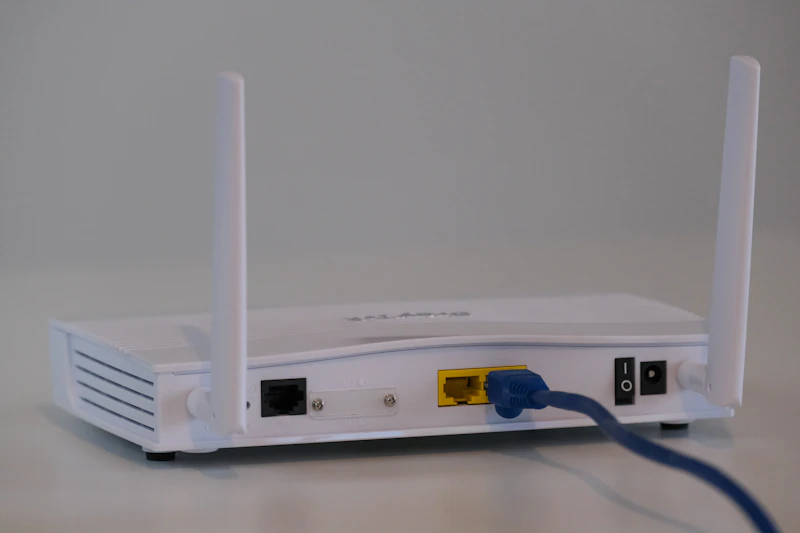
A traditional WiFi router is a single device that broadcasts a wireless signal from one location. The signal radiates outward, weakening as it passes through walls, floors, and distance. The coverage area forms roughly a sphere around the router, but obstacles create dead zones and weak spots.
If your home is under 1,500 square feet and your router sits centrally, a single router often provides adequate coverage. A high-quality router like the TP-Link Archer AX55 can handle a mid-sized home without issues.
The problem arises in larger homes, multi-story buildings, or spaces with WiFi-hostile construction (concrete walls, metal framing). Signal strength drops, speeds plummet, and certain rooms become essentially disconnected.
WiFi Extenders: The Band-Aid
WiFi extenders (also called repeaters) receive your router's signal and rebroadcast it. They're cheap and simple, but they have a fundamental flaw: they halve your bandwidth.
Here's why: a WiFi extender uses the same radio to receive and retransmit. It can't do both simultaneously, so it time-shares — receiving a packet, then retransmitting it. This cuts your effective speed in half with each hop. If your router delivers 300 Mbps, an extender delivers 150 Mbps at best.
Extenders also create a separate network (or force devices to make suboptimal roaming decisions), leading to devices clinging to weak signals instead of switching to the nearer extender. It's a frustrating experience.
Mesh WiFi: The Architecture
A mesh WiFi system consists of two or more nodes (sometimes called satellites or points) that work as a single, coordinated network. Here's what makes it different:
Single Network with Seamless Roaming
All mesh nodes broadcast the same network name (SSID). As you move through your home, your device seamlessly transitions from one node to the next without disconnecting. The mesh system uses IEEE 802.11k/v/r standards to actively manage client handoffs, guiding devices to the best node.
This is a night-and-day difference from extenders. With mesh, you walk from your living room to your bedroom and your video call doesn't skip a beat. The transition happens in milliseconds.
Dedicated Backhaul
Premium mesh systems include a dedicated backhaul radio — a separate wireless channel used exclusively for communication between nodes. Your traffic doesn't share bandwidth with the inter-node communication.
The ASUS ZenWiFi AX (XT8) uses a dedicated 5 GHz backhaul band, ensuring full bandwidth is available to client devices. The Netgear Orbi RBK863S goes further with a dedicated 6 GHz backhaul channel, keeping the 5 GHz band entirely free for your devices.
Intelligent Routing
Mesh nodes dynamically determine the best path for data. If one node's connection to the main router is weak, it may route traffic through another node instead. This self-healing behavior means the network adapts to interference, obstructions, and node failures without manual intervention.
Centralized Management
Mesh systems are managed through a single app. You see all nodes, connected devices, and network health in one place. Adding a new node is typically as simple as plugging it in and tapping a button. Parental controls, guest networks, and QoS settings apply network-wide automatically.
Compare the best mesh systems →
Wired Backhaul: The Secret Weapon
If you can run Ethernet cables between your mesh nodes, you unlock the best possible performance. Wired backhaul eliminates the bandwidth penalty of wireless inter-node communication entirely. Each node delivers the full speed of your internet connection.
For new construction or renovation, pulling Ethernet to planned mesh node locations is the single best investment you can make in your home network. Even if your internet speed increases in the future, wired backhaul will handle it.
The TP-Link Deco XE75 supports both wired and wireless backhaul, giving you flexibility to wire nodes where possible and go wireless where it's not.
When You Need Mesh WiFi
Your home is larger than 2,000 sq ft. A single router almost certainly can't cover this well. Mesh adds coverage where you need it.
Your home has more than one floor. Floors are WiFi's worst enemy (especially concrete between floors). A node on each floor solves this.
You have WiFi-hostile construction. Older homes with plaster-and-lath walls, concrete block construction, or metal studs kill WiFi signals.
You have many connected devices. Mesh systems distribute device connections across multiple nodes, reducing congestion at any single point.
You need consistent coverage outdoors. A mesh node near a window or exterior wall can extend coverage to your patio, garage, or backyard.
When You DON'T Need Mesh WiFi
Your home is under 1,500 sq ft. A good single router covers this fine. Save the money.
You only use WiFi in one area. If your desk and couch are the only places you use WiFi, a single router near those locations is sufficient.
Your budget is tight. A single high-quality router outperforms a cheap mesh system. The ASUS RT-AX86U Pro is a powerful single router that covers mid-sized homes effectively.
Mesh System Performance Tips
- Place nodes strategically. Don't put all nodes on the same floor. Spread them to maximize the mesh coverage area.
- Don't place nodes too far apart. Each node needs a strong connection to at least one other node. If nodes are too distant, backhaul performance suffers.
- Use wired backhaul when possible. Even wiring just one node makes a difference.
- Place the primary node centrally if possible. The primary node (connected to your modem) ideally sits in a central location, not a corner.
- Update firmware regularly. Mesh systems receive meaningful performance improvements through updates.
Read our home networking setup guide →
The Bottom Line
Mesh WiFi is the best solution for large homes, multi-story buildings, and spaces with many connected devices. For smaller homes, a single powerful router is simpler and more cost-effective. Avoid WiFi extenders entirely — they create more problems than they solve.
As an Amazon Associate, BestElectronicsReviewed earns from qualifying purchases.
Recommended Products
Top picks from our buying guides
Ubiquiti UniFi Switch Lite 16 PoE
#1 in Best Network Switches with VLANs 2026
Check PriceRelated Articles
How Zigbee, Z-Wave, and Thread Actually Differ
Smart home protocols are confusing. Here's a plain-English breakdown of the three mesh networking standards and which one matters most in 2026.
ExplainerWhat Is WiFi 7 and Do You Actually Need It? (Today)
What Is WiFi 7 and Do You Actually Need It? (Today) — expert analysis and tested recommendations from BestElectronicsReviewed.
ExplainerHow Robot Vacuum Navigation Works: LiDAR vs Camera vs Gyroscope
The navigation system is the most important feature in a robot vacuum. Here's how LiDAR, camera, and gyroscope systems work, and which cleans best.