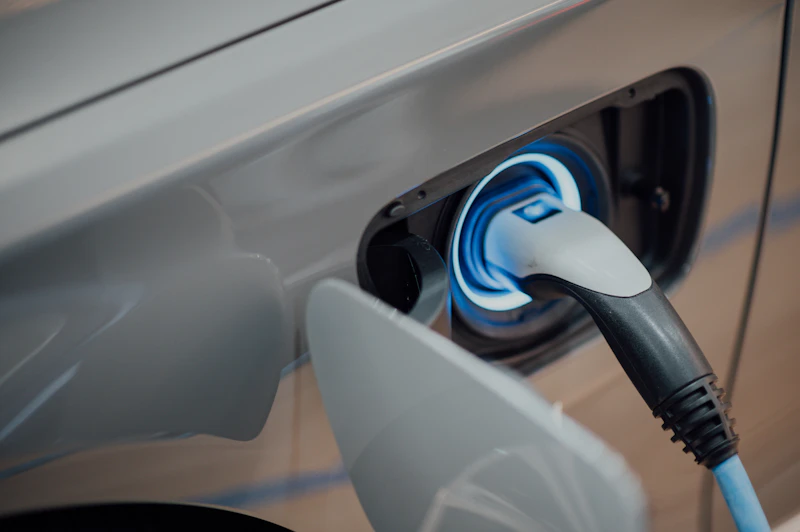
Home EV Charging: Level 2 Charger Installation Guide and Best Picks
Charging your EV at home is 3-5x cheaper than public charging. Here is everything you need to know about installing a Level 2 charger in your garage.
BestElectronicsReviewed.com is a participant in the Amazon Services LLC Associates Program. We may earn a commission from qualifying purchases made through links on this page, at no extra cost to you.
If you own an EV or are considering one, home charging is essential. Level 1 charging from a standard 120V outlet adds about 4-5 miles of range per hour — fine for plug-in hybrids but painfully slow for battery EVs. A Level 2 charger (240V) adds 25-40 miles per hour, fully charging most EVs overnight.
Level 2 Basics
A Level 2 charger requires a 240V electrical circuit, the same type used for an electric dryer or oven. Most home Level 2 chargers draw 32-48 amps, requiring a 40-60 amp dedicated circuit. The charger connects to your car via a J1772 connector (Tesla includes an adapter, and most now have native J1772/NACS ports).
You have two options: hardwired chargers that are permanently attached to the circuit, and plug-in chargers that use a NEMA 14-50 outlet (dryer-style plug). Plug-in chargers are easier to install and can be taken with you if you move. Hardwired chargers are more permanent and sometimes required by local building codes.
Best Level 2 Chargers
The ChargePoint Home Flex is our top pick. It delivers up to 50 amps (adjustable to match your circuit capacity), includes a 23-foot cable (longer than most competitors), WiFi connectivity for scheduled charging and energy tracking, and works with every EV sold in North America.
The Grizzl-E Classic is the best value at around $400. It is a rugged, NEMA 4-rated (outdoor-safe) charger with 40 amps and minimal smart features. If you do not need WiFi scheduling, it provides reliable charging at a lower price.
For Tesla owners, the Tesla Wall Connector provides up to 48 amps and seamless integration with the Tesla app. It also charges non-Tesla EVs via the included J1772 adapter on newer models.
Installation Costs
The charger itself costs $400-700. Installation costs vary significantly based on your electrical panel's capacity and the distance from the panel to your charging location.
Simple installation (panel has spare capacity, charging location is near the panel): $300-500 for an electrician to run a dedicated circuit.
Complex installation (panel is full and needs a sub-panel, or the garage is far from the main panel): $1000-3000 depending on distance and complexity.
Panel upgrade (if your main panel does not have sufficient capacity): $1500-3000 for a panel upgrade plus the circuit installation.
Get quotes from 2-3 licensed electricians. Pull permits as required by your local jurisdiction — unpermitted electrical work can void insurance and cause problems when selling your home.
Smart Charging Features
WiFi-connected chargers let you schedule charging for off-peak electricity hours, which can save 30-50% on charging costs in areas with time-of-use electricity pricing. Most smart chargers also track energy consumption, so you know exactly what your EV costs to charge each month.
The Emporia Level 2 EV Charger integrates with the Emporia energy monitor for holistic home energy tracking — see your EV charging alongside the rest of your home's electricity consumption.
Federal and State Incentives
The federal EV charger tax credit provides up to 30% of the cost of purchasing and installing a home charger (up to $1,000). Many states and utilities offer additional rebates. Check the Database of State Incentives for Renewables and Efficiency (DSIRE) for programs in your area.
As an Amazon Associate, BestElectronicsReviewed earns from qualifying purchases.
Recommended Products
Top picks from our buying guides
Related Articles
eSIM for International Travel: Complete Setup Guide for iPhone and Android
Skip the SIM card shops at the airport. An eSIM gives you instant data in 190+ countries at a fraction of roaming costs. Here is how to set one up.
How-ToHome Network Wiring: Run Ethernet Through Your House Like a Pro
WiFi is convenient but ethernet is faster and more reliable. Here is how to run ethernet cables through your home without destroying your walls.
How-ToHow to Light a Video Call So You Look Professional
Lighting is the difference between looking washed out and looking polished on video calls. Here's a simple setup that takes 5 minutes and costs under $50.