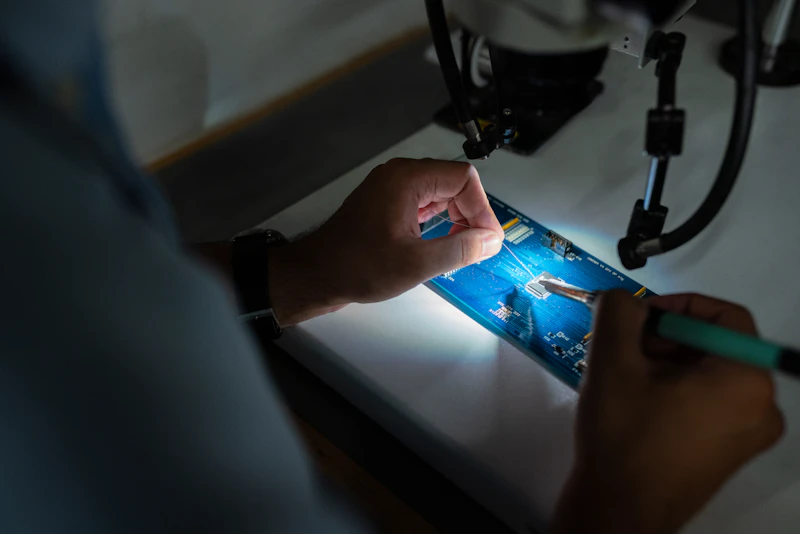
10 Electronics You Can Fix Yourself to Avoid Replacement
Before you throw it away and buy new, try these fixes. 10 common electronics problems that are surprisingly easy to repair yourself.
BestElectronicsReviewed.com is a participant in the Amazon Services LLC Associates Program. We may earn a commission from qualifying purchases made through links on this page, at no extra cost to you.
E-waste is a growing problem, and many electronics get tossed for issues that take 15 minutes and $10 to fix. Here are 10 common "it's broken" situations that are actually easy repairs.
1. Laptop Running Slow → Replace the Hard Drive With an SSD
If your laptop is 3-5 years old and running painfully slow, the problem is almost certainly the hard drive — not the processor. Replacing a mechanical HDD with the Samsung 870 EVO SSD ($55 for 500GB) transforms a sluggish laptop into one that feels new. Clone the old drive using free software (Macrium Reflect or Samsung's Data Migration tool), swap the drive (usually 4 screws), and boot up.
Difficulty: Easy. Time: 30 minutes. Savings: $500+ vs. new laptop.
2. iPhone Battery Dying Quickly → Replace the Battery
Apple charges $89-119 for a battery replacement. An iFixit battery kit for most iPhone models costs $30-50 and includes the battery, tools, and step-by-step instructions. The iFixit iPhone Battery Fix Kit walks you through the entire process.
Difficulty: Moderate. Time: 30-45 minutes. Savings: $40-60 vs. Apple repair.
3. Headphones With No Sound in One Ear → Replace the Cable or Pads
For wired headphones, the issue is almost always a broken cable at the plug end. If your headphones have a detachable cable, buying a replacement cable ($10-20) fixes the problem instantly. For wireless headphones with deteriorating ear pads, replacement pads ($15-25) restore comfort and seal.
Difficulty: Easy. Time: 5 minutes. Savings: $100-300 vs. new headphones.
4. Stuck or Drifting Game Controller → Clean or Replace the Joystick
Controller stick drift (the cursor moves on its own) is usually caused by dust or debris under the joystick. Electronic contact cleaner ($8) sprayed under the joystick base fixes this 70% of the time. For persistent drift, replacement joystick modules are available for $10-15.
The CRC QD Electronic Cleaner ($9) is the go-to spray for controller cleaning.
Difficulty: Easy (cleaning) to Moderate (module replacement). Time: 10-30 minutes. Savings: $50-70 vs. new controller.
Read our controller maintenance guide →
5. Scratched Phone Screen → Apply a Screen Protector
A scratched screen is annoying, but replacing the screen is expensive ($100-300). A tempered glass screen protector applied over light scratches makes them invisible by filling in the scratches with optically clear adhesive. The amFilm Tempered Glass Screen Protector ($8 for 3) is available for most phone models.
Difficulty: Easy. Time: 5 minutes. Savings: $100-300 vs. screen replacement.
6. Wireless Router Dropping Connection → Update Firmware and Reposition
Before buying a new router, log into your current router's admin panel and check for firmware updates. Outdated firmware is the #1 cause of router instability. Also, reposition the router: center of the home, elevated, away from microwaves and baby monitors. These free fixes solve 60% of WiFi issues.
Difficulty: Easy. Time: 10 minutes. Savings: $100-300 vs. new router.
7. Kindle Not Charging → Clean the USB Port
E-reader charging issues are almost always caused by lint or debris compacted in the USB port. A wooden toothpick carefully cleaned around the port pins removes the obstruction. Compressed air ($8) can dislodge remaining debris.
The Falcon Dust-Off Compressed Gas ($10 for 2-pack) is the standard for electronics cleaning.
Difficulty: Easy. Time: 5 minutes. Savings: $100-150 vs. new Kindle.
8. Smart Speaker Not Responding → Factory Reset
When an Echo or Google Nest speaker becomes unresponsive, laggy, or drops WiFi frequently, a factory reset solves the issue 80% of the time. Hold the button for 20 seconds, set it up again from scratch, and the accumulated software cruft is cleared.
Difficulty: Easy. Time: 10 minutes. Savings: $30-200 vs. replacement.
9. Robot Vacuum Losing Suction → Clean Filters and Brushes
Before replacing your robot vacuum, check: is the dustbin full? Are the filters clogged? Is hair wrapped around the brush roller? Most suction loss is caused by maintenance neglect, not hardware failure. Replacement filters for most brands cost $10-15.
Difficulty: Easy. Time: 15 minutes. Savings: $200-800 vs. new robot vacuum.
10. Bluetooth Speaker Sounding Distorted → Clean the Speaker Grille
Dust and debris in the speaker grille causes muffled, distorted sound. A soft brush or compressed air clears the grille. If the speaker is waterproof, running it under water while playing music at full volume can dislodge trapped particles.
Difficulty: Easy. Time: 5 minutes. Savings: $50-200 vs. new speaker.
The Right-to-Repair Mindset
Every repair you do yourself saves money, reduces e-waste, and teaches you something about how technology works. Start with the easy fixes — most require nothing more than a screwdriver and some patience. The iFixit Pro Tech Toolkit ($70) handles 90% of electronics repairs with quality tools.
Read our electronics repair guide →
As an Amazon Associate, BestElectronicsReviewed earns from qualifying purchases.
Recommended Products
Top picks from our buying guides
Related Articles
Guide: 10 Tech Accessories Under $25 Everyone Needs (Right Now)
Guide: 10 Tech Accessories Under $25 Everyone Needs (Right Now) — expert analysis and tested recommendations from BestElectronicsReviewed.
Listicle10 Electronics You Should Replace Every 3 Years
Some electronics age gracefully. Others degrade in ways you don't notice until you replace them. Here are 10 products with a 3-year practical lifespan.
Listicle12 Products That Make Small Apartments Feel Bigger
Living small doesn't mean living poorly. These 12 tech products maximize space, reduce clutter, and make studio and one-bedroom apartments feel more livable.