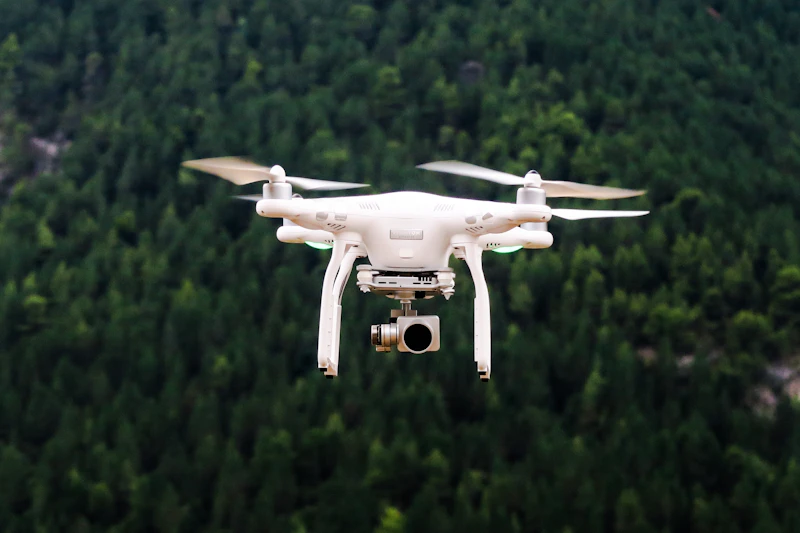
Drone Photography Tips: How to Capture Stunning Aerial Landscapes
A drone opens up perspectives impossible from the ground. Learn composition techniques, camera settings, and flight planning for breathtaking aerial shots.
BestElectronicsReviewed.com is a participant in the Amazon Services LLC Associates Program. We may earn a commission from qualifying purchases made through links on this page, at no extra cost to you.
Drones have democratized aerial photography, but simply flying up and pointing down does not guarantee compelling images. Great drone photography combines thoughtful composition, proper camera settings, and awareness of light — the same principles that make ground-level photography work, applied from a dramatically different vantage point.
Composition From Above
The most common drone photography mistake is flying too high. At 400 feet, everything looks like a Google Maps screenshot. The most compelling drone shots are typically captured at 50-150 feet, where you can see texture and detail while still enjoying the elevated perspective.
Leading lines: Roads, rivers, fence lines, and shorelines create powerful leading lines from above. Position your drone so these lines draw the viewer's eye through the frame.
Patterns and geometry: Agricultural fields, parking lots, forests, and urban grids create repeating patterns that are invisible from ground level but mesmerizing from above.
Top-down vs. angled: True top-down (nadir) shots work for patterns and abstract compositions. Angled shots at 30-45 degrees feel more natural and show depth. Use both in your toolkit.
Camera Settings
Shoot RAW: Every serious drone photographer shoots RAW. The dynamic range recovery in post-processing is essential when dealing with the high-contrast scenes common in aerial photography — bright sky, dark shadows, and reflective water.
ND Filters: Use ND filters on your drone camera just as you would on a ground-level camera. An ND16 or ND32 filter lets you use slower shutter speeds for motion blur in water and vehicle trails, and keeps your shutter speed appropriate for the 180-degree rule when shooting video. A DJI ND Filter Set is an essential accessory.
ISO and Shutter Speed: Keep ISO as low as possible (100 if your drone supports it) to minimize noise. In bright daylight with an ND filter, use 1/500 or 1/1000 for stills. For video, follow the 180-degree rule — shutter speed should be double your frame rate.
Planning Your Flight
Golden hour: Just like ground photography, the hour after sunrise and before sunset produces the most dramatic light. Long shadows from the low sun reveal texture and depth in the landscape that midday sun flattens.
Wind: Check wind conditions before flying. Most consumer drones can handle 15-20 mph winds but battery life drops significantly. The DJI Mini 4 Pro is remarkably stable in moderate wind for its size.
Airspace: Always check airspace restrictions before flying. Apps like B4UFLY and AirMap show restricted zones around airports, national parks, and other no-fly areas. In the US, recreational drone pilots must follow FAA guidelines and register drones over 250 grams.
Post-Processing
Aerial photos often need more aggressive editing than ground-level shots. Increase clarity and texture to bring out landscape details. Reduce haze, which is more visible from altitude. Correct lens distortion — most drone cameras have slight barrel distortion that is easily fixed in Lightroom or Capture One.
For top-down shots, rotate the image in post until horizon lines and structures are perfectly level. Even a 1-2 degree tilt that is invisible in an angled shot becomes glaringly obvious in a nadir composition.
As an Amazon Associate, BestElectronicsReviewed earns from qualifying purchases.
Recommended Products
Top picks from our buying guides
Emart Photo Backdrop Kit with Stand and 3 Muslins
#1 in Best Photo Backdrop Kits 2026
Check PriceRelated Articles
eSIM for International Travel: Complete Setup Guide for iPhone and Android
Skip the SIM card shops at the airport. An eSIM gives you instant data in 190+ countries at a fraction of roaming costs. Here is how to set one up.
How-ToHome Network Wiring: Run Ethernet Through Your House Like a Pro
WiFi is convenient but ethernet is faster and more reliable. Here is how to run ethernet cables through your home without destroying your walls.
How-ToHow to Light a Video Call So You Look Professional
Lighting is the difference between looking washed out and looking polished on video calls. Here's a simple setup that takes 5 minutes and costs under $50.