Building a Retro Gaming Corner with Modern Hardware
Relive the golden age of gaming with a dedicated retro setup. Here is how to build a nostalgic gaming corner using today's hardware and emulation.
BestElectronicsReviewed.com is a participant in the Amazon Services LLC Associates Program. We may earn a commission from qualifying purchases made through links on this page, at no extra cost to you.
There is something magical about retro games that modern titles cannot replicate — the tight game design, the iconic pixel art, the pure gameplay focus. Building a dedicated retro gaming corner lets you revisit that magic without cluttering your living room with thirty-year-old consoles. Here is how to set one up using modern hardware that is reliable, convenient, and visually authentic.
Choosing Your Emulation Platform
The heart of a retro gaming setup is the device running the games. You have several excellent options in 2026.
A Raspberry Pi 5 is the most popular choice. At $80 for the board alone, it handles everything from Atari 2600 through PlayStation 1 and N64 with ease. PS2 and GameCube emulation are partially supported but not perfect. Install RetroPie or Batocera on a microSD card, and you have a polished, console-like emulation experience with controller support, save states, and beautiful menu systems.
For more demanding systems — PS2, GameCube, Wii, and PSP — a mini PC like an old Dell OptiPlex or a dedicated emulation handheld delivers better results. The software ecosystem around RetroArch makes setting up emulation straightforward regardless of your platform.
If you want the simplest possible setup, a Fire TV Stick 4K Max runs RetroArch surprisingly well for 8-bit and 16-bit systems. Pair it with a Bluetooth controller, and you have retro gaming on any TV in under ten minutes.
The Display: CRT vs. Modern
This is where retro purists and pragmatists diverge. Many classic games were designed for CRT displays, and playing them on a CRT undeniably looks more authentic. The soft, slightly rounded image, the scanlines, the zero input lag — nothing replicates the CRT experience perfectly.
But CRTs are increasingly hard to find, heavy, and power-hungry. A modern approach uses an LCD or OLED display with CRT shader filters. RetroArch and other emulation frontends include shader presets that simulate scanlines, phosphor glow, and CRT curvature convincingly on a flat panel. At normal viewing distances, these shaders look remarkably close to the real thing.
For the best retro display experience without a CRT, a small 19-24 inch monitor with low input lag works perfectly. The smaller size matches the scale of classic arcade and console gaming better than a massive 55-inch TV.
Controllers That Feel Right
Using the wrong controller for retro games breaks the experience. Playing Super Mario World with an Xbox controller works, but it feels wrong. The button layout, the D-pad quality, and the weight are all different from the original SNES controller.
The 8BitDo SN30 Pro solves this beautifully. It replicates the SNES controller layout with modern additions — Bluetooth connectivity, rechargeable battery, and analog sticks for N64 and PS1 games. The D-pad is excellent for 2D platformers and fighting games, rivaling the precision of original Nintendo hardware.
For arcade-style games, a dedicated arcade stick or fight pad adds authenticity. Street Fighter, Metal Slug, and similar titles were designed around joystick and button inputs, and playing them that way feels fundamentally different from using a gamepad.
Setting the Mood
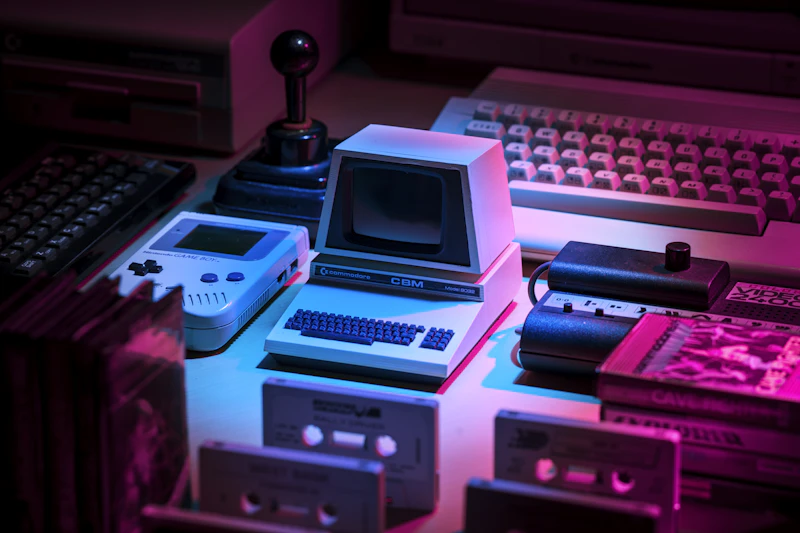
A retro gaming corner is as much about atmosphere as hardware. Small details make a big difference. LED strip lights behind your display in warm amber or retro neon colors set the mood without breaking the budget. Classic gaming posters or framed box art on the wall reinforce the theme.
A small bookshelf displaying cartridges, original game boxes, or miniature console replicas adds visual personality. Even if you play everything through emulation, having physical artifacts creates a connection to gaming history.
Consider a compact Bluetooth speaker for better audio than a small monitor's built-in speakers. Retro game soundtracks are iconic — Mega Man, Chrono Trigger, Final Fantasy — and they deserve to be heard properly.
Organizing Your Library
The biggest advantage of emulation is library management. Instead of hunting for cartridges and dealing with battery-backed saves that have long died, you can organize thousands of games into curated collections. Group by console, by genre, by decade, or by personal favorites.
Most emulation frontends support custom playlists, box art scraping (automatically downloading cover images for each game), and favorites lists. Spend an hour curating your library and the experience feels more polished than any original console ever offered.
The End Result
A well-built retro gaming corner becomes a conversation piece and a genuine relaxation space. There is no competitive pressure, no online toxicity, no battle passes. Just you, a controller, and some of the best-designed games ever made. The total cost — a Raspberry Pi, a controller, and some decoration — can easily stay under $150, making it one of the most affordable gaming setups you can build.
As an Amazon Associate, BestElectronicsReviewed earns from qualifying purchases.
Recommended Products
Top picks from our buying guides
Related Articles
Tech Setup for Digital Nomads: Work From Anywhere Kit
Digital nomads need tech that works in hostels, airports, co-working spaces, and beach cafes. This is the complete kit for location-independent work.
LifestyleEssential: The Work-From-Home Tech Setup Guide for 2026 (This Week)
Essential: The Work-From-Home Tech Setup Guide for 2026 (This Week) — expert analysis and tested recommendations from BestElectronicsReviewed.
LifestyleBest Tech for a Home Bar Setup
Elevate your home bar beyond bottles on a shelf. Smart ice makers, ambient lighting, and connected cocktail tools make mixology fun and impressive.