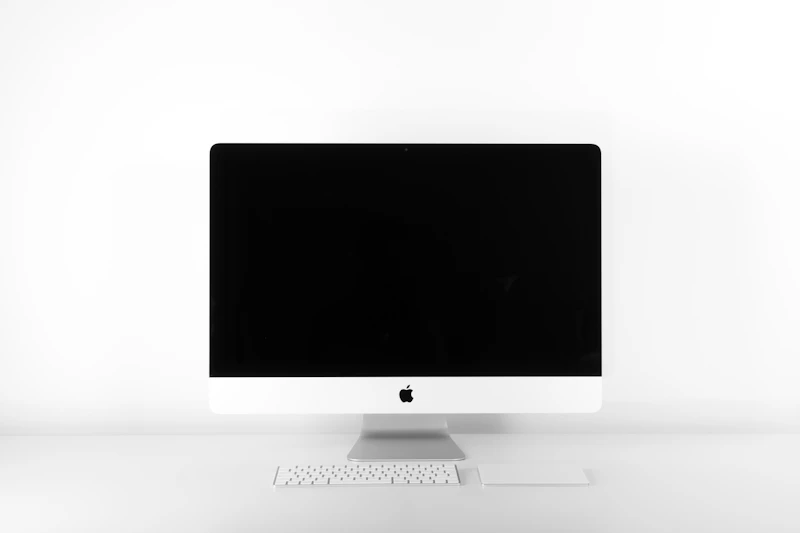
Best Monitors for Photo Editing on a Budget
You do not need a $1,500 reference monitor to edit photos professionally. These budget monitors deliver accurate colors and wide gamut coverage for under $500.
BestElectronicsReviewed.com is a participant in the Amazon Services LLC Associates Program. We may earn a commission from qualifying purchases made through links on this page, at no extra cost to you.
Photo editing on a poorly calibrated monitor is like mixing music on broken speakers — you think the result looks right, but it looks completely different on every other screen. Professional reference monitors from EIZO and NEC solve this problem, but they cost $1,500-3,000. The good news: several monitors under $500 deliver 95 percent of that color accuracy, making professional-quality photo editing accessible to enthusiasts and emerging professionals.
What Actually Matters for Photo Editing
Before diving into recommendations, here are the specs that matter for photo editing — and the ones that are marketing hype.
Color gamut coverage (critical): You need at least 99 percent sRGB coverage for web-oriented photography and at least 90 percent DCI-P3 or Adobe RGB for print work. A monitor that covers only 72 percent NTSC (a common budget spec) will show you inaccurate colors.
Color accuracy (critical): Measured in Delta-E values. A Delta-E under 3 means color errors are barely perceptible to the human eye. A Delta-E under 2 is considered professional-grade. Many budget monitors advertise their gamut coverage but quietly skip the accuracy spec — avoid those.
Panel type (critical): IPS panels offer the wide viewing angles and color consistency needed for photo editing. VA panels have better contrast but worse viewing angles. TN panels are unsuitable for color work — avoid them entirely.
Resolution (important): 4K (3840x2160) at 27 inches provides the pixel density needed to evaluate sharpness and fine detail. 1440p at 27 inches is workable but you will zoom in more frequently.
Refresh rate (irrelevant): A 60Hz panel is perfectly fine for photo editing. Do not pay extra for 144Hz or higher — that is a gaming feature with no benefit for static image work.
Best Overall: ASUS ProArt PA279CRV
Our pick: The ASUS ProArt PA279CRV is the monitor we recommend to any photographer who wants accurate colors without spending $1,000-plus. It is a 27-inch 4K IPS panel covering 99 percent DCI-P3 and 99 percent Adobe RGB, with a factory-calibrated Delta-E under 2.
That last point is crucial: it arrives calibrated. You can start editing immediately without buying a hardware calibration device. The included Calman verification report confirms the accuracy of your specific unit — not just a marketing average.
Other features that matter for photographers: USB-C input with 96W power delivery (charges your laptop while connected), a fully adjustable stand (height, tilt, swivel, pivot), and ASUS ProArt Preset modes that switch color profiles with one click.
Best Budget: Dell S2722QC
Our pick for under $300: The Dell S2722QC is a 27-inch 4K IPS monitor that covers 99 percent sRGB with a Delta-E averaging around 2.5 out of the box. It is not as wide-gamut as the ASUS (no Adobe RGB coverage to speak of), but for photographers who work primarily for web and social media, sRGB is all you need.
The USB-C input with 65W charging is a welcome inclusion at this price, and the stand adjusts for height and tilt. Color accuracy improves further with a $30 hardware calibration — but even uncalibrated, it is accurate enough for serious web-focused photo editing.
Best for Print Photographers: BenQ SW272U
For photographers who print their work and need Adobe RGB and Pantone accuracy, the BenQ SW272U is a 27-inch 4K monitor purpose-built for photography. It covers 100 percent sRGB, 99 percent Adobe RGB, and 98 percent DCI-P3, with a factory-calibrated Delta-E under 1.5.
The included shading hood blocks ambient light that can shift perceived colors — a feature usually reserved for $2,000-plus monitors. Hardware calibration via the Palette Master Ultimate software is straightforward and maintains accuracy over time.
At roughly $800, it pushes above the strict budget category, but for print photographers it is the most cost-effective path to professional accuracy.
Calibration: The Free Accuracy Boost
Even the best factory-calibrated monitor drifts over time as the backlight ages. A hardware calibrator brings colors back to perfection every few months.
Our pick: The Datacolor SpyderX Pro is the most popular calibration device among photographers. The process takes about five minutes: attach the device to your screen, run the software, and your monitor's color profile is updated automatically. We recommend calibrating every 4-6 weeks for critical work.
For budget-conscious photographers, calibrating even once (when you first get the monitor) provides lasting benefit. Borrow or rent a calibrator if purchasing one is not in the budget.
Read our full monitor buying guide →
Monitor Settings for Photo Editing
Once you have your monitor, these settings optimize it for photo work:
Brightness: 120 cd/m² for typical indoor environments. Do not max out brightness — it distorts color perception and causes eye fatigue.
Color temperature: 6500K (D65) is the standard for photo editing. This matches the color of noon daylight and provides a neutral reference point.
Color space: Set your monitor to sRGB mode for web work or Adobe RGB for print work. Do not use the default "vivid" or "standard" mode — these boost saturation artificially.
The Photo Editing Monitor Budget Guide
| Budget | Our Pick | Key Spec | |--------|----------|----------| | Under $300 | Dell S2722QC | 99% sRGB, 4K | | Under $500 | ASUS ProArt PA279CRV | 99% DCI-P3, Delta-E < 2 | | Under $800 | BenQ SW272U | 99% Adobe RGB, shading hood | | Calibrator | Datacolor SpyderX Pro | Delta-E correction |
Do You Need 4K?
Yes, for photo editing, 4K is worth the investment. At 27 inches, 4K provides 163 pixels per inch — enough to see individual pixels only if you press your face against the screen. This pixel density lets you evaluate sharpness, noise, and fine detail at 100 percent zoom without the image looking pixelated.
A 1440p monitor at 27 inches (109 PPI) is usable but you will notice individual pixels when zoomed in, and fine detail evaluation is less reliable.
Read our full photo editing setup guide →
Final Thoughts
The ASUS ProArt PA279CRV is our go-to recommendation for photographers who want professional color accuracy without the professional price tag. It arrives calibrated, covers wide gamut, and includes USB-C charging — everything a photographer needs in one panel. Pair it with a Datacolor SpyderX Pro for periodic recalibration and you have a photo editing display that competes with monitors costing three times as much.
As an Amazon Associate, BestElectronicsReviewed earns from qualifying purchases.
Recommended Products
Top picks from our buying guides
JBL 305P MkII + Bluetooth Adapter
#1 in Best Bluetooth Studio Monitors 2026
Check PriceRelated Articles
Best Kitchen Tech for Meal Prep
Meal prep is easier with the right gadgets. From food scales to vacuum sealers, these kitchen electronics save hours every week.
Buyer GuidesWhole House Water Filtration: Smart Filters and Monitoring Systems
From under-sink filters to whole-house systems, smart water filtration monitors filter life, detects contaminants, and ensures clean water from every tap.
Buyer GuidesBest Homework and Study Apps for Middle and High School Students
From math solvers to flashcard apps to essay helpers, these study tools help older students work smarter without doing the work for them.