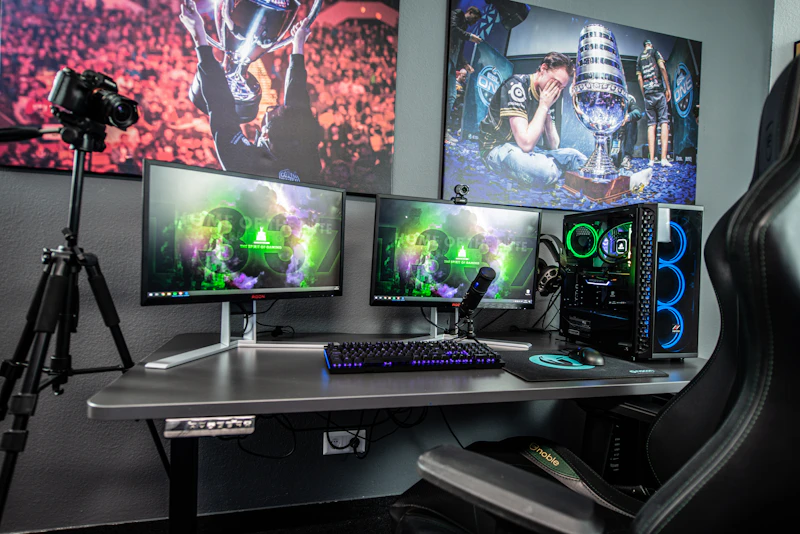
Best Gaming Setup Under $500
A complete gaming setup for under $500 is absolutely possible. Here is exactly what to buy and what to skip to get the most performance per dollar.
BestElectronicsReviewed.com is a participant in the Amazon Services LLC Associates Program. We may earn a commission from qualifying purchases made through links on this page, at no extra cost to you.
Building a capable gaming setup for $500 sounds impossible, but it is very achievable in 2026 if you make smart compromises. We are not talking about a bare-bones experience either — this budget gets you a system that handles esports titles at high frame rates and modern AAA games at medium settings. Here is the exact breakdown.
The Core System: $350-$400
The biggest chunk of your budget goes to the PC itself. At this price point, you have two paths.
Option one is a used office PC with a GPU upgrade. Dell OptiPlex and HP ProDesk towers from 2018-2020 with Intel i5-8500 or i7-8700 processors regularly sell for $80-$120 on eBay and Facebook Marketplace. These are corporate machines with solid build quality and processors that still handle gaming respectably. Drop in a $150-$180 GPU like a used RTX 3060 or new RX 6600, and you have a legitimate 1080p gaming machine for around $280 total.
Option two is building from scratch with budget new parts. An AMD Ryzen 5 5600 ($100), a B450 motherboard ($60), 16GB DDR4 RAM ($30), a 500GB NVMe SSD ($35), a 500W PSU ($40), and a basic case ($35) brings you to roughly $300 before the GPU. Add an RX 6600 at $150-$170, and you land around $450-$470.
Either path gets you excellent 1080p performance. The used office PC route saves more money but limits future upgrades due to smaller cases and proprietary motherboards.
Monitor: $80-$100
Skip 4K entirely at this budget. A 24-inch 1080p 165Hz monitor is the best value in gaming displays right now. The CRUA 24-inch 165Hz Monitor delivers excellent response times, FreeSync support, and a VA panel with good contrast — all for around $90. At 1080p on a 24-inch panel, pixel density is perfectly acceptable, and your GPU will push high frame rates without breaking a sweat.
Peripherals: $50-$70
This is where many budget builds stumble. People spend everything on the PC and play with a $5 membrane keyboard and a trackball mouse. Allocate at least $50 for input devices.
A Redragon K552 mechanical keyboard runs about $28 and uses genuine mechanical switches. It is TKL (tenkeyless), which saves desk space and is preferred for gaming. For a mouse, the Logitech G203 at $20-$25 is hard to beat — a reliable sensor, lightweight body, and a shape that works for most hand sizes.
If you have $15 left, grab a basic mouse pad. A large cloth pad improves tracking consistency and protects your desk. Skip fancy RGB pads — a $12 Ktrio XXL pad does the job.
What to Skip
Do not buy a gaming headset at this budget. Your phone earbuds work for now and sound better than any $15 gaming headset. Upgrade audio later when your budget allows.
Skip RGB everything. LED strips, RGB fans, and light-up peripherals are pure aesthetics and eat into your performance budget. Every dollar spent on lights is a dollar not spent on GPU power.
Do not buy a gaming chair. A dining chair or any decent office chair from a thrift store works until you can afford something quality. Bad $80 racing chairs are worse for your back than a basic kitchen chair.
Sample Build Summary
Here is the full breakdown for the office-PC upgrade path:
- Used Dell OptiPlex i7-8700: $110
- RX 6600 GPU: $160
- 24-inch 165Hz monitor: $90
- Redragon K552 keyboard: $28
- Logitech G203 mouse: $22
- Mouse pad: $12
- 16GB DDR4 RAM upgrade (if needed): $30
- Total: $452
That leaves $48 for a 500GB SATA SSD if the office PC came with a hard drive, or to save toward a future headset upgrade.
Making It Last
This setup will handle esports titles like Valorant, Fortnite, and League of Legends at 144+ fps. Modern AAA games will run at medium settings at 60+ fps. With smart shopping and patience, a $500 budget buys a genuinely enjoyable gaming experience in 2026.
As an Amazon Associate, BestElectronicsReviewed earns from qualifying purchases.
Recommended Products
Top picks from our buying guides
Related Articles
Best Smart Plugs Under $15 That Actually Work
Smart plugs are the cheapest way to start automating your home, but not all budget options are reliable. These are the ones worth buying.
BudgetBest Gadgets Under $100 Worth Every Penny
The sweet spot of electronics pricing is $50-100. These gadgets deliver flagship-level satisfaction without the flagship price tag.
BudgetBest Bluetooth Speakers Under $50 That Sound Great
You don't need to spend $150+ to get good portable sound. These Bluetooth speakers under $50 deliver impressive audio quality, solid battery life, and durable builds for everyday use.