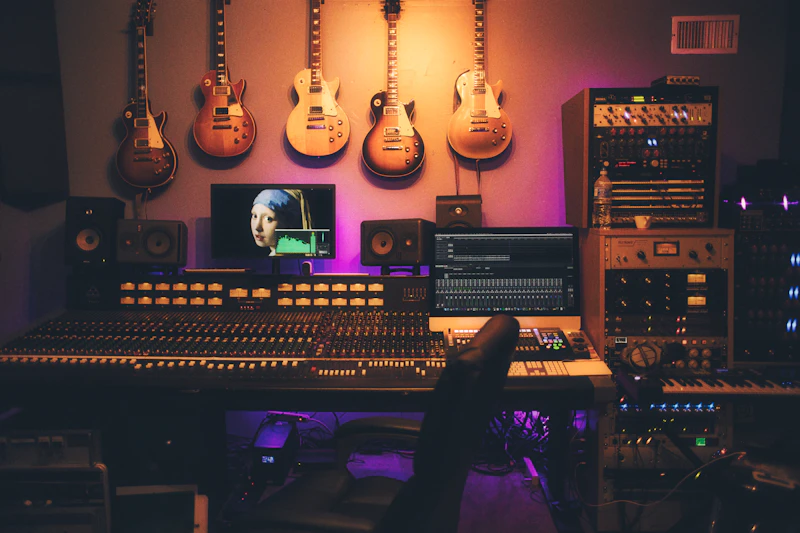
Best Budget Studio Monitors for Home Music Production
You don't need $1,000 monitors to produce music at home. These affordable studio monitors deliver accurate sound that translates to real-world playback.
BestElectronicsReviewed.com is a participant in the Amazon Services LLC Associates Program. We may earn a commission from qualifying purchases made through links on this page, at no extra cost to you.
Studio monitors are not fancy speakers — they're honest speakers. While consumer speakers add bass boost and treble sparkle to make everything sound "good," studio monitors reveal what your mix actually sounds like. If your kick drum is too loud, the monitors will tell you. If your vocal EQ is harsh, you'll hear it. That honesty is why producers need them.
Why Consumer Speakers Don't Work for Mixing
When you mix music on consumer speakers or headphones with a boosted bass response, you unconsciously mix less bass into the track. When someone plays your track on neutral speakers, the bass is thin. The same problem applies to treble — speakers with bright, hyped highs cause you to mix treble too quietly.
Studio monitors solve this by reproducing audio as flat (neutral) as possible. What goes in is what comes out. Mixes that sound good on flat monitors sound good everywhere — your car, earbuds, laptop speakers, nightclub systems. This concept is called "translation."
Our Top Budget Picks
1. PreSonus Eris E3.5 — Best Under $100
The PreSonus Eris E3.5 ($100 for a pair) is the standard entry-level studio monitor recommendation. They're powered (no external amp needed), have front-panel volume control, and include both 1/4-inch TRS and RCA inputs. Sound is relatively flat with a gentle low-end rolloff below 80 Hz.
For bedroom producers making beats, mixing podcasts, or learning audio engineering, these are excellent. The 3.5-inch woofer limits deep bass reproduction, but in a small room, that's actually an advantage — less room mode buildup means more accurate bass perception.
2. KRK Rokit RP5 G4 — Best Under $200 Per Pair
The RP5 G4 ($180 each, $360/pair) is a significant step up. A 5-inch Kevlar woofer delivers bass extension down to 43 Hz, and a built-in DSP-powered EQ lets you adjust high and low frequencies to compensate for room acoustics. The yellow woofer is iconic — you've seen these in every YouTube music production video.
KRK tuned the G4 slightly warm compared to competition, which some producers prefer for long mixing sessions (less listening fatigue). Purists might prefer the flatter JBL 305P MkII at the same price, but both are excellent at this tier.
3. Yamaha HS5 — Most Neutral Under $250
Yamaha's HS series has been the "honest monitor" standard for decades. The HS5 ($200 each, $400/pair) is brutally flat — if your mix sounds good on HS5s, it'll translate everywhere. This neutrality can be fatiguing for casual listening (everything sounds clinical), but that's the point. They're tools, not entertainment devices.
The HS5 is the monitor professional mix engineers most frequently recommend for home studios. It reveals problems that cheaper monitors hide.
4. JBL 305P MkII — Best Imaging Under $200
The JBL 305P MkII ($150 each, $300/pair) uses JBL's Image Control Waveguide technology to create an exceptionally wide sweet spot. Most monitors sound best from one exact position — the JBL 305P sounds good across a wider area, which is forgiving when your desk setup isn't acoustically perfect.
Bass extends to 49 Hz, which is deeper than the PreSonus Eris E3.5 but not as deep as the KRK RP5. Build quality is excellent, and noise floor (audible hiss when nothing is playing) is very low.
Room Treatment Matters More Than Monitor Choice
Here's an uncomfortable truth: a $100 pair of monitors in a treated room sounds better than a $1,000 pair of monitors in an untreated room. Sound bounces off walls, floor, and ceiling, creating peaks and nulls in the frequency response that distort what you hear. No monitor, regardless of price, can compensate for room acoustics.
Basic treatment for a home studio:
- Bass traps in corners ($40-100 for DIY panels): Tame the low-frequency buildup that makes bass mixing impossible
- Absorption panels at first reflection points ($30-60 for DIY): Reduce early reflections that blur the stereo image
- A rug or carpet on the floor: Reduces floor reflections
Read our home studio setup guide →
Placement Essentials
Position monitors at ear height, forming an equilateral triangle with your head. Each monitor should be the same distance from you as they are from each other. Angle them inward so the tweeters point at your ears. Pull them at least 8 inches from the back wall to reduce bass reflection buildup. Use isolation pads or foam to decouple them from your desk.
As an Amazon Associate, BestElectronicsReviewed earns from qualifying purchases.
Recommended Products
Top picks from our buying guides
Related Articles
Best Smart Plugs Under $15 That Actually Work
Smart plugs are the cheapest way to start automating your home, but not all budget options are reliable. These are the ones worth buying.
BudgetBest Gadgets Under $100 Worth Every Penny
The sweet spot of electronics pricing is $50-100. These gadgets deliver flagship-level satisfaction without the flagship price tag.
BudgetBest Bluetooth Speakers Under $50 That Sound Great
You don't need to spend $150+ to get good portable sound. These Bluetooth speakers under $50 deliver impressive audio quality, solid battery life, and durable builds for everyday use.