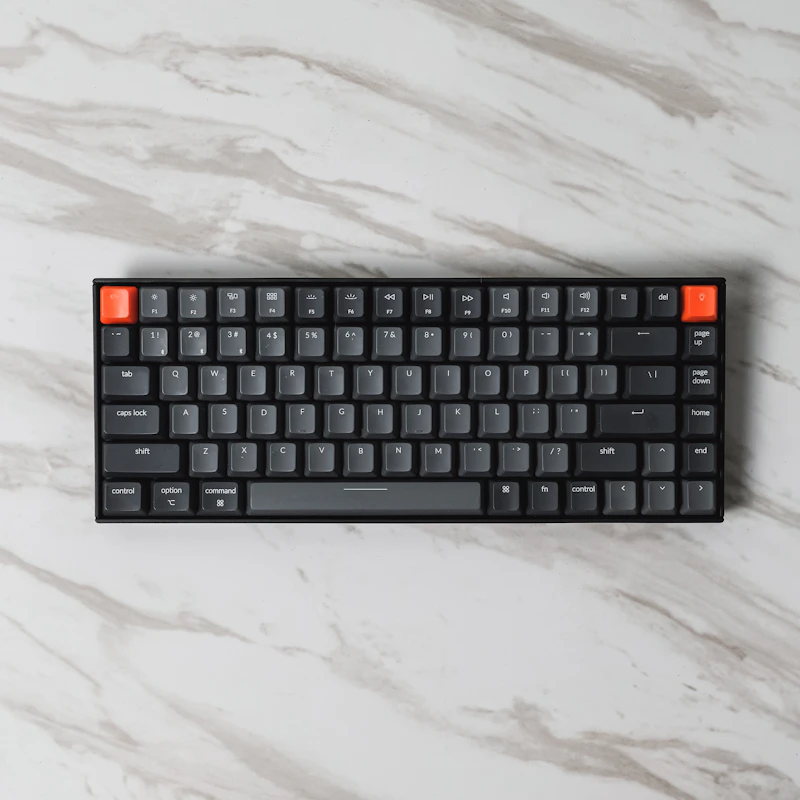
Best Budget Mechanical Keyboards Under $50
Mechanical keyboards used to cost $150+. Now you can get genuine mechanical switches, quality keycaps, and premium typing feel for under $50.
BestElectronicsReviewed.com is a participant in the Amazon Services LLC Associates Program. We may earn a commission from qualifying purchases made through links on this page, at no extra cost to you.
Five years ago, a mechanical keyboard under $50 meant compromises everywhere — scratchy switches, thin keycaps, and questionable build quality. In 2026, Chinese switch manufacturers (Gateron, Kailh, Outemu) have driven costs down so dramatically that $30-50 buys a keyboard with genuine mechanical switches, decent stabilizers, and build quality that rivals keyboards costing twice as much.
We tested nine mechanical keyboards under $50 for a month of daily use, evaluating typing feel, build quality, keycap quality, and software features.
What Makes Mechanical Keyboards Worth It
If you have only used membrane (rubber dome) keyboards, here is what you are missing: each key on a mechanical keyboard has its own independent switch that provides a distinct tactile feedback and consistent actuation point. The result is faster, more accurate, and more satisfying typing. Once you switch, membrane keyboards feel mushy and imprecise.
There are three main switch types:
- Linear (Red): Smooth from top to bottom, no bump. Best for gaming and fast typists.
- Tactile (Brown): A subtle bump at the actuation point. Best all-rounders for typing and gaming.
- Clicky (Blue): A bump plus an audible click. Satisfying for typing, annoying for everyone else in the room.
For a first mechanical keyboard, we recommend brown (tactile) switches. They provide the mechanical experience without the noise of clicky switches or the lack of feedback of linear switches.
Best Overall: Redragon K552 KUMARA — $32
The Redragon K552 KUMARA is the single best entry point into mechanical keyboards. It is a tenkeyless (TKL) layout — full-size minus the number pad — which saves desk space while keeping all the keys most people actually use.
The Outemu Red switches are smooth and consistent, the single-color red LED backlighting is bright and even, and the aluminum top plate gives it a rigidity that plastic keyboards cannot match. The keycaps are ABS (not the premium PBT material), but they are double-shot molded, which means the legends will never fade.
At $32, it is practically an impulse buy that transforms your typing experience.
Best Full-Size: Tecware Phantom 104 — $45
For users who need a number pad, the Tecware Phantom 104 is a full-size keyboard with RGB backlighting, Outemu Brown switches, and hot-swappable sockets. That last feature is critical — hot-swap means you can pull out switches and replace them without soldering. If you decide you prefer linear over tactile switches later, you just pop in new switches for $15 rather than buying a whole new keyboard.
The RGB lighting is fully customizable via onboard controls (no software required), and the build quality is solid with minimal flex.
Best Compact: Royal Kludge RK61 — $46
The Royal Kludge RK61 is a 60 percent layout (no function row, no arrow keys, no number pad) that connects via Bluetooth, 2.4GHz wireless, or USB-C wired. The compact form factor looks clean on a desk, and the wireless connectivity makes it perfect for switching between a computer and a tablet.
The RK61 comes with hot-swappable sockets and your choice of Gateron or RK switches. The included keycaps are PBT — a material upgrade over the ABS found on most budget keyboards. PBT keycaps resist shine (the glossy wear that develops on ABS keycaps after months of use) and have a grittier, more satisfying texture.
Read our full mechanical keyboard guide →
Best for Office: Velocifire TKL02 — $35
If you need a quiet mechanical keyboard for a shared office, the Velocifire TKL02 uses Outemu Brown switches with a dampened bottom-out that significantly reduces noise. The white LED backlighting is professional (not gamer-y), and the Mac-compatible keycap set is a thoughtful inclusion.
The build is no-frills — plastic case, standard ABS keycaps — but the typing experience is smooth and notably quieter than most mechanical keyboards. Your coworkers will not hate you.
Keycap Upgrades: The $15 Transformation
The fastest way to improve any budget mechanical keyboard is a keycap swap. Budget keyboards typically ship with thin ABS keycaps that develop shine within months. A set of thick PBT keycaps transforms the look, feel, and sound of the keyboard.
A quality PBT keycap set costs $15-25 on Amazon and takes about 10 minutes to install with the keycap puller that comes with most mechanical keyboards. The difference in typing feel is dramatic — thicker keycaps produce a deeper, more satisfying sound and a more solid key feel.
Switch Lubing: The Free Sound Upgrade
For keyboards with hot-swap sockets, removing each switch and applying a thin layer of lubricant (Krytox 205g0 is the standard) transforms the sound and feel from scratchy to buttery smooth. A tube of lubricant costs $12 and lasts for multiple keyboards. The process takes 1-2 hours for a full keyboard — tedious but worth it.
This is an enthusiast-level modification that is entirely optional. But if you catch the mechanical keyboard bug (and many people do), switch lubing is the next step.
Common Budget Keyboard Mistakes
Buying clicky switches for an office. Blue and green switches sound great to you and terrible to everyone within 30 feet. Choose brown or red for shared spaces.
Ignoring stabilizers. The spacebar, Enter, Shift, and Backspace keys use stabilizers — wire mechanisms that keep large keys from wobbling. Bad stabilizers make these keys feel mushy and rattly. Most budget keyboards have mediocre stabilizers, but a $5 mod kit (clip, lube, and band-aid mod) dramatically improves them.
Expecting wireless under $40. Wireless budget keyboards exist under $40, but the connectivity is often unreliable. If you need wireless, budget at least $45-50 (like the RK61).
The Budget Mechanical Keyboard Guide
| Keyboard | Layout | Switches | Hot-Swap | Price | |----------|--------|----------|----------|-------| | Redragon K552 | TKL | Outemu Red | No | $32 | | Tecware Phantom 104 | Full | Outemu Brown | Yes | $45 | | Royal Kludge RK61 | 60% | Gateron Brown | Yes | $46 | | Velocifire TKL02 | TKL | Outemu Brown | No | $35 |
Our Recommendation
For most people buying their first mechanical keyboard, the Redragon K552 at $32 is the answer. It is cheap enough that you are not taking a financial risk, good enough that you will genuinely enjoy typing on it, and popular enough that you can find replacement keycaps and community support easily.
If you want future-proofing via hot-swap sockets (the ability to try different switches later), spend the extra $13 on the Tecware Phantom 104 or the Royal Kludge RK61.
Read our full keyboard accessories guide →
As an Amazon Associate, BestElectronicsReviewed earns from qualifying purchases.
Recommended Products
Top picks from our buying guides
Related Articles
Best Smart Plugs Under $15 That Actually Work
Smart plugs are the cheapest way to start automating your home, but not all budget options are reliable. These are the ones worth buying.
BudgetBest Gadgets Under $100 Worth Every Penny
The sweet spot of electronics pricing is $50-100. These gadgets deliver flagship-level satisfaction without the flagship price tag.
BudgetBest Bluetooth Speakers Under $50 That Sound Great
You don't need to spend $150+ to get good portable sound. These Bluetooth speakers under $50 deliver impressive audio quality, solid battery life, and durable builds for everyday use.