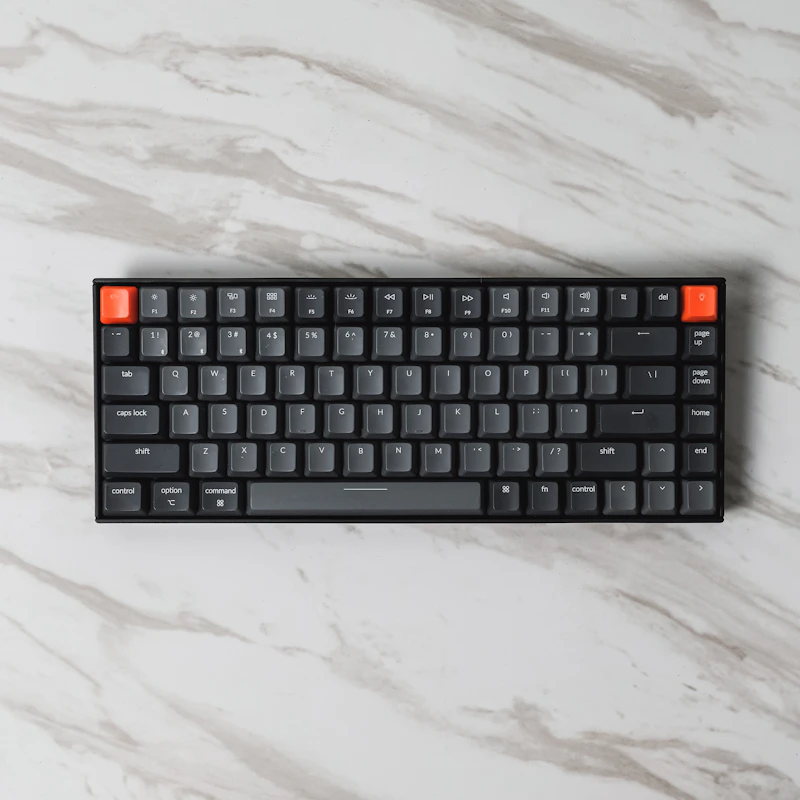
Best Budget Mechanical Keyboards for Gaming Under $50
You no longer need to spend $150 for a good mechanical keyboard. These sub-$50 options deliver real switches, solid build quality, and gaming performance.
BestElectronicsReviewed.com is a participant in the Amazon Services LLC Associates Program. We may earn a commission from qualifying purchases made through links on this page, at no extra cost to you.
The budget mechanical keyboard market has undergone a revolution. Five years ago, $50 bought you a mushy membrane board or a questionable mechanical knockoff. In 2026, that same budget gets you genuine mechanical switches, decent build quality, and features that would have been premium just a few years back. Here are the best options and what to look for.
What Makes a Mechanical Keyboard Worth It for Gaming
Mechanical keyboards use individual switches under each key, unlike membrane keyboards where all keys share a single rubber dome sheet. The advantages for gaming are tangible: consistent actuation force, faster key registration, a distinct tactile or audible feedback that confirms your input, and dramatically longer lifespan. A mechanical switch is rated for 50-100 million presses versus 5-10 million for membrane.
For gaming specifically, you want linear switches. Linear switches travel straight down without a tactile bump or audible click, providing the fastest possible actuation. Red switches are the standard linear option — light actuation force, smooth travel, and quiet operation. If you prefer a slight bump for typing feedback, brown switches split the difference between linear and tactile.
Top Picks Under $50
The Redragon K552 Kumara has been a budget champion for years and continues to earn its reputation. This tenkeyless board (no number pad) uses Outemu Red or Blue switches, has a solid metal top plate, and includes per-key RGB backlighting. At around $28-$35 depending on the switch variant, it offers remarkable value. The build quality is noticeably better than its price suggests — the metal plate adds weight and rigidity that makes the keyboard feel planted on your desk.
The Royal Kludge RK61 is a 60% form factor keyboard (no function row or arrow keys) that appeals to gamers who want maximum desk space for mouse movement. It supports Bluetooth, 2.4GHz wireless, and wired USB-C connections. At $40-$45, getting tri-mode connectivity with hot-swappable switches is an exceptional deal. Hot-swappable means you can pull out switches and replace them without soldering — if you start with browns and want to try reds later, it costs $10-$15 for a full set of new switches.
The E-Yooso Z-88 offers a full-size layout for gamers who need a number pad. It uses Outemu switches, has per-key RGB, and includes dedicated media keys. Build quality is solid for the $35-$40 price, though the keycaps are thin ABS plastic that will develop shine with heavy use. Swapping to better keycaps later is an easy $15-$20 upgrade.
What to Look For
Switch type is your most important decision. Reds for pure gaming, browns for a balance of gaming and typing. Avoid blues if you game at night or share a room — they are loud enough to annoy anyone nearby.
Build quality is the area where budget boards cut corners most aggressively. Look for a metal top plate and a USB-C connection. Avoid boards with micro-USB — it is fragile and increasingly obsolete. Wiggle the board in reviews or in person; excessive flex indicates a flimsy construction.
Keycaps on budget boards are almost always thin ABS plastic. They work fine initially but develop a greasy shine within months of heavy use. A set of PBT doubleshot keycaps for $15-$25 transforms the feel and durability of any budget board. PBT plastic is textured, resistant to shine, and the legends are molded through the cap so they never fade.
N-key rollover (NKRO) means every key press registers regardless of how many keys you press simultaneously. Most mechanical keyboards support this, but verify it in the specs. Some budget boards only support 6-key rollover (6KRO), which can cause missed inputs during complex gaming key combinations.
The $50 Sweet Spot
At exactly $50, you enter the territory of boards like the Keychron C3 Pro and the Akko 3068B. These offer significantly better build quality, better stock keycaps, and hot-swappable switches as standard features. If your budget has any flexibility, pushing to $50 gets you a keyboard that rivals $100+ options from two years ago.
Skip the Gaming Tax
Avoid boards marketed specifically as "gaming keyboards" from major brands at this price point. A $45 Corsair or Razer keyboard is almost certainly a membrane board with RGB lighting, while a $45 keyboard from Redragon, Royal Kludge, or Akko gives you actual mechanical switches. The gaming marketing label often means you are paying for the logo rather than the technology.
Budget mechanical keyboards in 2026 are genuinely excellent. The sweet spot is $30-$50, and the quality available at this range would have been unthinkable just a few years ago.
As an Amazon Associate, BestElectronicsReviewed earns from qualifying purchases.
Recommended Products
Top picks from our buying guides
Related Articles
Best Smart Plugs Under $15 That Actually Work
Smart plugs are the cheapest way to start automating your home, but not all budget options are reliable. These are the ones worth buying.
BudgetBest Gadgets Under $100 Worth Every Penny
The sweet spot of electronics pricing is $50-100. These gadgets deliver flagship-level satisfaction without the flagship price tag.
BudgetBest Bluetooth Speakers Under $50 That Sound Great
You don't need to spend $150+ to get good portable sound. These Bluetooth speakers under $50 deliver impressive audio quality, solid battery life, and durable builds for everyday use.