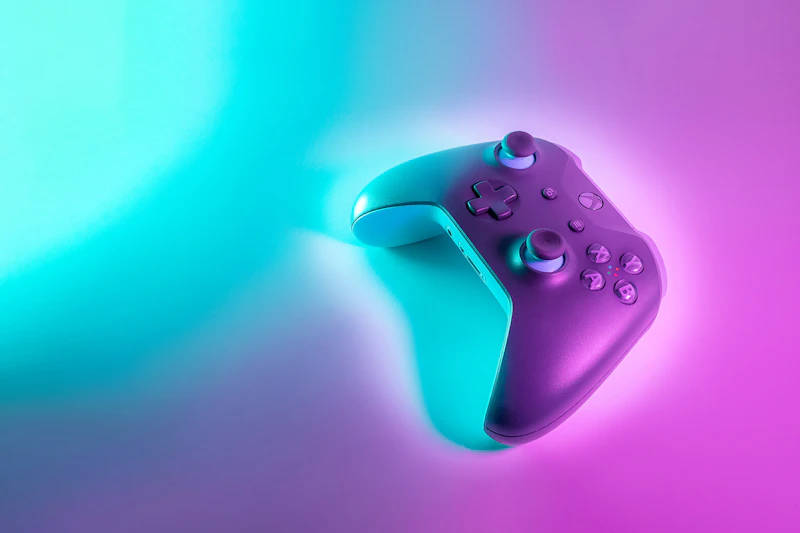
Best Budget Gaming Accessories Under $25
Level up your gaming setup without emptying your wallet. These accessories under $25 deliver real performance improvements for PC and console gamers.
BestElectronicsReviewed.com is a participant in the Amazon Services LLC Associates Program. We may earn a commission from qualifying purchases made through links on this page, at no extra cost to you.
Gaming accessories are a minefield of overpriced RGB-laden products that promise performance gains but deliver only aesthetic upgrades. The gaming industry knows that gamers will pay a premium for anything labeled "gaming," which is why a mouse pad with RGB costs $40 when an identical pad without RGB costs $12.
We cut through the marketing to find gaming accessories under $25 that deliver measurable performance improvements or meaningful quality-of-life upgrades. No RGB tax, no "gaming" markup — just good products at good prices.
Best Gaming Mouse Pad: SteelSeries QcK Large — $15
The SteelSeries QcK Large has been the competitive gaming community's go-to mouse pad for over a decade. The micro-woven cloth surface provides consistent glide and precise stopping, the rubber base grips desks without shifting, and the 17.7 x 15.7-inch surface gives you ample room for low-sensitivity swipes.
At $15, it is less expensive than many fancy "gaming" mouse pads while being the actual pad used by professional esports players. If your mouse currently sits on a bare desk or a worn-out pad from five years ago, this is the single biggest accuracy improvement you can make under $25.
Best Controller Grip: KontrolFreek FPS Freek Galaxy — $14
For console FPS players, the KontrolFreek FPS Freek Galaxy thumb stick extenders snap onto your existing PS5 or Xbox controller sticks and add height. The increased height provides a longer lever for finer aiming adjustments — the physics are simple and the improvement is real.
One high-rise stick (right, for aiming) and one mid-rise stick (left, for movement) is the standard configuration. The convex surface provides better grip than stock controller sticks. Competitive console players have used stick extenders for years because they work.
Best Gaming Earbuds: Panasonic ErgoFit RP-HJE120 — $9
Before you dismiss $9 earbuds, hear us out. The Panasonic ErgoFit RP-HJE120 are wired earbuds that have been best-sellers for over a decade because they sound genuinely good for the price. The bass is present without being overwhelming, directional audio cues (footsteps, gunshots) are surprisingly distinct, and the ergonomic fit sits comfortably for hours.
For gaming specifically, wired earbuds have zero latency — every sound reaches your ears in real-time without the Bluetooth delay that plagues wireless earbuds. For competitive shooters where milliseconds matter, $9 wired earbuds outperform $200 wireless earbuds in the single most important metric.
Read our full gaming accessories guide →
Best Headphone Stand: New Bee Headphone Stand — $10
The New Bee Headphone Stand is an aluminum stand that holds your headphones when not in use. This sounds trivial, but tossing headphones on a desk stretches the headband, tangles cables, and takes up desk space. A stand extends headphone lifespan and keeps your desk organized.
The aluminum construction looks premium on any desk, and the TPU-padded contact point prevents scratching the headband. At $10, it is cheaper than replacing a headset whose headband cracked from being tossed on a desk.
Best USB Fan: AC Infinity MULTIFAN S3 — $14
Gaming laptops and consoles generate serious heat. The AC Infinity MULTIFAN S3 is a quiet, USB-powered dual-fan unit that provides directed airflow to keep your laptop or console cooler during extended sessions.
Cooler components maintain higher clock speeds (thermal throttling is real) and last longer. The fans run at a whisper-quiet 18 dBA — you will not hear them over game audio.
Best Cable Management: Velcro Cable Ties (50-Pack) — $6
The VELCRO Brand ONE-WRAP Cable Ties (50-pack) are the cheapest way to de-tangle your gaming setup. Controller cables, headset cables, charging cables, and display cables create a rat's nest behind your desk. Fifty reusable velcro ties for $6 is enough to organize your entire setup with extras for future additions.
Reusable velcro ties are superior to zip ties because you can adjust and reposition them without cutting. When you add a new peripheral, you unwrap a tie, add the cable, and re-wrap.
Best Wrist Rest: HyperX Wrist Rest — $18
Long gaming sessions strain wrists. The HyperX Wrist Rest provides gel cushioning that supports your wrists during keyboard use, reducing pressure on the carpal tunnel. The cooling gel does not retain heat like foam alternatives, and the anti-slip base stays put during intense sessions.
Available in full-size and compact (tenkeyless) versions to match your keyboard length.
Best Phone Mount: Lamicall Gooseneck Phone Holder — $15
The Lamicall Gooseneck Phone Holder clamps to your desk and holds your phone at eye level beside your monitor. Use it for Discord voice chat, stream chat monitoring, Spotify control, or a second screen for guides and maps.
The flexible gooseneck adjusts to any angle and the clamp holds phones up to 7 inches. It is more useful than it sounds — having your phone at eye level instead of flat on the desk reduces neck movement and keeps you aware of notifications without looking away from the game.
The Budget Gaming Accessory Checklist
| Accessory | Price | Performance Impact | |-----------|-------|-------------------| | SteelSeries QcK Large | $15 | Mouse accuracy and consistency | | KontrolFreek Galaxy | $14 | Controller aim precision | | Panasonic ErgoFit | $9 | Zero-latency audio | | New Bee Headphone Stand | $10 | Headphone preservation | | AC Infinity MULTIFAN | $14 | Thermal performance | | VELCRO Cable Ties 50pk | $6 | Organization | | HyperX Wrist Rest | $18 | Wrist comfort and health | | Lamicall Phone Mount | $15 | Second-screen utility |
Total: $101 — all eight accessories for less than a single gaming headset.
Read our full desk setup guide →
The Anti-Recommendation: What to Skip Under $25
Gaming glasses ($15-25): Blue light filtering has minimal proven effect on eye strain. Reduce screen brightness, use night mode, and take breaks instead.
RGB LED strips ($15-20): They look cool in photos but add zero performance value and create glare on screens. Spend the $15 on a better mouse pad.
Cheap gaming mice ($15-25): Budget gaming mice under $25 have inconsistent sensors. Save up for a $30-40 mouse with a proven sensor (Logitech G203, Razer DeathAdder Essential) rather than gambling on a no-name $15 option.
Final Thoughts
The best gaming accessories are the boring ones. A good mouse pad, a wrist rest, cable management, and proper cooling do more for your actual gaming experience than RGB everything. Spend smart, play better, and save the big budget for the upgrades that truly matter: a quality monitor, mouse, and headset.
As an Amazon Associate, BestElectronicsReviewed earns from qualifying purchases.
Recommended Products
Top picks from our buying guides
Related Articles
Best Smart Plugs Under $15 That Actually Work
Smart plugs are the cheapest way to start automating your home, but not all budget options are reliable. These are the ones worth buying.
BudgetBest Gadgets Under $100 Worth Every Penny
The sweet spot of electronics pricing is $50-100. These gadgets deliver flagship-level satisfaction without the flagship price tag.
BudgetBest Bluetooth Speakers Under $50 That Sound Great
You don't need to spend $150+ to get good portable sound. These Bluetooth speakers under $50 deliver impressive audio quality, solid battery life, and durable builds for everyday use.