
As an Amazon Associate we earn from qualifying purchases. Our deals are community-vetted (Slickdeals + r/buildapcsales), verified to live Amazon listings, and tracked with our own daily price history — never paid placement. Prices change often; always confirm the live price on Amazon. How we pick deals →
Quick Picks
2 TOP CHOICES

CalDigit TS4
Best Thunderbolt 4 dock with 18 ports and 98W charging
Ports: 18 total — 3x TB4, 5x USB-A, 3x USB-C, SD/microSD, 2.5GbE, audio
Charging: 98W laptop charging
The CalDigit TS4 is the ultimate Thunderbolt dock.
Check Today's PriceAnker 341 USB-C Hub
Best budget USB-C hub under $25 with HDMI and USB-A
Ports: 7-in-1 — HDMI 4K@30, 2x USB-A, USB-C PD, SD/microSD, USB-C data
Charging: 100W PD pass-through
The Anker 341 covers the basics for under $25.
Check Today's PriceComparison Table
3 PRODUCTS COMPARED
← Scroll to compare →
| Product | Best For | Key Spec | Score | |
|---|---|---|---|---|
| Best Overall | 18 total — 3x TB4, 5x USB-A, 3x USB-C, SD/microSD, 2.5GbE, audio | 9.6/10 | View on Amazon | |
| Best Budget | 7-in-1 — HDMI 4K@30, 2x USB-A, USB-C PD, SD/microSD, USB-C data | 8.8/10 | View on Amazon | |
| Best Mid-Range | 9-in-1 — HDMI 4K@60, 3x USB-A, USB-C PD, Gigabit Ethernet, SD/microSD | 9.2/10 | View on Amazon |
Quick Summary
| # | Product | Best For | Score | |
|---|---|---|---|---|
| 1 | CalDigit TS4 | Best Overall | 9.6/10 | Check Price → |
| 2 | Anker 341 USB-C Hub | Best Budget | 8.8/10 | Check Price → |
| 3 | Satechi USB-C Multiport Adapter V3 | Best Mid-Range | 9.2/10 | Check Price → |
USB-C Hubs and Adapters Reviews
3 PRODUCTS REVIEWED
CalDigit TS4
Best for: Best Thunderbolt 4 dock with 18 ports and 98W charging
Rated 9.6/10 by our testing team
The CalDigit TS4 is the ultimate Thunderbolt dock. 18 ports handle every device you own — monitors, storage, peripherals, networking, and audio all through a single cable to your laptop. 98W charging keeps your MacBook Pro or laptop topped up.
Why we like it
- 18 ports — most in class
- 98W laptop charging
- Dual 6K display support
- 2.5GbE Ethernet
Flaws
- Expensive
- Requires Thunderbolt 4 host
- Overkill for basic users
- Large desktop footprint
Prices checked Jun 18, 2026
Anker 341 USB-C Hub
Best for: Best budget USB-C hub under $25 with HDMI and USB-A
The Anker 341 covers the basics for under $25. HDMI output for presentations, two USB-A for peripherals, SD card slot for photographers, and PD pass-through for charging. The compact size fits in any laptop bag pocket.
Why we like it
- Under $25 — best value hub
- Covers the essential ports
- 100W PD pass-through
- Ultra-compact
Flaws
- HDMI maxes at 4K@30Hz
- No Ethernet
- USB-A ports are USB 3.0 (5Gbps)
- No display at 60Hz
Prices checked Jun 18, 2026

Satechi USB-C Multiport Adapter V3
Best for: Best mid-range USB-C hub with Ethernet and 4K@60Hz HDMI
Rated 9.2/10 by our testing team
The Satechi V3 bridges the gap between budget hubs and Thunderbolt docks. 4K@60Hz HDMI is a significant upgrade over the 4K@30Hz of cheaper hubs — no more choppy external displays. Gigabit Ethernet adds wired networking.
Why we like it
- 4K@60Hz HDMI — smooth display
- Gigabit Ethernet included
- Premium aluminum build
- Detachable cable
Flaws
- More expensive than basic hubs
- Single display output only
- No Thunderbolt speeds
Prices checked Jun 18, 2026
The Bottom Line
The CalDigit TS4 is the best Thunderbolt dock for desk setups. The Anker 341 is the best budget USB-C hub for travel.
Best Overall
CalDigit TS4
Our #1 recommendation — the best overall pick in this guide.
Still on the fence? Send a gift card.
Skip the guesswork — a Giftcards.com card lets the recipient pick the exact model they want, delivered instantly.
Looking for more pc peripherals options?
Browse all PC Peripherals guides →How to Choose the Best USB-C Hubs and Adapters in 2026
BUYING GUIDE
Hub vs Dock
USB-C hubs are portable and draw power from your laptop. Thunderbolt docks are desktop accessories with their own power supply, more ports, and faster speeds. Use a hub for travel, a dock for your desk.
Best Overall
CalDigit TS4
A great example of this in practice — check current price on Amazon.
HDMI Resolution and Refresh Rate
4K@30Hz looks fine for static content but is choppy for mouse movement and video. 4K@60Hz is smooth and responsive. If you use an external monitor daily, pay extra for 4K@60Hz HDMI output.
FAQ
COMMON QUESTIONS
Head-to-Head Comparisons
COMPARE TOP PICKS SIDE BY SIDE
Browse More Guides
RELATED GUIDES






Related Articles
FROM OUR EDITORIAL TEAM

Best Universal Travel Adapters with USB-C Fast Charging
A single travel adapter with integrated USB-C PD charging replaces multiple wall plugs and chargers. Here are the best options for international travel.
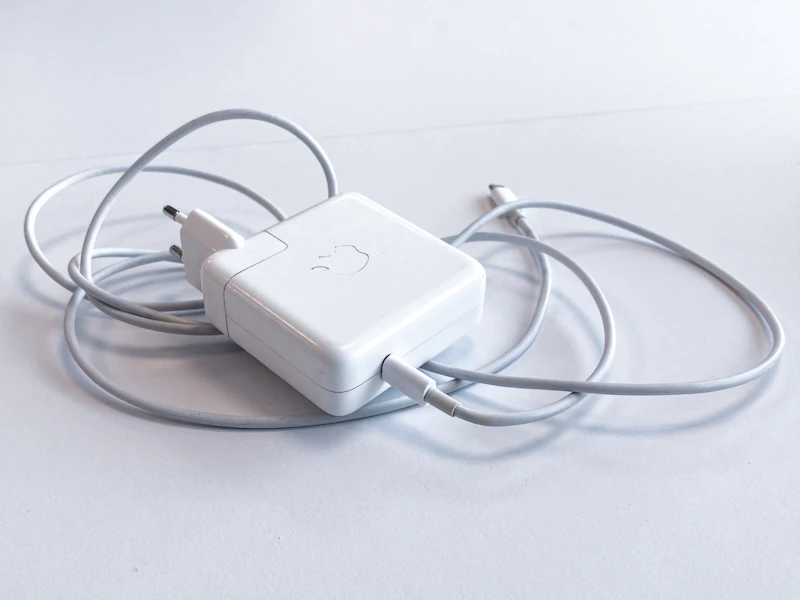
How to Use One USB-C Charger for All Your Devices
One GaN charger can replace 3-4 separate adapters. Here's how USB-C Power Delivery works and which charger replaces your entire charging pile.
Guide: Why USB-C Cables Are Not All the Same: A Technical Guide (Spring 2026)
Guide: Why USB-C Cables Are Not All the Same: A Technical Guide (Spring 2026) — expert analysis and tested recommendations from BestElectronicsReviewed.